
Why Siloed Tools Hurt Engineering Productivity in Construction

Siloed tools are measurably reducing engineering productivity on construction projects right now, and the fix is consolidating your project management, accounting, estimating, scheduling, and field systems into a single integrated ERP with one data model. If you are running separate apps for each function, you are paying for that fragmentation in rework, delays, and manual hours every week.
The three harms that hit hardest:
- Double entry and reconciliation drag: Every handoff between disconnected systems requires someone to re-key data, introducing errors and consuming hours that add no project value.
- Lost context and version confusion: When RFIs, submittals, and change orders live in different tools, engineers lose the thread. Decisions get made on stale information.
- Delayed approvals and broken field feedback loops: Field conditions never reach the engineering team in real time, so rework accumulates before anyone catches it.
Recommended next step: Run a scoped information-loss assessment on two or three of your highest-volume workflows, then pilot an integrated construction ERP. Designflow-build is the recommended starting point for that pilot.
Table of Contents
- How much are siloed tools actually costing your projects?
- Why siloed tools hurt engineering productivity: the six mechanisms
- How to calculate your productivity loss from disconnected tools
- Why offsite and multi-stakeholder projects suffer most from disconnected systems
- What should you look for in an integrated construction ERP?
- How Designflow-build addresses the documented productivity harms
- A realistic roadmap for replacing spreadsheets and disconnected tools
- Key Takeaways
- The real risk is waiting another budget cycle
- See what a 2–4 week Designflow-build pilot looks like for your firm
How much are siloed tools actually costing your projects?
The hidden cost of disconnected tools consistently exceeds what most contractors expect. According to an itemized analysis of data islands in construction, a mid-sized contractor running several separate apps can accumulate significant annual hidden costs from manual double entry, forecasting errors, and rework alone. The total costs are even higher when including opportunity costs from delayed decisions and time spent reconciling conflicting reports.
“Poor software interoperability forces teams to perform manual data transfers between applications, creating information loss, version conflicts, and duplicated effort that compound across the project lifecycle.” — ITcon BIM interoperability study
A peer-reviewed study in the Journal of Construction Engineering and Management used Monte Carlo simulation to quantify information loss in offsite wood-panelized construction and found that technology system incompatibility generates measurable, trackable productivity loss at every transfer point. That is not a qualitative complaint. It is a documented, quantifiable drag you can calculate for your own projects.
Why siloed tools hurt engineering productivity: the six mechanisms
Knowing that disconnected tools cost money is one thing. Knowing exactly where the damage happens lets you audit your own workflows and prioritize what to fix first.
- Fragmented reporting and reconciliation overhead. A connected-platform analysis found that single-owner systems force parallel workflows and create multiple partial truths, meaning your PM’s cost report and your CFO’s job-cost ledger rarely agree without manual reconciliation.
Pro Tip: To find your worst-offending workflow fast, shadow one RFI from field question to engineering response to field confirmation. Time every handoff. Any step that requires copying data from one system to another is a candidate for elimination.
How to calculate your productivity loss from disconnected tools
Use this template to put a dollar figure on the problem before you go to your board or ownership group.
| Input | What to measure | Example value |
|---|---|---|
| Engineering and PM headcount | Number of staff touching project data daily | 12 people |
| Blended hourly rate | Fully burdened cost per person | $75/hour |
| Duplicate-entry hours per week | Hours spent re-keying data across systems | 3 hours/person |
| Rework as % of labor | Labor hours lost to errors from bad data | 5% |
| Error-driven delay (days/project) | Schedule days lost to version or data errors | 4 days |
Worked example for a mid-sized contractor project:
- Duplicate entry: 12 people × 3 hours/week × 50 weeks × $75 = $135,000
- Rework labor: 12 people × $75/hour × 2,000 hours/year × 5% = a notable labor cost
- Delay cost (4 days × daily overhead): a considerable overhead cost
- Estimated annual productivity loss: ~$239,000
Scale that across three or four concurrent projects and you are looking at a number that justifies ERP investment in the first year. The true cost of data islands analysis puts a comparable mid-sized contractor’s annual hidden cost is substantial when forecasting errors and management overhead are included. Your number will vary, but the direction is consistent.
Why offsite and multi-stakeholder projects suffer most from disconnected systems
Offsite and prefab construction amplifies every one of those failure modes. When design, manufacturing, and site installation happen in parallel across different organizations, information transfer is not a nice-to-have. It is the critical path.
Key failure modes specific to offsite and multi-stakeholder programs:
- Information-transfer loss at handoffs — The JCEM offsite study demonstrated that each technology system boundary in a prefab workflow is a point where information degrades or disappears entirely.
Connected platforms that keep all stakeholders inside one authorized data environment reduce those gaps. The Software Interoperability Matrix (SIM) approach gives teams a structured way to identify BIM and application incompatibilities before a project starts, rather than discovering them mid-fabrication.
What should you look for in an integrated construction ERP?
Not every platform marketed as an ERP actually eliminates silos. Use this checklist to score your options.
| Feature | Must-have / Nice-to-have | Score | Why it matters |
|---|---|---|---|
| Single data model | Must-have | 3 | Eliminates double entry at the source |
| Project accounting and job-costing by cost code | Must-have | 3 | Keeps PM and finance in sync without reconciliation |
| Field mobility with offline capability | Must-have | 3 | Closes the field-to-engineering feedback loop |
| BIM/IFC two-way data flows | Must-have | 3 | Prevents design-to-field version drift |
| Role-based permissions and multi-stakeholder governance | Must-have | 3 | Protects data integrity on multi-org programs |
| AI-driven risk prediction and automation | Nice-to-have | 2 | Accelerates forecasting; not a blocker for initial adoption |
| Open APIs and pre-built integrations | Must-have | 3 | Critical for legacy system migration |
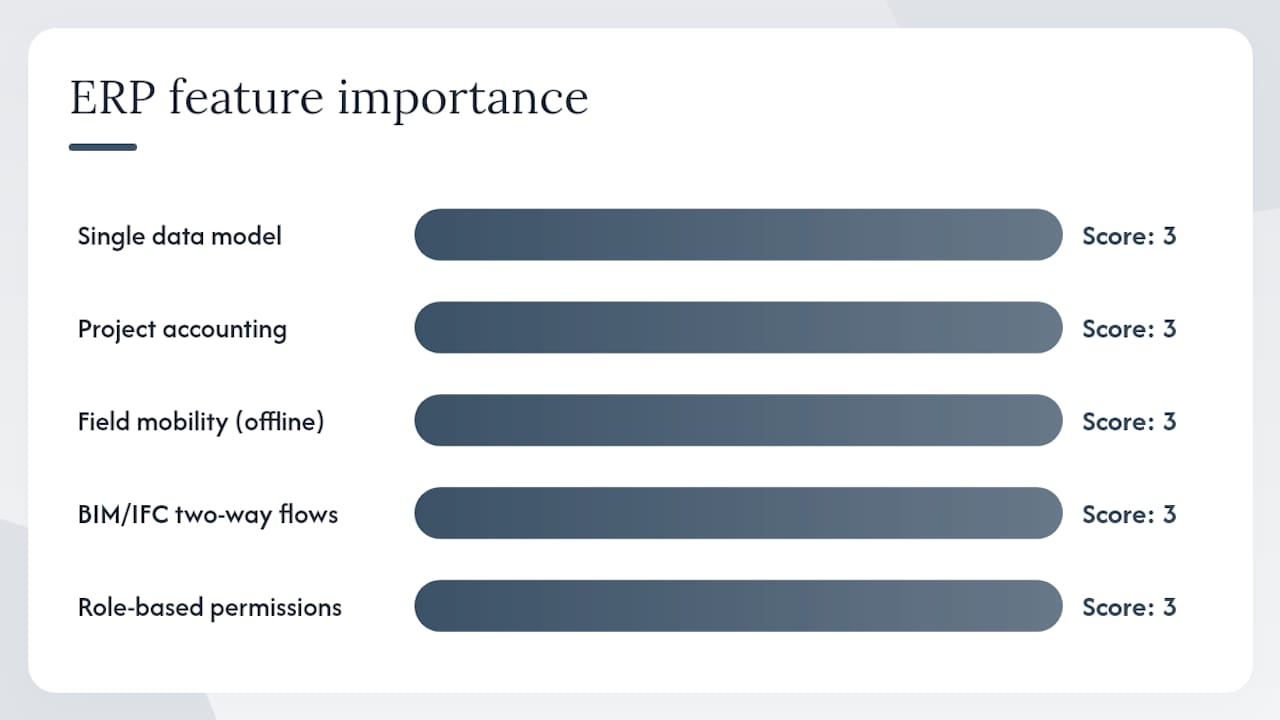
Weight productivity impact and adoption risk highest. A platform that scores 3 on single data model and field mobility but 1 on AI is still a major upgrade over your current stack. Legacy ERPs that lack documented APIs block modern analytics entirely, per ConTech integration guidance, so API readiness is non-negotiable.
Pro Tip: During a 2–4 week pilot, run one real RFI, one change order, and one payroll cycle end-to-end through the new platform. If data flows without manual re-entry at any step, the integration is working. If it does not, you have found your configuration gap before go-live.
How Designflow-build addresses the documented productivity harms
Designflow-build maps directly to the buyer checklist above. Its AI-native ERP combines project management, accounting, estimating, field operations, and compliance into one platform with a single data model, which eliminates the double-entry problem at its root.
| Dimension | Siloed tools | Connected ERP (Designflow-build) |
|---|---|---|
| Productivity impact | Manual re-entry across multiple apps | Reported 70% reduction in manual data entry |
| Cost savings / ROI | Hidden costs of ~$365,000/year | Claimed savings of up to $847K/month |
| Implementation time / adoption | Months of IT-led rollout | 2–4 week implementation, 98% user adoption |
| Data quality | Multiple partial truths, reconciliation required | Single source of truth across all workflows |
| Security / governance | Data scattered across apps and email | Role-based permissions, compliance automation |
| Automation and AI | Manual forecasting, reactive risk management | AI risk prediction, automated workflow rules |
The ERP consolidation model confirms that integrated job-costing, WIP tracking, and procurement in one system reduce duplicate work and enable accurate forecasting. Designflow-build adds AI blueprint takeoff, bid management, certified payroll, and a customer portal on top of that foundation.
A realistic roadmap for replacing spreadsheets and disconnected tools
A phased approach keeps risk low and adoption high.
- Weeks 1–2: Pilot scope. Select two or three core workflows (job-costing, RFI management, and field reporting). Migrate active project data. Run the integration checklist to confirm API connections and data flows.
- Weeks 3–4: Core workflow integration. Validate that project accounting, field mobile, and estimating data flow without manual intervention. Confirm go/no-go criteria: data migration complete, integrations tested, pilot users at 80%+ adoption.
- Month 2–3: Roll out across active projects. Expand to full project portfolio. Train remaining users. Establish governance rules for data entry, permissions, and change-order approvals.
- Month 4 onward: Continuous improvement. Track KPIs monthly and adjust automation rules.
KPIs to track from day one:
- Manual data-entry hours per week (target: cut by 50%+ within 60 days)
- Month-end close time (target: reduce by at least two days)
- RFI cycle time (target: cut average response time by 30%)
- Rework cost as a percentage of total labor
Pro Tip: Assign one internal champion per project team during rollout. That person owns adoption metrics and escalates configuration issues before they become habits. Peer-led adoption consistently outperforms top-down mandates on construction sites.
For practical productivity best practices during the transition, Designflow-build’s resource library covers field mobility, job-cost validation, and BIM workflow testing in detail.
Key Takeaways
Siloed tools in construction cost contractors hundreds of thousands of dollars annually in hidden productivity loss, and an integrated ERP with a single data model is the most direct fix available.
| Point | Details |
|---|---|
| Hidden cost is quantifiable | A mid-sized contractor can lose approximately $365,000 per year to double entry, rework, and forecasting errors from disconnected tools. |
| Six clear mechanisms | Double entry, version confusion, delayed approvals, fragmented reporting, procurement mismatches, and broken field loops are the primary productivity drains. |
| Offsite projects face higher risk | Information-transfer loss at each technology boundary is measurable and compounds on prefab and multi-stakeholder programs. |
| Buyer checklist priorities | Score vendors on single data model, project accounting, field mobility, open APIs, and multi-stakeholder governance before evaluating AI features. |
| Designflow-build pilot path | A 2–4 week pilot with Designflow-build targets significant manual entry reduction and substantial monthly savings, validated against your own KPI baseline. |
The real risk is waiting another budget cycle
The conventional wisdom in construction technology is to wait until a platform is “proven” before committing. That logic made sense when ERP implementations took 12–18 months and required a dedicated IT team. It does not hold when a platform can be live in 2–4 weeks with a 98% adoption rate.
What most owners underestimate is that the cost of inaction compounds. Every month you run disconnected tools, you are paying the ~$365,000 annual productivity tax described above. A one-year delay to “evaluate further” is not a conservative decision. It is a decision to spend that money on inefficiency instead of on capacity, talent, or margin.
The firms that should act now are those running offsite or prefab programs, managing multiple concurrent projects, or carrying more than five separate software subscriptions. For those firms, the ROI case closes in the first year. Firms with simpler, single-project workflows can afford a more deliberate evaluation, but the pilot cost is low enough that there is little reason to wait.
The right question is not “should we adopt an integrated ERP?” It is “how fast can we run a scoped pilot to confirm the numbers?”
See what a 2–4 week Designflow-build pilot looks like for your firm
Replacing eight disconnected tools with one platform sounds like a heavy lift. With Designflow-build, it is a structured 2–4 week pilot with defined deliverables, not a months-long consulting engagement.

Your pilot includes a data migration summary, integration testing across job-costing, field mobile, and estimating workflows, and a KPI baseline so you can measure results against your current stack from day one. The AI construction software platform covers project management, accounting, compliance, and field operations in one subscription starting at $100 per user per month, with a free tier to get started.
To scope your pilot and request the standard pilot template, visit Designflow-build and start your free trial or talk to the team directly.