
DesignFlow Build
From Plan Set to
Priced Estimate
Upload a plan set and the AI runs the whole takeoff in one pass — classifying sheets, reading your legends, and counting schedules and symbols across every MEP, sheet-metal, and low-voltage trade — then hands off a priced estimate ready to become a branded, client-signable proposal. A verifiable 3D model comes with it.
< 60s
Processing200+
MEP VocabEstimate
OutputHow It Works
Four steps from a flat PDF plan set to a priced estimate and a client-ready proposal — one continuous run, no manual markup.
Upload & Classify
Drop a plan set. Sheets auto-classify by trade — mechanical, electrical, plumbing, sheet metal, low-voltage — and drawing scale is set for you.
Read & Count Schedules
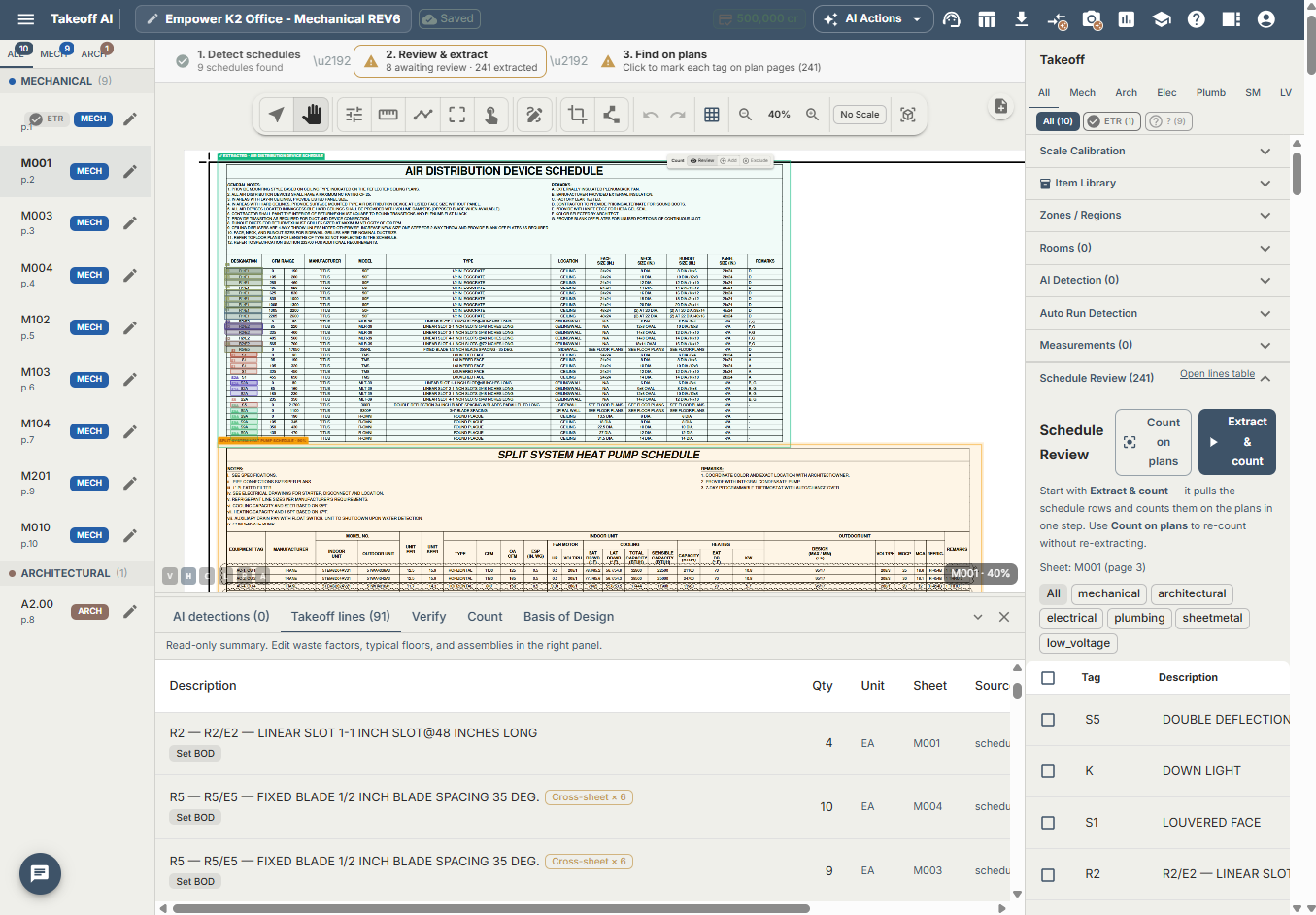
The AI reads your legend pages, then reads and counts the equipment schedules printed on the plans — tag by tag, not just lifting the table.
Detect by Trade
Symbols, pipe and duct runs detected across every MEP, sheet-metal, and low-voltage trade using your legend + a 200+ term MEP vocabulary.
Priced Estimate + Proposal
Quantities aggregate into a bill of quantities and a priced estimate in the ERP — one click to a branded, client-signable proposal. A 3D model comes along to verify.
What Makes It Different
Built specifically for MEP and sheet metal estimators — not a generic AI image tool with construction bolted on.
Reads Your Legends
Auto-extracts symbol tables from general notes pages (M0.0, E0.0) so detections use your project's own terminology.
Counts Schedules on the Plans
Reads and counts the equipment schedules printed on the drawings, tag by tag — tallying quantities against what is detected on the sheets, not just lifting the table.
Trade-Aware Detection
Distinguishes pipe tees from duct tees, isolation valves from control valves — no more mislabeled fittings.
All MEP + Low-Voltage Trades
Mechanical, electrical, plumbing, sheet metal, and low-voltage read in one pass — no trade-by-trade re-uploads.
200+ MEP Vocabulary
Comprehensive built-in knowledge of HVAC, piping, electrical, plumbing, and sheet metal components with CSI codes.
Show-Your-Work Review
Disconnected runs, orphaned risers, and low-confidence detections are flagged for review as the model builds — so you can check the work before it prices.
Priced Estimate & Proposal
Aggregated quantities become a bill of quantities and a priced estimate in the ERP — then a branded, client-signable proposal in one click.
Verifiable 3D Model
Every detection is reconstructed into a 3D spatial model — walk the systems and confirm what was counted, sheet by sheet.
Company Vocabulary
Save corrections to your company vocabulary. The system auto-learns new symbols and gets smarter with every project.
Upload your plans. Get a priced estimate.
Start your free AI takeoff in minutes. No credit card to start.
AI Blueprint Takeoff — FAQ
How AI takeoff works for MEP and sheet metal estimating.
It is built for MEP, sheet metal, and low-voltage: mechanical/HVAC, electrical, plumbing, sheet metal, and low-voltage systems. Sheets are auto-classified by trade so each discipline is analyzed with the right vocabulary and symbol set — all in one pass.
Before analysis, the AI reads your general-notes and legend pages (e.g. M0.0 and E0.0) and extracts the symbol-to-name mappings. Detections then use your project’s own terminology plus a 200+ term MEP vocabulary with CSI codes, instead of a generic guess.
Both. The AI reads the equipment schedules printed on the drawings and counts them tag by tag, tallying quantities against what it detects on the sheets — rather than only lifting the schedule table. That schedule-level counting is a large part of how the takeoff reaches real, defensible quantities.
Yes. Detected quantities aggregate into a bill of quantities and flow into a priced estimate inside the DesignFlow Build ERP — using your assemblies and pricing — so the run ends with an estimate, not just a count. From there, one click generates a branded, client-signable proposal.
Largely, yes. In Full Auto mode the pipeline runs end to end — classify sheets, set scale, read legends, read and count schedules, detect symbols by trade, aggregate quantities, and build the priced estimate — without stopping for manual setup between stages. You review the result and adjust before sending anything to a client.
PDF plan sets. Multi-sheet sets are supported and classified automatically by trade.
A bill of quantities and a priced estimate in the ERP, plus a branded proposal you can generate in one click. A verifiable 3D spatial model of the detected systems comes with it, and low-confidence detections are flagged for review so you can check the work before pricing.
Yes — the AI does the counting and drafts the estimate, and your estimator reviews and adjusts before it goes out. Low-confidence detections are flagged, the 3D model lets you confirm what was counted, and corrections you make feed back into your company vocabulary for the next project.
A typical plan set is processed in under a minute, versus the hours of manual symbol counting and measuring a traditional takeoff requires.