
Automated Document Management Engineering for Engineering Teams

Automated document management engineering, known in the industry as an Engineering Document Management System (EDMS), is a purpose-built platform that automates version control, file relationships, approvals, and metadata across CAD files, BIM models, P&IDs, and technical specs so your team always works from a single source of truth. Unlike generic file storage, an EDMS enforces governance at every lifecycle stage, from first draft through archive. The practical payoff comes down to three things:
- Reduce rework and safety risk by eliminating outdated drawings from active use
- Shorten engineering cycle time through automated approval routing and transmittals
- Maintain compliance and auditability against standards like ISO 9001 and OSHA safety record requirements
Replacing paper archives and fragmented digital storage with an automated system delivers faster search, automated workflows, and reduced manual errors that immediately improve productivity and audit readiness. Designflow-build is an in-market example of an AI-native platform built to deliver exactly these outcomes for U.S. construction and engineering teams.
Table of Contents
- What an EDMS covers and how it differs from generic DMS tools
- Core automation features your EDMS must deliver
- How an EDMS fits into the engineering document lifecycle
- What integrations and technical requirements you need to verify
- Measurable benefits and the real cost of poor document control
- How to implement an EDMS and migrate legacy data without disrupting active projects
- What to ask vendors before you commit to an EDMS
- How AI is changing what an EDMS can do for your team
- Key Takeaways
- The approach that actually works when selecting and rolling out an EDMS
- Designflow-build gives construction and engineering teams a faster path to document control
- Useful sources and further reading
What an EDMS covers and how it differs from generic DMS tools
An EDMS is a purpose-built platform that centralizes and controls engineering-specific content throughout its entire lifecycle. The files it manages go well beyond standard business documents:
- CAD drawings and 3D models (DWG, DGN, STEP, IGES)
- BIM models and federated coordination files
- P&IDs and process flow diagrams
- Engineering Change Notices (ECNs) and Bills of Materials (BOMs)
- Technical specifications, data sheets, and as-built records
The critical difference between an EDMS and a generic DMS, ECM platform, or SharePoint is CAD-awareness and file-relationship management. Standard cloud storage has no native support for complex engineering file interdependencies, which means it cannot automatically push downstream updates after a master change. An EDMS understands that a revision to a master assembly drawing has consequences for every component drawing, spec, and BOM that references it.
| Capability | Generic DMS / SharePoint | Engineering EDMS |
|---|---|---|
| CAD file preview and markup | Limited or plugin-dependent | Native viewer with redline tools |
| File relationship management | None | Automatic parent-child linking |
| Downstream update flagging | Manual | Automated on check-in |
| Metadata extraction from drawings | Manual tagging only | Automated from title blocks |
| ECN / BOM linking | Not supported | Core feature |
| Audit trail for regulatory compliance | Basic version history | Full lifecycle audit log |
| Approval workflow with role gating | Generic task routing | Engineering transmittal workflows |
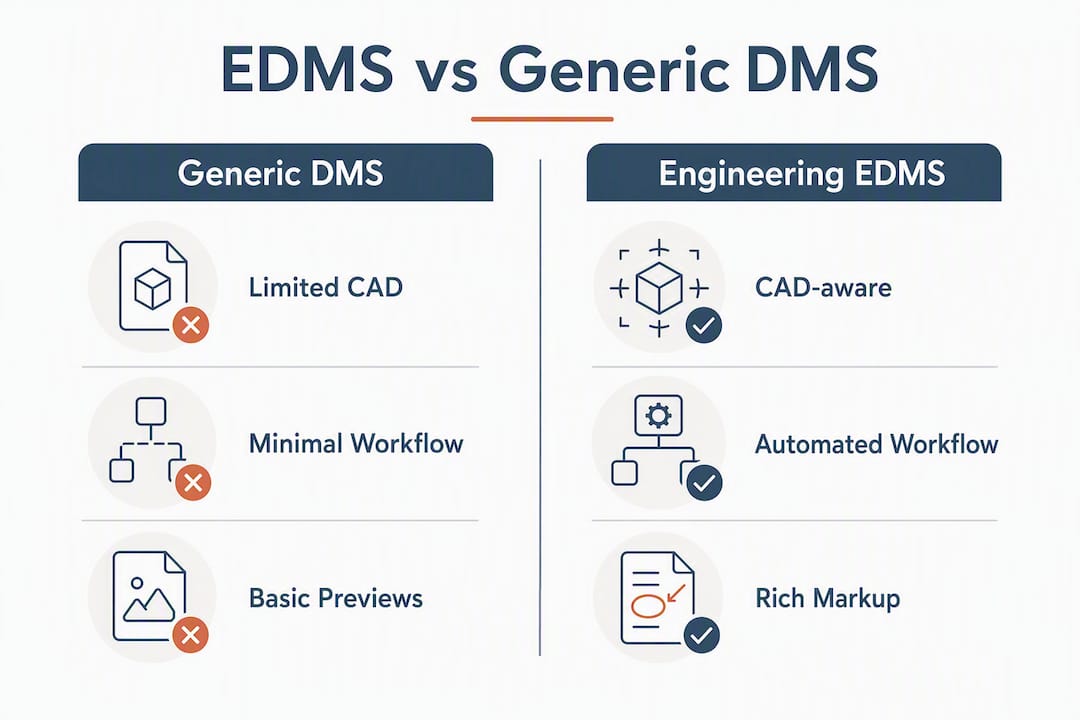
Two scenarios illustrate where generic tools break down. First: an engineer revises a master assembly drawing in SharePoint. The twenty component drawings that reference it are not flagged. A fabricator pulls an outdated component spec three weeks later and builds to the wrong tolerance. Second: a project manager saves a drawing locally as “Final_v2_final_REVISED.dwg” because check-in is too slow. Six copies now exist across four laptops. That is version sprawl, and it is one of the most common causes of engineering rework.
The deeper issue is that engineering teams often confuse storage with governance. A centralized repository without workflow enforcement becomes a digital dump. An EDMS enforces the rules that prevent that outcome.
Core automation features your EDMS must deliver
Key EDMS capabilities span version control, security, integrations, and auditable lifecycle tracking. Here is what each feature does in practice:
- Audit trails: — Every action (view, download, mark-up, approve, reject) is timestamped and attributed to a named user. This is the record OSHA and ISO 9001 auditors ask for.
On feature maturity: check-in/check-out and basic version history are table-stakes. AI-driven metadata extraction, predictive compliance flagging, and automated transmittal suggestions are differentiators worth paying for when your project volume justifies them.
Pro Tip: When a vendor demonstrates AI metadata extraction, run it against a representative sample of your own legacy files, not their curated demo set. Measure both precision (how many extracted values are correct) and recall (how many fields were populated at all). A system that scores well on clean new drawings but poorly on scanned as-builts will create cleanup work, not save it.

How an EDMS fits into the engineering document lifecycle
The engineering document lifecycle follows a predictable sequence, and an EDMS automates the handoffs between each stage:
- Create: Author produces the document in their CAD or authoring tool.
- Check-in: The file is uploaded to the EDMS, which assigns a revision number, extracts metadata, and locks the prior version.
- Review: The system routes the document to designated reviewers based on discipline and project role. Reviewers mark up within the native viewer.
- Approve / Release: An approver with the correct role signs off. The document status changes to “Released” and becomes the current revision of record.
- Publish / Transmit: The EDMS generates a transmittal package and distributes it to contractors, clients, or authorities automatically.
- Revise / Change (ECN): A change request triggers a new revision cycle. The system flags all documents linked to the changed spec and opens new review tasks for each.
- Archive / Retire: Superseded documents are archived with their full history intact. They remain searchable but cannot be issued as current.
Two workflow examples show how this plays out on a real project.
Drawing revision with downstream flagging: A structural engineer revises a foundation detail drawing. On check-in, the EDMS identifies three dependent documents: a concrete spec, a rebar schedule, and a contractor submittal. It flags all three for review and notifies the responsible engineers. No one has to manually track what changed or who needs to know.
Approval routing with auto-transmittal: A mechanical drawing reaches “Approved for Construction” status. The EDMS automatically generates a transmittal, attaches the PDF, and sends it to the contractor’s designated contact. The transmittal is logged with a timestamp, a recipient record, and the document revision number. If the contractor later claims they never received the drawing, the audit trail answers that question in under a minute.
Check-in/check-out mechanics matter here too. When a user checks out a file for editing, the EDMS locks it so no one else can create a conflicting revision. Automated naming conventions (project code, discipline, document number, revision suffix) are applied on check-in, removing the human error that produces “Final_v2_final” filenames. Every action in this sequence is written to the audit log in real time.
What integrations and technical requirements you need to verify
An EDMS that cannot connect to your existing tools creates manual re-entry, which defeats the purpose. Before committing to a platform, verify each of these integration points:
- Native CAD connectors: Does the system offer a plug-in for your authoring tools (AutoCAD, Revit, SolidWorks, MicroStation) that enables check-in directly from the application?
- PLM/PDM sync: If you run a product lifecycle management or product data management system, bidirectional sync prevents duplicate records.
- ERP and CMMS links: Cost codes, work orders, and asset records in your ERP should reference the same document revisions your EDMS controls.
- Single sign-on (SSO): SAML or OAuth integration with your identity provider reduces friction and enforces access policy centrally.
- Open APIs and webhooks: A documented REST API lets your team build custom integrations and trigger EDMS events from external systems.
On deployment, the cloud vs. on-premises decision turns on two factors: data residency and latency. Cloud deployment is faster to stand up and easier to scale, but some U.S. government and defense engineering projects require data to stay on-premises or in a FedRAMP-authorized environment per NIST SP 800-171 controls. On-premises gives you full control but shifts backup, patching, and disaster recovery to your team.
Storage architecture also matters for large CAD and BIM files. Delta-diff storage (saving only what changed between revisions) reduces storage costs significantly compared to storing full copies of every version. For visualization, the EDMS needs to generate lightweight previews or stream files to the browser without requiring the authoring application on every reviewer’s machine.

Pro Tip: Ask vendors for their largest customer’s average file size and total repository size, then ask how preview generation performs at that scale. A system that previews a 50 MB Revit file in 30 seconds in a demo may take several minutes on a 500 MB federated model in production.
Measurable benefits and the real cost of poor document control
A well-run EDMS produces measurable improvements across several KPIs. The ones worth tracking from day one:
- Audit preparation time: — Without an EDMS, assembling a compliance package for an ISO 9001 or OSHA audit can take days. With a complete audit trail, the same package takes hours.
The consequences of poor document control go beyond productivity. Two scenarios that engineering managers encounter regularly:
A contractor builds to a drawing that was superseded three weeks earlier because the transmittal went to the wrong email address. The rework cost runs into six figures, and the schedule slips by two weeks. The root cause is a manual transmittal process with no confirmation tracking.
An OSHA inspector requests the safety documentation for a specific installation. The project team cannot produce a complete, timestamped record of which drawing revision was in use on the day of installation. The traceability gap creates regulatory exposure that a proper audit trail would have closed in minutes.
Risk mitigation comes down to three practices: enforce governance through access controls so only released documents reach the field, run migration verification before go-live to confirm all legacy files are correctly linked, and schedule periodic audits of the repository to catch orphaned files or broken relationships before they cause problems.
For broader context on how construction project automation reduces these risks across the full project lifecycle, the patterns are consistent: automate the handoff, log the action, and measure the outcome.
How to implement an EDMS and migrate legacy data without disrupting active projects
Migration is where most EDMS implementations run into trouble. Organizations consistently underestimate legacy data cleanup and the effort required to map manual approval paths into digital workflow rules. Incorrect mapping causes bottlenecks after deployment, not before, which means the problems surface when the team is already committed to the new system.
A practical migration follows this sequence:
- Inventory existing assets: Catalog every document repository, shared drive, and local folder. Count files, identify formats, and flag anything that is scanned (non-native) versus native CAD.
- Classify and tag by project and discipline: Apply a consistent metadata schema before migration. Documents that arrive in the EDMS without proper tags become unsearchable.
- Map naming conventions and relationships: Document your current naming logic and translate it into the EDMS convention. Map BOM and ECN relationships manually for critical assemblies before automated migration begins.
- Pilot on a representative project: Choose a completed or low-risk active project. Migrate its full document set, test search, visualization, and workflow routing, and confirm that all relationships resolve correctly.
- Validate linking and visualization: Open a sample of CAD files in the EDMS viewer. Confirm that parent-child links are intact and that metadata was extracted accurately.
- Cut over with a rollback plan: Migrate active projects in phases. Keep the legacy system read-accessible for 30–60 days post-cutover so teams can retrieve anything that did not migrate cleanly.
The factors that drive timeline and cost are data cleanup (the largest variable), custom integration work, and the number of pilot iterations needed. User training and onboarding are often underestimated as a cost driver.
On adoption: role-based training works better than one-size-fits-all sessions. Designers need to know check-in and markup. Approvers need to know routing and sign-off. Project managers need transmittal and search. Embedded help text and pre-built templates for folder structures and naming conventions reduce the learning curve significantly. Measure adoption by tracking the percentage of new documents checked in through the EDMS versus saved locally, and set a 90-day target before declaring the rollout successful.
What to ask vendors before you commit to an EDMS
Vendor demos are optimized to show the system at its best. Your job is to stress-test it against your actual workflows. Use this checklist:
Must-have capabilities to verify:
- Native CAD integration with your specific authoring tools
- Automated version control with full revision history
- Complete audit trail exportable for regulatory review
- Role-based security with external user (contractor) access controls
- Configurable approval workflows without custom development
- ECN and BOM linking to drawings
Ten questions to ask during demos:
- Show me dependency management on a real multi-level assembly, not a sample file.
- How does metadata extraction handle scanned legacy drawings with degraded title blocks?
- What is your backup frequency, retention period, and recovery time objective?
- Walk me through configuring a new approval workflow without involving your professional services team.
- How does the system handle a drawing that is checked out when an urgent revision is needed?
- What does a sample migration plan look like for a 50,000-document repository?
- How are external contractors given access without compromising internal security?
- What AI features are available today versus on the roadmap, and what is the accuracy baseline?
- How does the system perform with BIM files over 500 MB?
- What does total cost of ownership look like over three years, including implementation, training, and storage?
For scoring, weight must-have capabilities at 60% of your evaluation and nice-to-have features at 40%. Total cost of ownership should factor in implementation fees, annual subscription, storage costs, and the internal time required for migration and training. A lower license fee with a six-month implementation often costs more than a higher license fee with a two-week rollout. Use a structured ERP evaluation scorecard to keep scoring consistent across vendors.
How AI is changing what an EDMS can do for your team
Modern EDMS platforms use AI to shift from manual management to predictive management, extracting metadata, classifying documents, and flagging compliance risks in real time rather than waiting for a human to catch a problem. The practical AI features worth evaluating:
- Automated metadata extraction: AI reads title blocks, stamps, and drawing attributes on upload and populates metadata fields without manual entry.
- Document classification: The system categorizes incoming files by type (drawing, spec, submittal, as-built) and routes them to the correct folder and workflow automatically.
- Predictive compliance flagging: AI monitors the repository for documents approaching expiration, missing required approvals, or referencing superseded specs, and surfaces alerts before they become audit findings.
- Smart search: Natural-language queries return relevant documents ranked by metadata relevance rather than requiring exact filename matches.
- Automated transmittal suggestions: Based on project role and document type, the system suggests the correct distribution list for each transmittal.
Vendors advertising AI-enabled document automation promote fast pilots and short time-to-value, but practical validation requires testing AI accuracy on your own project document set before rollout. The checklist for evaluating AI claims:
- Run the metadata extractor on 100 legacy files from your repository and measure precision and recall separately.
- Ask for false-positive and false-negative rates on compliance flagging, not just overall accuracy.
- Understand the retraining workflow: how often is the model updated, and can you submit correction feedback?
- Confirm data governance: where are your documents processed, and does AI training use your data?
- Test latency for real-time flagging on large files, not just small PDFs.
Designflow-build’s AI-native platform implements quickly and reports a very high user adoption rate, alongside a substantial reduction in manual data entry. For construction and engineering teams evaluating AI-native document automation capabilities, those implementation metrics represent a realistic benchmark for what time-to-value should look like when a vendor’s AI is genuinely production-ready.
Pro Tip: Ask the vendor to run their AI metadata extractor live on three of your own scanned as-built drawings during the demo. The result tells you more about real-world accuracy than any benchmark they publish.
Key Takeaways
An EDMS delivers value only when CAD-aware automation, governance enforcement, and a structured migration plan are in place from day one.
| Point | Details |
|---|---|
| EDMS vs. generic DMS | An EDMS manages CAD file relationships and automates downstream updates; generic tools cannot. |
| Migration planning is the critical path | Legacy data cleanup and approval-path mapping take longer than the software setup itself. |
| AI features require validation | Test metadata extraction and compliance flagging on your own files before committing to a vendor. |
| Measure three KPIs from day one | Track search time, approval cycle time, and rework hours to prove ROI and drive adoption. |
| Designflow-build as an in-market option | Designflow-build implements in 2–4 weeks with a 98% adoption rate, making it a practical starting point for a pilot. |
The approach that actually works when selecting and rolling out an EDMS
Most engineering managers approach EDMS selection by comparing feature lists. That is the wrong starting point. The question that matters is: where do your current workflows break, and does this system fix those specific breaks?
Governance and file relationships should drive your selection criteria, not storage capacity. A system with 10 TB of storage and no dependency management will generate the same version sprawl you have today, just in a more expensive location.
The three-step starter plan that works in practice:
- Inventory and pilot first. Pick one completed project, migrate its full document set, and test every workflow against real files. You will find integration gaps and naming convention conflicts in the pilot that would have cost weeks to fix post-deployment.
- Map integrations and automate approvals before go-live. Connect your CAD authoring tools and ERP before users touch the system. Approval workflows that are not configured at launch get skipped, and manual habits re-form within days.
- Measure adoption early and often. Track the percentage of documents checked in through the EDMS versus saved locally every two weeks for the first 90 days. If adoption stalls below 80%, the friction point is almost always the CAD connector or the naming convention, not the system itself.
Stakeholder alignment matters more than most managers expect. Field teams and contractors need to see the system as easier than their current process, not just more compliant. Getting a project manager or lead designer to champion the rollout internally is worth more than any amount of vendor-provided training.
Designflow-build gives construction and engineering teams a faster path to document control
Manual data entry, disconnected tools, and slow approval cycles cost construction and engineering teams real money every week. Designflow-build’s AI-native ERP combines document workflow automation, AI metadata extraction, and integrated project and accounting data in one platform built specifically for contractors and engineering firms in the U.S.

The implementation timeline is 2–4 weeks, with no large consulting engagement required. The platform reports a 98% user adoption rate and a 70% reduction in manual data entry, which means your team is working in the system from week one rather than reverting to email and spreadsheets. CAD-aware document control, automated approval routing, compliance tracking, and ERP integration are all included. You can start with a pilot project, validate the workflow against your own files, and scale from there.
See what a pilot looks like for your team at Designflow-build’s AI construction platform.
Useful sources and further reading
- The Ultimate Guide to Engineering Document Management — Synergis: Detailed feature-by-feature breakdown of EDMS requirements for engineering teams.
- Engineering Document Management Guide — Suitefiles: Covers version sprawl, automated transmittals, and naming convention best practices.
- NIST SP 800-171 Rev. 3 — NIST CSRC: U.S. federal guidance on protecting controlled unclassified information, relevant for engineering firms on government projects.
- ISO Standards — ISO.org: Source for ISO 9001 quality management and related standards that govern engineering document traceability requirements.
- Document Management: Features, Benefits, and Process — Microsoft: Baseline reference for general DMS capabilities, useful for understanding where generic tools stop and an EDMS begins.