
Stop Reentering Field Data: Construction Mobile App for Contractors
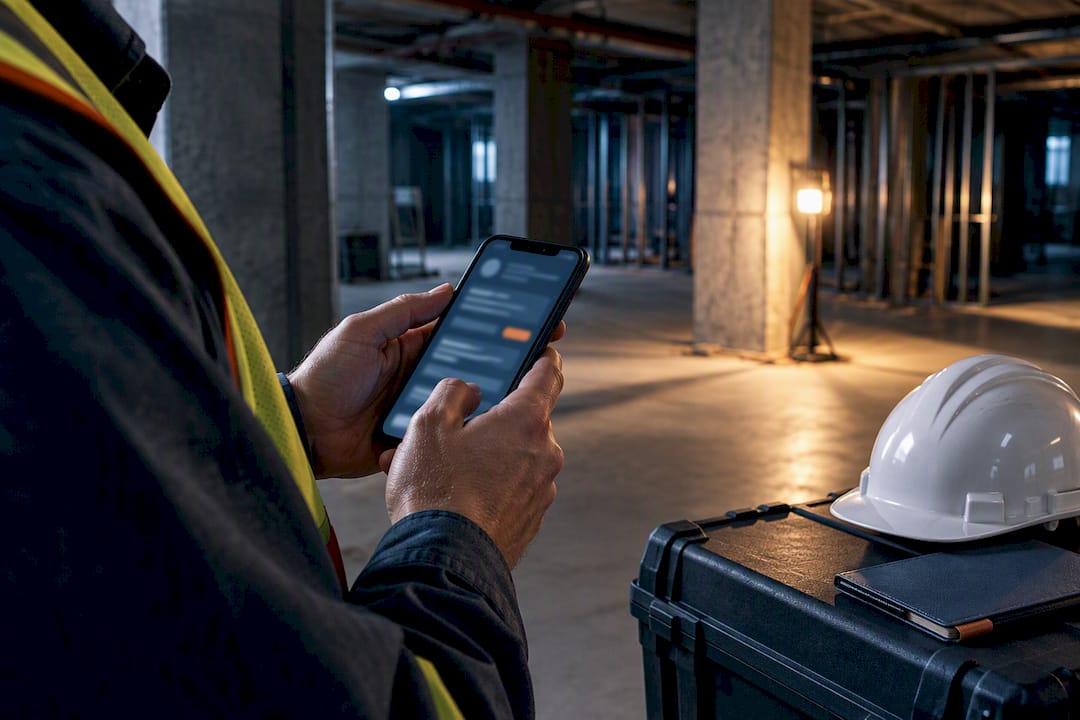
For contractors and project managers, the fastest way to stop losing hours to paperwork is an integrated construction mobile app that ties field reporting straight to project accounting. Foremen and PMs get the biggest lift because it kills duplicate data entry between the trailer and the office. A platform that pairs a mobile field app with a full construction ERP is a solid example of what that approach looks like in practice.
TL;DR:
- An integrated construction app that connects field reporting directly to project accounting can save significant hours by eliminating duplicate data entry and manual re-keying.
- Offline functionality is critical, with the best apps caching data locally and syncing automatically once connectivity is restored, avoiding lost or duplicated entries.
- Focus on selecting apps that automatically transfer field data into your accounting and scheduling systems, rather than manual exports or data reconciliation.
- Pilot new software in one or two sites with a competent foreman, testing offline reliability, core workflows, and integration before scaling up.
- Prioritize data flow quality over flashy features, ensuring the app submits clean, structured data into your financial systems to promote higher adoption and ongoing use.
Table of Contents
- What a Construction Mobile App Actually Does on the Jobsite
- How to Choose a Construction Mobile App Without Getting Burned
- Which App Category Fits Your Crew Size and Workflow
- Your Free Trial Checklist and Simple Scoring Rubric
- Rolling Out a Construction Mobile App Without Losing Your Crew
- What Real Results Look Like With an Integrated Field App
- What Most Buyers Get Wrong About This Decision
- Try Designflow-build’s Mobile Field App on Your Next Project
- Sources
- FAQ
What a Construction Mobile App Actually Does on the Jobsite
A construction project management app earns its place on a foreman’s phone by solving one problem well: getting field information into the system before it gets lost, forgotten, or written on the back of a receipt. The best tools cluster around a handful of core jobs.
- Plans and drawings. Crews pull up the latest sheet set, zoom into a detail, and mark up a wall location without walking back to the trailer for a printout.
- Markups and issue tracking. A superintendent flags a clash between the mechanical and electrical plans right on the drawing, and that markup routes automatically to the right subcontractor.
- Photos tied to location and task. A photo of a slab pour gets tagged to the cost code and the plan sheet, so six months later nobody is guessing which pour that picture came from.
- Daily reports. Weather, crew counts, equipment on site, and delays get logged in minutes instead of at 9 p.m. from memory.
- Digital forms. Safety checklists, inspection reports, and punch lists move from clipboards to structured data that someone can actually search later.
Editorial roundups of construction apps consistently point to daily reports, inspections, and time tracking as the features contractors use most, which tracks with what shows up in the field: these are the tasks that used to eat the most paper and the most memory.
Offline access is not a nice extra. Jobsites routinely sit in dead zones, basements, or steel-framed buildings that swallow cell signal, and a construction site management tool that requires a live connection just stops working exactly when it matters most. The better construction worker apps cache the plan set, forms, and photo queue locally, then sync selectively once a connection returns, usually prioritizing the smaller text and form data before the larger photo files. That order matters. A crew that loses connectivity mid-shift still needs their RFI to go out the moment they’re back on Wi-Fi, even if the photo batch takes another few minutes.
Integration is where a lot of mobile solutions for builders quietly fall apart. A field app that captures great data but dumps it into a silo forces someone in the office to re-key hours, change orders, and job costs into QuickBooks or a scheduling tool by hand. Worldwide mobile app downloads keep climbing, which means more field tools are competing for a spot on a crew’s home screen. The ones that survive past the first project are the ones where time entries, daily reports, and photos flow directly into accounting, scheduling, and document storage without a re-entry step in between.

How to Choose a Construction Mobile App Without Getting Burned
Picking software off a features page is easy. Picking one your crews will actually open every day is harder. Run every candidate through the same six axes before you sign anything.
- Usability. Can a foreman with no software background complete a daily report in under three minutes on his first try, with no training video?
- Offline reliability. Does the app queue and sync data cleanly after a dead zone, or does it lose entries or duplicate them?
- Integrations. Does field data land in your accounting and scheduling systems automatically, or does someone still export a spreadsheet?
- Pricing shape. Is the cost per seat, per project, or a flat platform fee, and does that shape match how your crews actually scale up and down by season?
- Security. Who owns the data if you cancel, and what access controls exist for subcontractors versus internal staff?
- Onboarding support. Is there a guided setup, or are you handed a login and a help center link?
When you’re in a demo, ask pointed questions instead of nodding along to the pitch deck. “Show me what happens when I lose signal mid form.” “Walk me through exporting today’s time entries into payroll right now.” “What does a crew of five look like in your pricing after month three?” Vendors who dodge specifics on the second question usually have a pricing structure that punishes growth.
Watch for red flags that predict a stalled rollout: no free trial or sandbox, vague answers about data export if you leave, a UI that needs a training session before a field worker can log a photo, and support that lives only in a ticket queue with no phone option. User-review platforms like Capterra are worth a scan here, since verified users tend to flag onboarding friction and offline bugs faster than any sales page will.
Pro Tip: Ask to trial the app with your worst connectivity site, not your best one. A tool that looks flawless in the office can fall apart the moment it hits a basement pour with no signal.
Which App Category Fits Your Crew Size and Workflow
Not every construction mobile app is solving the same problem, and matching the category to your company size saves months of wasted rollout.
- Field-first apps focus narrowly on plans, markups, and photos. They fit small crews or single-trade subs who need fast documentation without touching accounting.
- Crew management tools center on scheduling, time tracking, and communication. They fit companies juggling multiple crews across sites who need to know who’s where and what they’re billing.
- Estimating and takeoff apps speed up bid preparation by measuring plans digitally instead of by hand. They fit estimators and small GCs who bid frequently and need faster turnaround without hiring more staff.
- Integrated ERP and mobile platforms combine field data capture with project accounting, job costing, and compliance in one system. They fit growing contractors, typically once you’re managing several concurrent jobs and manual data re-entry between tools starts costing real hours every week.
The tipping point toward an integrated platform usually shows up the same way for most companies: your office staff spends more time reconciling field reports against invoices than actually managing projects. If that’s happening, a single-purpose app has done its job and outgrown its usefulness. A field-first app handles a punch list fine. It won’t tell you your actual job cost against budget in real time, and it won’t flag that a change order never made it into your accounting system. That gap is exactly what an integrated construction project management app closes.
Your Free Trial Checklist and Simple Scoring Rubric
A free trial only tells you something useful if you test the specific tasks that break bad software. Run these five actions before you commit to anything.
- Mark up a plan sheet while your phone is in airplane mode, then reconnect and confirm the markup synced correctly.
- Create a full daily report with at least three photos attached to specific cost codes.
- Push an RFI to a subcontractor and confirm they receive it and can respond from their own device.
- Run a full week of timecards for a small crew and check the math against manual calculations.
- Export a report into your accounting system and see if any fields need manual correction.
Score each on a 1 to 5 scale across four categories: reliability, speed, integration accuracy, and cost transparency. Anything scoring below a 3 on reliability or integration is a reason to keep looking, no matter how clean the interface looks.
Structure the pilot as two weeks with one crew and one active project. Set a measurable target going in, such as cutting daily report time by half or eliminating one full day of manual data re-entry at week’s end. If the app can’t hit that target with a motivated pilot crew, it won’t hit it once the whole company is depending on it. An ERP evaluation scorecard template can keep the scoring consistent across every tool you test.
Rolling Out a Construction Mobile App Without Losing Your Crew
Most rollouts fail in the first two weeks, not because the software is bad, but because nobody planned for the adjustment period. A realistic timeline runs in three stages: setup and data migration in week one, a single pilot crew running the app for two to three weeks, then a phased rollout to additional crews once the pilot proves the workflow actually holds up.
- Pick one or two pilot sites, ideally ones with a foreman who’s already comfortable with a smartphone.
- Appoint a field champion on each site, someone crews will ask questions to instead of calling the office every time something looks off.
- Resist customizing every form and workflow before crews have even used the default setup for two weeks.
- Connect core accounting flows, especially time and job costing, early rather than bolting them on after adoption stalls.
The most common pitfall is rolling out to every crew at once. That guarantees confused feedback from ten directions instead of clear signal from one. The second most common pitfall is over customizing before anyone has used the too long enough to know what actually needs changing. Give the default setup a real two weeks before you touch it.
Pro Tip: Put your most skeptical foreman on the pilot crew, not your most enthusiastic one. If the app wins him over, it’ll win over everyone else too.
What Real Results Look Like With an Integrated Field App
An integrated mobile field app and construction ERP closes the gap between what happens on site and what shows up in your books. Designflow-build pairs its mobile field app, which handles plans, markups, photos, daily reports, and voice data entry, with an AI-native ERP that runs project accounting, job costing by cost code, and compliance automation in the same system.
Contractors have reported substantial reduction in manual data entry, significant monthly savings, and short implementation timelines with high user adoption when using integrated construction ERP platforms, according to some company reports.
Those numbers matter less as marketing and more as a signal of where the actual savings hide: not in flashy features, but in the hours nobody has to spend retyping what a crew already entered once in the field. The mobile field app captures the data. The Construction ERP turns it into job costing and financials without a manual export step in between. AI Blueprint Takeoff extends that same automation upstream into estimating, so the savings start before the first crew even breaks ground.
What Most Buyers Get Wrong About This Decision
Most contractors evaluate construction apps like they’re shopping for a camera. They look at feature lists, screenshots, and star ratings, and they pick whichever tool has the longest checklist. That’s backwards. The feature that actually determines whether your team keeps using an app six months in is what happens to the data after someone enters it.
Conventional advice tells you to prioritize the flashiest tool. I’d prioritize the boring question first: where does this data go after the photo gets taken? An app with fewer bells and whistles that dumps clean, structured data straight into job costing will outperform a feature-rich app that leaves your bookkeeper reconciling spreadsheets every Friday. Adoption is the real bottleneck in this industry, not functionality, and adoption follows speed and simplicity, not feature count.
If you take one thing from this, prioritize the data path before the interface. Everything else, including scheduling and reporting, gets easier once field data lands where your office actually needs it.
— Keith
Try Designflow-build’s Mobile Field App on Your Next Project
If you’ve been piecing together a construction mobile app, a separate scheduling tool, and QuickBooks just to get a full picture of a job, Some AI-native ERP platforms have mobile field apps built in, so plan markups, daily reports, and timecards flow into job costing and financials the moment a crew submits, with no export, re-entry, or second tool needed.

In a demo, ask to test exactly what this article recommends: mark up a plan offline, submit a daily report with photos, push an RFI, and watch a timecard land in job costing without touching a spreadsheet. Rollouts typically run two to four weeks, and pricing runs on a seat basis, with Pro at $100 per office user per month and Field seats at $25 per user per month, plus an Essentials tier available for teams starting smaller. Start with a pilot crew on your next active job and see how much manual entry disappears in the first two weeks.
Sources
Adoption trends and feature priorities cited here draw from PlanAcademy’s contractor app roundup, Connecteam’s 2026 construction app guide, Statista’s global app download data, and verified user feedback on Capterra.
FAQ
What Are Some Good Mobile Apps for Construction Work?
Good construction mobile apps typically cover plan markups, daily reports, photos, and time tracking, with offline access built in for jobsites with weak signal. Editorial roundups consistently point to daily reporting and inspection tools as the features contractors rely on most, and integrated platforms like Designflow-build add project accounting on top of those same field tools.
Which App Is Best for Construction Project Management?
The right choice depends on company size: single-purpose field apps work for small crews, while growing contractors typically need an integrated platform that connects field data to job costing and scheduling. Designflow-build’s Construction Project Management tools pair with its mobile field app so field updates and project financials stay in sync automatically.
What Is the Best App for Construction Design?
For design and plan management, look for apps that support markups, version control on drawings, and photo tagging tied to specific plan sheets. These features let crews reference the latest sheet set and flag issues directly on the drawing instead of relying on printed copies that go out of date.
What Is the Best Free Construction Estimating App?
Free estimating tools vary widely in accuracy and speed, and most cap out on features like AI-assisted takeoff once a project gets complex. Designflow-build’s AI Blueprint Takeoff automates measurement work that free tools typically require doing by hand, and Designflow-build offers a free Essentials tier for teams that want to test core features before upgrading.