
90 Day Roadmap to Field Forward Construction Document Control for GCs

Construction document control is the system of rules and workflows that governs how drawings, submittals, RFIs, and closeout records get created, reviewed, versioned, and distributed on a project. Done right, it cuts rework, protects you legally when disputes hit, and keeps every crew working off the current set. This guide covers the workflows, submittal mechanics, versioning conventions, roles, and tools that make it work in practice.
TL;DR:
- Enforcing a single revision naming convention, such as decimal or R-notation, and requiring a formal transmittal stamp prevents outdated files from causing errors on site.
- Implementing a digital document control platform with full version history and offline mobile access can reduce manual data entry by up to 70 percent and improve field accuracy.
- Clearly defining owner responsibilities, such as the general contractor reviewing submittals and the architect handling conformance, helps prevent document loss and confusion.
- Transitioning from spreadsheets to purpose-built control tools is recommended once managing more than ten projects or dedicating more than 30 percent of staff time to document tracking.
- Maintaining a thorough closeout record with approved submittals, warranties, and manuals logged throughout the project streamlines final handover and protects against future disputes.
Table of Contents
- Why Document Control Matters More Than Most Teams Think
- The Core Workflow Every Project Needs
- How Do You Manage the Submittal Process?
- What Naming Convention Should You Use for Revisions?
- Who Is Responsible for What in Document Control?
- When Should You Move Off Spreadsheets?
- A Best-Practices Checklist You Can Start This Week
- What Belongs in the Closeout Package?
- How AI-Native ERP Platforms Support Document Control
- What Actually Fixes Document Control (And What Doesn’t)
- Put Your Document Control Workflow on Autopilot
- Reference Standards and Templates Worth Bookmarking
- Sources
- FAQ
Why Document Control Matters More Than Most Teams Think
Bad document control does not fail loudly. It fails quietly, one wrong-revision installation at a time, until the change order pile gets too big to ignore. A crew frames a wall off Rev A when the architect issued Rev C two weeks earlier, and nobody catches it until the inspector does.
Industry field guides identify wrong-revision work as a leading, recurring cause of rework and schedule slippage on active jobsites, and the fix is almost always procedural, not technical. Teams that enforce consistent versioning, naming, and distribution rules see fewer of these failures because the crew in the field simply cannot access an outdated file, according to Fieldwire’s guide to construction document control.
There’s a legal dimension too. When a dispute lands in mediation or court, the paper trail (or lack of one) often decides who pays. A document control system built around USACE-style transmittal forms and formal submittal registers doubles as the operations and maintenance record the owner needs on day one of occupancy. You’re not just avoiding rework. You’re building the file that protects the company two years from now when someone asks who approved what, and when.
The Core Workflow Every Project Needs
Every document that touches a project falls into one of six categories, and each one needs its own handling rule: drawings and specifications, submittals, RFIs, change orders, meeting minutes, and closeout records. Treating all documents the same way is how logs get messy and approvals get lost.
A workable document control workflow runs in five steps, whether you’re managing it with a dedicated document controller or splitting the load across a small PM team, especially when ensuring compliance with updated Miami-Dade regulations like the solar wind code rework with PE/NOA cross-reference.
- Receive. Every incoming document, whether from a subcontractor, architect, or supplier, gets logged the day it arrives, with a date stamp and a unique ID tied to the specification section.
- Log. The item goes into a submittal or drawing register that tracks status, due date, and the schedule milestone it’s tied to. This is the single source of truth for “where this thing is right now.”
- Review and coordinate. Before anything goes to the design team, the general contractor checks it against the specs and the other trades’ work. This internal pass is where most resubmission cycles get prevented before they start.
- Approve or return. The architect or engineer issues a formal disposition. Nothing moves to fabrication or installation without it.
- Distribute. Approved documents go out through a formal transmittal, not an email chain, so there’s a record of who received what and when.
A documented lifecycle workflow that ties documents to field tasks prevents the most common field failure: a crew working from a printed set that’s three revisions old because nobody told them a new one existed.
How Do You Manage the Submittal Process?
Submittals carry the highest risk of any document category, because a rejected or delayed submittal can stall procurement for weeks. Treat every submittal as either an action submittal (requiring formal review and disposition, like shop drawings or product data) or an informational submittal (for reference only, like certifications that don’t need sign-off), and log them differently so your team isn’t waiting on approvals that were never required.
A complete submittal package includes a cover sheet, a compliance matrix, product data, certifications, shop drawings, and any RFIs tied to that spec section. Packages missing even one of these pieces are a common reason submittals bounce back for resubmission.
Build your submittal register straight from the specifications, section by section, before the first package ever gets assembled. On federal work, background guidance points to an initial register often due within roughly 30 calendar days of notice to proceed, with monthly updates until every item clears. Even on private commercial jobs, that same discipline, register first, submittals second, keeps procurement lead times from blowing up your schedule.
- Require a compliance matrix that maps every submitted value to the exact spec paragraph it satisfies.
- Run a GC coordination stamp on every package before it leaves your office.
- Track dispositions precisely: approved, approved as noted, revise and resubmit, or rejected.
- Flag repeated incomplete submittals from the same sub as a pattern worth a direct conversation.
Pro Tip: Make an incomplete submittal package a chargeable event in your subcontract language. It shifts the incentive to get it right the first time, and it stops the cycle of subs treating your review process as their first draft.
What Naming Convention Should You Use for Revisions?
Pick one versioning system and enforce it across every trade on the project, because a mixed system is worse than no system at all. Two conventions dominate commercial work: decimal notation (1.0, 1.1, 1.2 for minor revisions within a set) and R-notation (R0, R1, R2 for formal issued revisions). Decimal works well for internal draft cycles; R-notation is the standard for anything issued for construction, since it signals a formal, dated change rather than a work-in-progress tweak.
Whichever you choose, back it with these habits:
- Stamp every revision with who changed it, when, and why, even for a one-line spec clarification.
- Route every revision through a formal transmittal, never a standalone email, so distribution is logged automatically.
- Set up automatic notifications so the field team gets pinged the moment a new revision replaces an old one.
- Give field crews offline mobile access to the current set, since a jobsite with spotty signal is exactly where outdated-revision mistakes happen.
Electronic transmittals and timestamped logs carry real legal weight in the US under electronic-signature law, so a well-kept digital audit trail is not just convenient. It holds up as evidence if a dispute ever questions who knew what, and when.
Who Is Responsible for What in Document Control?
Confusion over ownership is where documents get lost, not usually in the systems themselves. Under standard AIA A201 contract language, the contractor is required to review and coordinate submittals for compliance before forwarding them, and remains responsible for their accuracy even after the architect signs off.
- Contractor/GC: Owns pre-submission review, coordination between trades, and the master submittal log.
- Architect/engineer: Reviews for conformance with the design concept only, and must act with reasonable promptness, but doesn’t catch every field-level error, that’s the GC’s job.
- Subcontractor: Prepares complete, accurate packages the first time and responds to RFIs on schedule.
- Document controller: Maintains the register, enforces naming conventions, and tracks every disposition to closure.
On smaller jobs, a project manager can wear the document controller hat alongside other duties. Once a project runs past roughly a dozen active submittal chains or multiple concurrent buildings, a dedicated controller role usually pays for itself in avoided resubmission cycles.
When Should You Move Off Spreadsheets?
Spreadsheets work fine for a single small job. They start failing once your team is juggling change volume that eats up a real chunk of everyone’s week just tracking what’s approved and what’s pending. A useful rule of thumb: once you’re running more than roughly ten active projects, or your team is spending more than 30% of its week on document housekeeping instead of building, a purpose-built tool usually earns back its cost quickly.
Look for three non-negotiables in any platform you evaluate: full version history with a real audit trail, mobile access that works offline in the field, and the ability to tie every document directly to the task or schedule milestone it affects.
- Pilot the tool on one active project before rolling it company-wide.
- Map your current workflow on paper first, so the software mirrors how your team actually works instead of forcing a new process on top of a broken one.
- Train field users separately from office staff. The mobile experience and the desktop experience solve different problems.
Pro Tip: Run your pilot on the project with the highest submittal volume, not the easiest one. That’s where a bad rollout shows up fastest, and where a good one proves its value the loudest.
A Best-Practices Checklist You Can Start This Week
Some of these changes cost nothing but discipline. Others need a quarter to plan properly.
- Standardize your revision naming convention across every trade, this week.
- Require a GC pre-check stamp on every submittal before it leaves the office.
- Publish the submittal schedule to every sub at kickoff, tied to real dates, not vague milestones.
- Enforce transmittals for every document exchange, no exceptions for “quick” emails.
- Pilot a document control platform on one project within the next 30 to 90 days.
- Assign access roles before scaling any new system company-wide.
- Start the closeout binder on day one of the project, not the last week.
| Timeframe | Action | Owner |
|---|---|---|
| This week | Standardize naming convention | Document controller / PM |
| This week | Enforce transmittals for all exchanges | Full project team |
| 30 to 90 days | Pilot a document control platform | PM with field lead |
| 30 to 90 days | Define access roles and permissions | Document controller |
| Ongoing | Maintain closeout binder from kickoff | Document controller |
What Belongs in the Closeout Package?
The owner’s closeout package is where sloppy document control gets exposed, usually in the final two weeks of a job when everyone is scrambling. A complete package includes as-built drawings, every approved submittal, warranties, operations and maintenance manuals, lien waivers, and the certificate of occupancy.
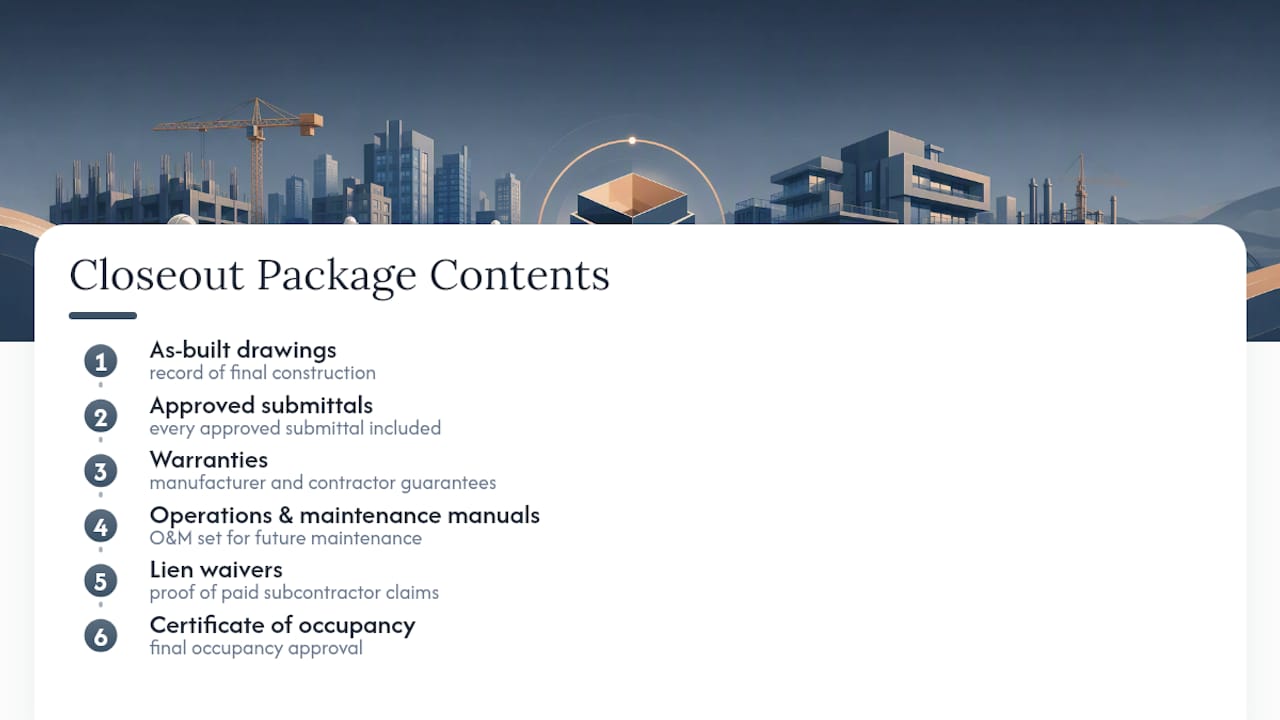
None of that should be a last-minute assembly job. If you’ve been logging approvals and maintaining your register properly throughout the project, closeout becomes a matter of compiling what already exists rather than chasing down subcontractors for paperwork they submitted eight months ago. That complete record also becomes the foundation for the owner’s future maintenance and capital planning, since a facilities team working from an incomplete O&M set is flying blind the first time a system fails.
How AI-Native ERP Platforms Support Document Control
Manually re-keying submittal data across spreadsheets, email, and accounting systems is exactly the kind of housekeeping that eats a project manager’s week. DesignFlow Build’s construction ERP folds project management, accounting, and field operations into one system, so a submittal logged in the register updates the schedule and the job cost record without a second data entry step.
DesignFlow Build reports that clients using its AI-driven project management see a 70% reduction in manual data entry, monthly savings reported as high as $847,000, implementation in two to four weeks, and a 98% user adoption rate, according to the company’s own figures. Those are DesignFlow Build’s stated results, not independently audited benchmarks, but they map directly onto the pain points this guide covers.
A sensible pilot scope: automate the submittal register, standardize transmittal templates, give field crews mobile access to current documents, and build the closeout package structure from the first day of the job rather than the last.
What Actually Fixes Document Control (And What Doesn’t)
Most teams buy software before they fix their process, then wonder why the tool didn’t help. A platform can’t coordinate submittals that were never properly reviewed internally first. Governance and pre-submission discipline have to come before automation, or you’ve just digitized the same chaos.
I’ve watched enough project postmortems to know the pattern: the failure almost never traces back to a missing tool. It traces back to a GC skipping the coordination stamp, or a naming convention nobody enforced past week two. Fix that first.
A realistic 90-day roadmap looks like this: weeks one through two, standardize naming and require GC pre-checks. Weeks three through six, pilot a platform on your highest-volume project. Weeks seven through twelve, scale what worked and formalize your closeout process for every job going forward.
— Keith
Put Your Document Control Workflow on Autopilot
Everything in this guide, submittal registers, transmittal logs, versioning discipline, closeout tracking, works. But running it across five disconnected tools (a spreadsheet here, email there, QuickBooks somewhere else) is exactly the manual grind that eats your week. DesignFlow Build replaces that stack with a single AI-native ERP built specifically for contractors.

The platform ties your submittal register directly to project scheduling and job costing, so an approved submittal automatically updates the schedule instead of sitting in a separate log someone has to update by hand. Field crews get mobile access to current drawings and transmittals, even offline, which solves the exact wrong-revision problem this guide opened with. Compliance automation handles the certificates of insurance and lien waivers that usually clog up closeout at the worst possible moment.
Implementation can be completed in a matter of weeks rather than several months, which is common in many ERP transitions. Check DesignFlow Build’s pricing to see which plan fits your team size, or explore the full construction ERP platform to see how submittal tracking, accounting, and field operations work together in one system.
Reference Standards and Templates Worth Bookmarking
For teams building out formal procedures, a few primary sources are worth keeping on hand rather than relying on secondhand summaries.
- USACE UFGS guidance, including ENG Form 4288-R (submittal register) and ENG Form 4025 (transmittal), for federal-style register and transmittal formatting.
- AIA A201 submittal clauses and AIA G712 submittal log format for contract-standard review responsibilities.
- Field-forward guides like Fieldwire’s document control walkthrough and BuildSync’s submittal package guide for practical templates and compliance matrix examples.
Sources
- Construction document control: A practical guide | Fieldwire by Hilti
- What is a Submittal Package and How to Create one: Complete Step-by-Step Guide - BuildSync
- USACE submittal procedures and forms
- According to Hoyle: The Submittal Process (AIA community blog)
FAQ
What Does Construction Document Control Mean?
Construction document control is the process of managing how drawings, submittals, RFIs, and records get created, reviewed, versioned, and distributed throughout a project. Its core job is making sure everyone works from the current, approved version of every document, which is why strong control directly reduces rework and schedule delays.
What Is the Best CRM for Construction?
Construction teams generally need more than a traditional sales CRM, since the real challenge is connecting document control, scheduling, and accounting in one place rather than just tracking contacts. Platforms like DesignFlow Build’s construction project management tool are built to combine that coordination with job costing, which a standalone CRM typically can’t do.
Is Document Control a Stressful Job?
It can be, particularly on projects where naming conventions aren’t standardized or submittal registers weren’t built from the specs up front. Most of the stress comes from chasing down missing information or fielding disputes over which revision is current, both of which shrink significantly once a team enforces consistent workflows and transmittal discipline.
What Should Be Included in Document Control?
A solid system covers submittal registers, version naming conventions, transmittal logs, defined roles for who reviews and approves each document type, and a closeout package structure planned from day one. A complete submittal package specifically needs a cover sheet, compliance matrix, product data, certifications, and shop drawings to avoid common resubmission delays.