
Commercial Construction Reporting Automation Explained

Commercial construction reporting automation is the process of using AI and integrated software systems to collect, analyze, and generate comprehensive project reports without manual compilation. For project managers running multi-million-dollar builds, this shift from spreadsheets to automated workflows means the difference between reacting to problems and preventing them. 72% of mid-market construction firms still rely on spreadsheets for work-in-progress scheduling, and 61% of contractors cite poor daily documentation as a primary dispute cause. Automated construction reporting fixes both problems at once.
What is commercial construction reporting automation?
Automated construction reporting, also called construction data automation in engineering project contexts, is the practice of connecting ERP systems, scheduling tools, and field logs into a single pipeline that generates reports on demand. The industry term for the broader practice is “automated engineering project reporting,” and it covers everything from daily field summaries to monthly financial status reports. The core promise is simple: data entered once flows automatically into every report that needs it, with no re-keying, no copy-paste errors, and no chasing supervisors for updates. Designflow-build and similar AI-native platforms are built around this principle.
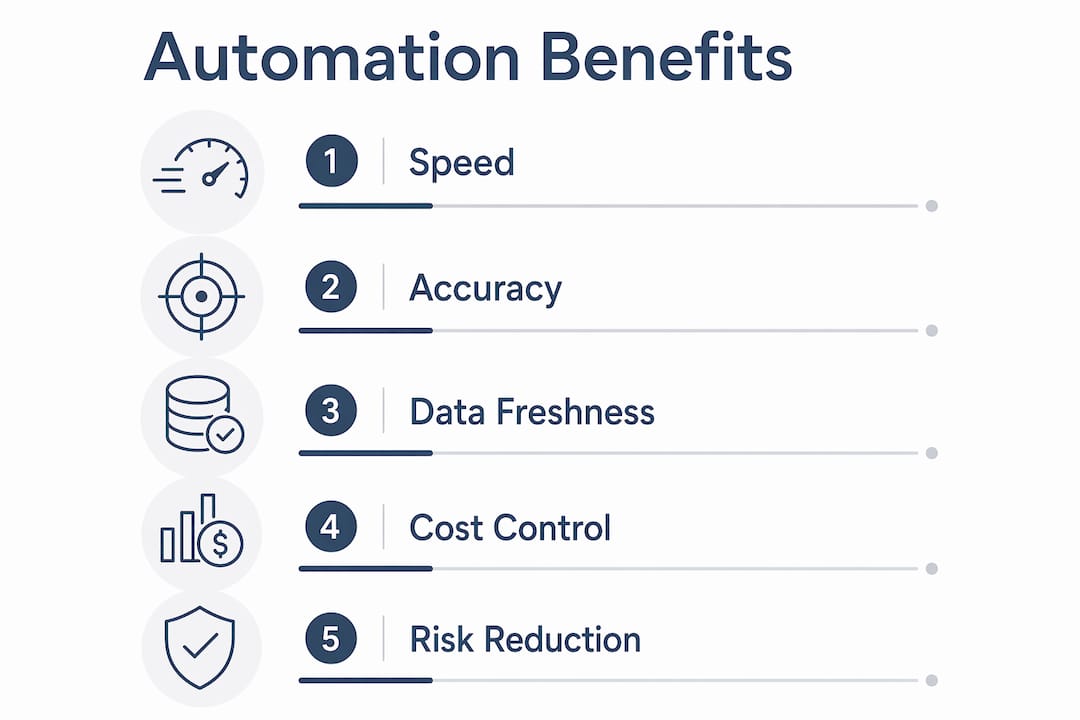
The practical result is speed and accuracy working together. Automated systems provide data freshness within 24 hours compared to 2–6 week delays in manual processes. That gap matters enormously when a subcontractor is burning through contingency or a schedule is slipping.
How does automated reporting work in commercial construction projects?
The mechanics follow a clear sequence. Data flows in from multiple sources, gets processed by AI, and exits as a formatted, ready-to-distribute report. Here is how that sequence typically runs:
-
Data aggregation. The system pulls from ERP platforms, scheduling software, field report forms, and cost tracking tools simultaneously. Every transaction, time entry, and inspection result feeds the same pipeline.
-
AI pattern recognition. The AI layer scans aggregated data for anomalies, schedule deviations, and cost variances. It flags items that need attention before a human would notice them in a spreadsheet.
-
Natural language generation. The system drafts narrative sections of the report, including executive summaries and risk flags, using the flagged data as its source. AI tools draft approximately 80% of project status reports by aggregating diverse data sources.
-
Automated distribution. Completed reports route to the right stakeholders at the right time, with no PM follow-up required.
A concrete daily example: automated daily field report collection pushes structured forms to supervisors each morning and compiles a comprehensive site report by 5 PM, with completion rates of 85–95%. Safety incidents trigger automatic escalation. The project manager receives a finished document, not a stack of raw inputs to sort through.
Pro Tip: Before you automate engineering project documentation, map every data source your reports currently draw from. Missing one connection point means your automated reports will have gaps that are harder to spot than gaps in a manual spreadsheet.
What are the practical benefits of construction reporting automation?
The efficiency gains from automated construction reporting are measurable and immediate. Project managers who previously spent two hours assembling a weekly status report now spend 20 minutes reviewing and approving one. That is not a minor convenience. It is roughly 1.5 hours per report returned to higher-value work.
The key benefits project managers report include:
-
Faster report generation. AI drafts the bulk of report content, so PMs focus on interpretation rather than compilation.
-
Fewer errors. Manual spreadsheet-based reporting introduces transcription mistakes and version-control problems. Automated pipelines eliminate both.
-
Real-time financial visibility. Real-time WIP reporting systems integrated with ERP platforms like Sage Intacct update job data immediately upon transaction entry, enabling earlier insight into margins, overruns, and productivity shifts.
-
Proactive risk management. Automated reports flag schedule and cost deviations as they emerge, not weeks later.
-
Consistent compliance tracking. Safety and regulatory items are tracked automatically, with escalation built into the workflow.
Automated WIP reports incorporate committed costs, change orders, and dynamic cost-to-complete projections instead of static budget comparisons. That continuous update creates a real-time picture of job health that no weekly spreadsheet can match. For firms scaling past $150 million in revenue, fragmented data creates serious margin risk, and automation provides the reconciled, current-state view that leadership needs.
Report automation vs. AI-powered reporting: what is the difference?
Not all automated reporting is equal. Understanding the distinction protects you from buying a tool that only solves half the problem.
| Feature | Basic report automation | AI-powered automated reporting |
|---|---|---|
| Data population | Pulls data into fixed template fields | Aggregates data from multiple sources dynamically |
| Narrative generation | None. Fields fill with numbers only | AI drafts executive summaries and risk narratives |
| Pattern recognition | No. Static threshold alerts only | Yes. Identifies trends and anomalies across datasets |
| Risk flagging | Manual or rule-based only | Predictive modeling flags emerging issues early |
| ERP and spatial integration | Partial. Often requires manual export | Full integration with ERP, scheduling, and site monitoring |
Basic automation autopopulates a template. AI-powered reporting interprets the data and tells you what it means. AI-powered reporting uses pattern recognition, predictive modeling, and natural language generation to produce faster, consistent, forward-looking reports. That is a fundamentally different product from a spreadsheet that fills itself in.
Effective automated reporting must connect AI interpretation directly to spatial site monitoring or ERP data for evidence-based updates, not subjective commentary. A report that says “concrete pour on Level 4 is 12% behind schedule based on yesterday’s pour volume” is more useful than one that says “progress is slightly delayed.”
Pro Tip: When evaluating commercial project reporting tools, ask vendors specifically whether their AI generates narrative text or only populates data fields. The answer tells you immediately which category the product falls into.
How do project manager roles evolve with reporting automation?
Automation shifts the project manager’s role from data compiler to strategic analyst, enabling early intervention and turning reporting into proactive intelligence. That shift is significant. It changes what a PM does with their day, and it changes the value they deliver to the project.
With automated reporting handling data collection and first-draft generation, project managers gain time and mental bandwidth for:
-
Risk analysis. Reviewing AI-flagged issues and deciding which ones require immediate action.
-
Stakeholder communication. Spending time on the conversations that move projects forward, not on assembling data packets.
-
Schedule and cost strategy. Using real-time financial and progress data to make informed decisions earlier in the project cycle.
-
Subcontractor coordination. Addressing performance gaps identified by automated reports before they compound.
The AI acts as a co-pilot, not a replacement. The best workflows use AI to draft 80% of report content with the PM making final edits and approvals. That model preserves human judgment where it matters most while eliminating the mechanical work that consumes hours every week. Good project planning for contractors still requires experienced human oversight. Automation makes that oversight more informed, not less necessary.
What are the common implementation challenges for construction reporting automation?
Implementation is where most firms stumble. The software is rarely the problem. The data discipline is.
-
Establish real-time data entry standards on site. Without real-time structured input, automated reports produce inaccurate results. Every supervisor and subcontractor must enter data on time and in the correct format. This is a people and process problem, not a technology problem.
-
Clean and reconcile legacy ERP data first. Before automation, firms must often clean legacy ERP data and modernize project accounting workflows to provide accurate real-time reporting insights. Automating dirty data produces wrong answers faster.
-
Standardize forms across all subcontractors. Inconsistent field report formats break automated aggregation. Standardizing data collection across subcontractors is often a multi-month project. Budget time for it.
-
Build human review into every automated workflow. AI-generated reports require human review to prevent misinterpretations. No AI system is immune to context errors. The PM’s review step is not optional.
-
Pilot on one project type before scaling. Start with daily field reports or WIP updates, not every report type simultaneously. Prove the workflow on a contained scope, then expand.
Early-stage discipline around site preparation and data capture directly determines the quality of automated reports downstream. Firms that skip this groundwork find their automated reports are fast but unreliable, which is worse than slow and accurate.
Key Takeaways
Commercial construction reporting automation delivers real value only when AI-powered interpretation, integrated ERP data, and disciplined site-level data entry work together as a complete system.
| Point | Details |
|---|---|
| Automation vs. AI reporting | Basic automation fills templates; AI-powered reporting drafts narratives and flags risks predictively. |
| Speed gains are real | AI reduces PM report time from 2 hours to 20 minutes, freeing time for risk analysis and decisions. |
| Data discipline is the barrier | Inconsistent or delayed site data entry nullifies automation benefits regardless of software quality. |
| PM role shifts, not disappears | Automation moves PMs from data compilation to strategic oversight, with human review still required. |
| ERP integration is non-negotiable | Real-time WIP accuracy depends on live ERP connections, not periodic manual exports. |
Where automated reporting is heading, and what firms get wrong
The firms I see struggling with automation are not struggling because the technology failed them. They are struggling because they automated a broken process. They had inconsistent field data, misaligned subcontractor forms, and ERP records that had not been reconciled in months. Then they plugged in an AI reporting tool and expected clean outputs. The outputs were fast and wrong, which eroded trust in the whole system.
The firms getting it right treated automation as a reason to fix their data discipline first. They standardized forms, trained field supervisors, and cleaned up their ERP before they turned on a single automated report. That upfront work took weeks. The payoff was reports that project owners actually trusted.
My honest view is that the role of automation in project reporting is not primarily about saving time, though it does that. The real value is in what you can see that you could not see before. When your WIP data updates daily instead of monthly, you catch a margin problem in week three instead of week ten. That is the difference between a course correction and a loss.
AI will not replace experienced project managers. It will make the ones who embrace it significantly more effective than the ones who do not. The firms that figure this out in the next two years will have a real competitive edge on complex commercial projects.
— Keith
How Designflow-build supports your reporting automation goals
Designflow-build is built specifically for commercial construction teams that want to move from manual reporting to AI-powered project intelligence without a lengthy implementation process.
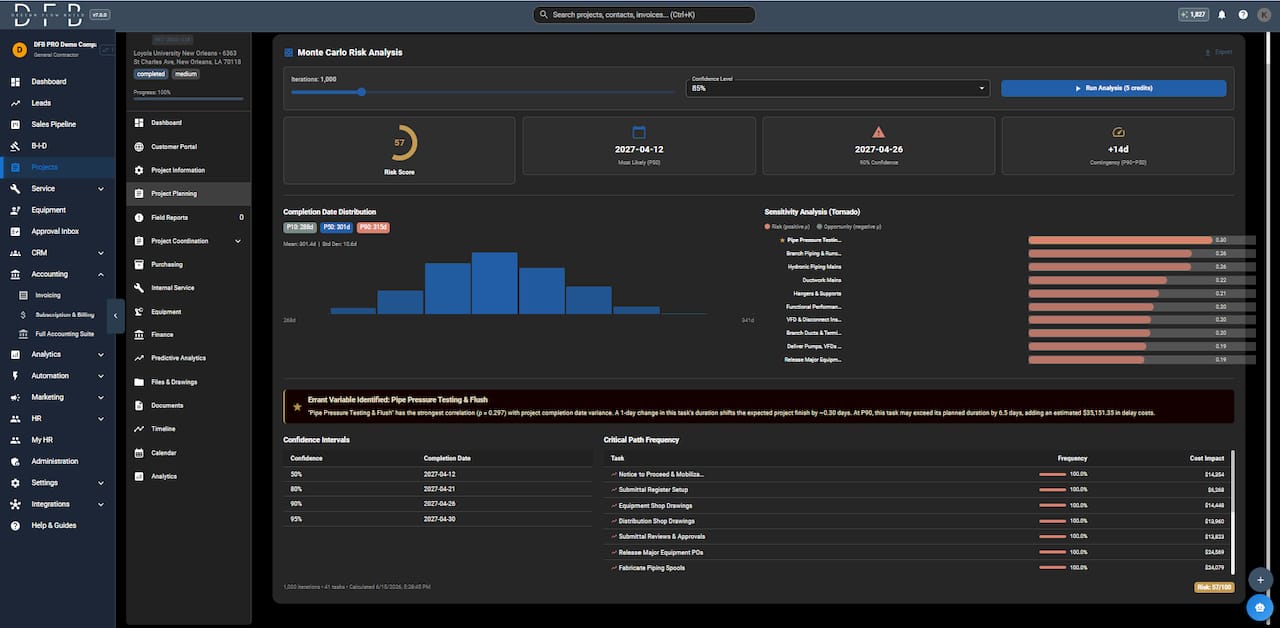
The platform combines project management, accounting, and field operations into one system, so your ERP data, scheduling updates, and field reports all feed the same reporting pipeline. Designflow-build reports a 70% reduction in manual data entry for contractors using the platform, with implementation completed in 2–4 weeks. You can explore the full AI construction software feature set, review real project showcases, or use the construction software glossary to get clear on the terminology before your next vendor conversation. The AI-powered platform is designed to get you to accurate, automated reports fast, with no army of consultants required.
FAQ
What is automated construction reporting?
Automated construction reporting is the use of software and AI to collect data from ERP systems, scheduling tools, and field logs and compile it into formatted project reports without manual input. It replaces spreadsheet-based compilation with a connected, real-time data pipeline.
How much time does reporting automation save project managers?
AI-powered reporting tools reduce PM report preparation time from approximately 2 hours to 20 minutes per report by drafting roughly 80% of report content automatically.
What is the biggest barrier to implementing construction reporting automation?
Data discipline at the job site is the primary barrier. Without real-time, structured data entry from supervisors and subcontractors, automated reports produce inaccurate results regardless of the software used.
Does automated reporting replace project managers?
Automated reporting does not replace project managers. It shifts their role from manual data compilation to strategic analysis, with human review remaining a required step in every automated reporting workflow.
What is the difference between WIP reporting automation and daily field report automation?
WIP reporting automation focuses on financial data, including committed costs, change orders, and cost-to-complete projections, updated in real time through ERP integration. Daily field report automation collects site activity, labor, and safety data from supervisors and compiles it into a structured end-of-day summary.