
MEP Resource Optimization: A Contractor’s 2026 Guide

MEP resource optimization is the project-level practice of allocating and sequencing MEP crews, materials, equipment, and prefab work inside an integrated construction ERP so you hit schedule, control job cost, and stop margin leakage. It is not about redesigning duct routes or pipe layouts. It is about running your field operations with precision: the right crew on the right task, materials arriving when installation starts, and every dollar tracked to a cost code.
Three outcomes contractors see first:
- Improved labor utilization: Crews stop waiting on materials or access. Man-hours per unit drop.
- Fewer schedule conflicts and shortages: Automated crew assignments and PO alignment cut the firefighting that eats PM time.
- Measurable cost and margin improvement: Job costing tied to real-time field data closes the gap between estimate and actuals before it becomes a loss.
If you are an estimator, PM, or field ops lead responsible for staffing, scheduling, or costing on MEP work, this guide gives you a practical roadmap.
Key Takeaways
MEP resource optimization delivers measurable margin improvement when crew scheduling, job costing, and PO alignment run inside a single integrated ERP with AI-driven automation.
| Point | Details |
|---|---|
| Start with one workstream | Pilot crew scheduling or prefab coordination first; prove 2–3 KPIs before expanding. |
| ERP-native functions matter | Job costing, certified payroll, and WIP must be built in, not bolted on via integrations. |
| 30-day pilot benchmark | Track labor utilization, cost variance, and PO on-time rate weekly from day one. |
| Client-reported scale results | Designflow-build case studies report up to $847K monthly savings and 70% less manual data entry. |
| Designflow-build for fast deployment | 2–4 week implementation and 98% adoption make it a practical first choice for U.S. MEP contractors. |
Table of Contents
- What does MEP resource optimization actually require?
- How AI changes MEP resource optimization for contractors
- How to implement MEP resource optimization step by step
- Which KPIs should contractors track to measure ROI?
- Common pitfalls and how to avoid them
- Workflow templates for crew scheduling and prefab coordination
- Who should move first, and what to prioritize
- Why U.S. MEP contractors can’t afford to wait on this
- Designflow-build maps directly to the capabilities contractors need
- Sources
What does MEP resource optimization actually require?
Effective resource management in MEP comes down to a specific set of integrated capabilities. Here is what a contractor should demand from any solution:
- Integrated crew scheduling: Crew rosters auto-assigned to critical MEP riser or rough-in tasks based on trade, certification, and availability.
- Material and PO alignment: Purchase order delivery windows tied directly to task start dates so materials arrive when installation begins, not a week before or after.
- Equipment allocation and tracking: Tools and lifts assigned to jobs with utilization tracked, preventing double-booking across sites.
- Job costing by cost code and WIP: Every labor hour and material receipt posted to the correct cost code; WIP ledger updated in real time. This is ERP native, not a bolt-on.
- Prefab coordination: Bill of quantities (BOQ) lines linked to shop fabrication windows and on-site installation slots.
- Field-to-office updates: Foremen submit progress, variations, and RFIs from a mobile app; the office sees it immediately.
- Certified payroll support: Prevailing-wage calculations and certified payroll reports generated automatically. ERP native, not a spreadsheet workaround.
- COI and compliance automation: Certificate of insurance tracking and lien waiver workflows handled inside the same system, not a separate folder.
Pro Tip: Job costing and certified payroll are ERP-native functions that require clean cost-code structure from day one. Automation add-ons (chat-based variation capture, agent follow-ups) can layer on top, but they cannot fix a broken cost-code hierarchy underneath.
How AI changes MEP resource optimization for contractors
AI adds three things that manual scheduling cannot: predictive crew allocation, scenario-driven replanning, and event-triggered automation. Together, they reduce the manual sequencing that consumes PM hours and cause late changes that blow margins.
Predictive crew allocation reads your historical man-hours per unit, current crew certifications, and project schedule to recommend the optimal crew mix before mobilization. Instead of a PM building a roster from memory, the system flags gaps and over-allocations automatically.
Schedule scenario generation lets you model what happens if a delivery slips two weeks or a crew is pulled to another job. You see the downstream impact on cost and completion before it happens on site, not after.
Procurement lead-time prediction ties PO creation to task start dates and flags when a supplier’s lead time puts a milestone at risk. This is where lean construction principles and AI converge: just-in-time delivery only works when the system knows the lead time and the schedule simultaneously.
Auto-capture of variations from field inputs, chat messages, or voice entry means RFIs and change orders are logged without a foreman filling out a form. The AI agents playbook for MEP contractors identifies variation capture and procurement follow-up as the highest-margin workflows to automate first, precisely because they leak money fastest when handled manually.
How to implement MEP resource optimization step by step
The roadmap is four phases: assessment, data preparation, pilot, and scale. Most contractors complete the first three in under six weeks.
-
Assessment (Week 1): Map your current crew scheduling, PO, and job-costing workflows. Identify the one workstream leaking the most margin. Assign a PM as the pilot owner. Artifact: a one-page workflow map with cost-code structure confirmed.
-
Data preparation (Weeks 2–3): Clean your cost-code list, import your crew roster with trade certifications, and load open POs with lead times. Minimum data set: cost codes, crew list, active job schedule, and at least 90 days of historical man-hours per unit. Artifact: verified data import in the ERP.
-
Pilot (Weeks 4–7): Run one workstream end-to-end. Automated crew assignments, one prefab line synced to PO delivery, and milestone billing visibility are the three things the pilot must prove. Hold daily standups for the first 30 days. Track labor utilization and cost variance weekly. Artifact: 30-day pilot report with KPI baseline vs. actuals.
-
Scale (Rolling months): Expand to additional workstreams and sites. Add compliance automation (COI, certified payroll) and variation capture. Review KPIs on a 60–90 day cadence.
Pro Tip: You do not need to replace your existing ERP or scheduling tool to start. The automated MEP scheduling guide outlines thin integration patterns that layer AI scheduling on top of your current setup, so the pilot does not require a full system migration.
Change-management actions that protect margin during transition:
- Assign one foreman per site as the field adoption lead.
- Set a hard rule: no crew assignment changes without updating the system first.
- Gate PO approvals on schedule alignment from day one of the pilot.
Which KPIs should contractors track to measure ROI?
| KPI | What it measures | 30-day target | Data source |
|---|---|---|---|
| Labor utilization rate | Billable hours / available hours | Improved labor utilization | Timesheet |
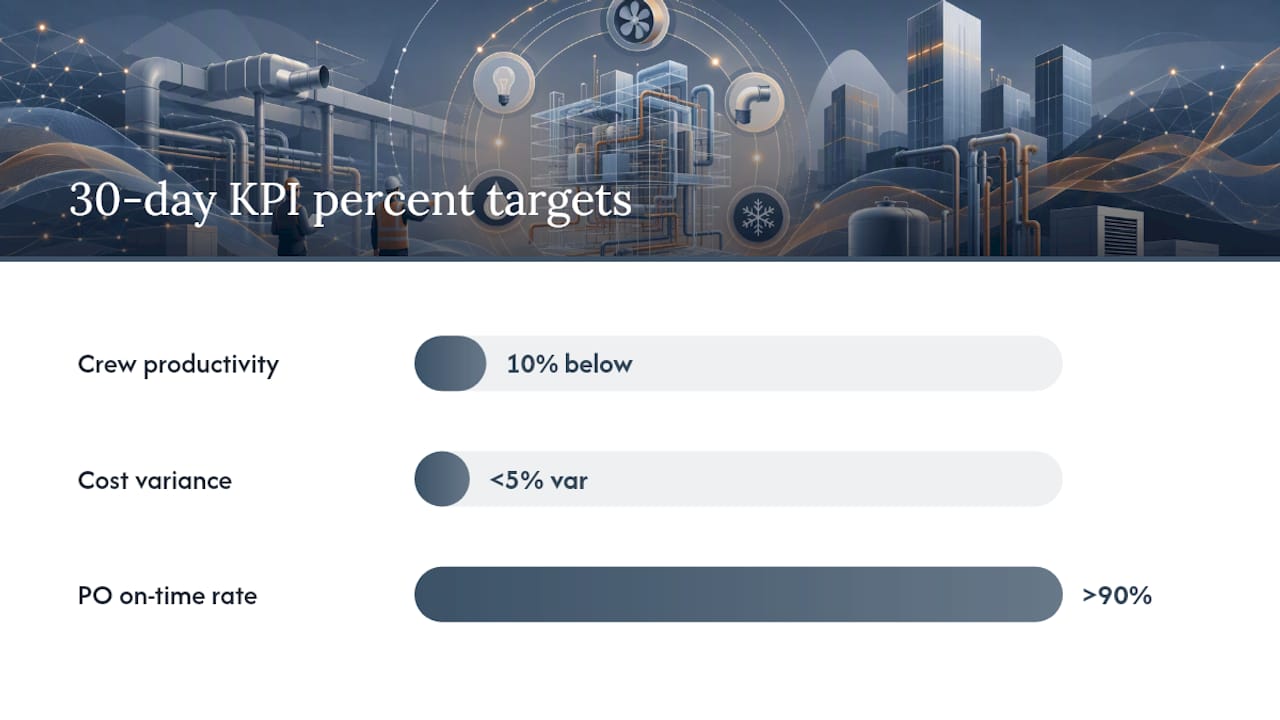
| Crew productivity | Man-hours per installed unit | 10% below baseline | Timesheet + field report |
| Cost variance to estimate | Actual cost vs. budgeted cost code | <5% variance | Job cost ledger |
| PO on-time rate | POs delivered on or before task start | >90% | PO log |
| WIP and milestone billing | Billed milestones vs. schedule | No unbilled completed milestones | WIP ledger |
| RFIs and variations captured | Logged vs. verbal/informal | All variations captured | Variation register |
The client-reported high-impact scenario from Designflow-build’s case studies shows monthly savings up to $847K, which reflects a multi-workstream deployment at scale. Use the conservative figure for your internal business case; the higher number is what full deployment can reach.
Track KPIs at 30, 60, and 90 days. The 30-day read tells you whether the pilot is working. The 90-day read tells you what to scale.
Common pitfalls and how to avoid them
- Poor data hygiene: Cost codes that don’t match the estimate make job costing useless. Fix: assign a data owner before go-live and audit cost codes against the current estimate template. See MEP construction ERP guidance for a clean cost-code framework.
- Siloed tools: Scheduling in one tool, costing in another, and payroll in a spreadsheet means no single source of truth. Fix: use a thin integration or a single ERP platform that covers all three natively.
- Low field adoption: Foremen revert to phone calls and paper if the mobile app is slow or requires Wi-Fi. Fix: require offline mode capability and run a one-hour onboarding session per crew lead before the pilot starts.
- No clear owner for schedule changes: When a delivery slips, nobody updates the crew assignment. Fix: designate one PM as the schedule-change authority with a 24-hour update rule.
- Ignoring procurement lead times: Crews arrive on site before materials. Fix: gate crew mobilization on confirmed PO delivery dates. Design coordination challenges between trades and procurement are among the most common sources of on-site rework.
Red-flag checklist before signing with any vendor:
- No certified payroll support built in (not a third-party add-on)
- No bulk crew reassignment across multiple jobs
- No mobile offline mode for field updates
- No cost-code-level job costing tied to WIP
Workflow templates for crew scheduling and prefab coordination
Workflow A: Multi-site crew scheduling
Inputs required: Crew roster with trade certifications, job schedule with task dependencies, site access windows.
Automated rules:
- If a crew member’s certification expires within 14 days of a task start, flag and reassign.
- If a task is on the critical path and the assigned crew is double-booked, escalate to PM within 2 hours.
- If a site access window shifts by more than 3 days, auto-regenerate crew assignments for affected tasks.
Field close-the-loop: Foreman confirms crew arrival via mobile app. System posts actual start time against scheduled start. Variance triggers a PM notification if >4 hours. For multi-job crew scheduling across MEP trades, priority rules prevent the most common conflict: pulling a certified crew from a critical-path task to cover a lower-priority job.
Workflow B: Prefab coordination linked to PO and installation
Inputs required: BOQ line items, shop fabrication lead times, on-site installation windows, PO delivery dates.
Automated rules:
- If PO delivery is delayed more than 5 days, push installation window and reassign crew to a parallel task.
- If fabrication is complete but installation window is more than 10 days out, flag for storage cost review.
- When delivery is confirmed, notify the site foreman and update the crew schedule automatically.
Lean construction sequencing applied to prefab means fabrication, delivery, and installation windows are planned as a single chain, not three separate schedules.
When to use each scheduling approach
| Approach | Best for | Labor tradeoff | Procurement risk |
|---|---|---|---|
| Centralized scheduling | Multi-site, 5+ active jobs | High coordination overhead, fewer conflicts | Low: POs tied to master schedule |
| Crew-first scheduling | Single large site, specialized trades | Low overhead, risk of material waits | Medium: POs follow crew availability |
| Prefab-first sequencing | High prefab volume, tight site access | Medium: crews follow fab completion | Low: fab drives PO and crew timing |
Who should move first, and what to prioritize
MEP subcontractors and GCs managing three or more active jobs get the fastest payback from resource optimization. The first month should prove three things: automated crew assignments reduce PM scheduling time, one prefab line runs without a material wait, and milestone billing is visible without a manual WIP reconciliation.
For vendor selection, prioritize:
- ERP-native job costing and certified payroll (not integrations)
- AI crew allocation with bulk reassignment
- Mobile offline capability for field updates
- Prefab and PO coordination in the same system
Designflow-build is a strong option for fast ERP-native deployment. Its MEP workforce productivity guidance and 2–4 week implementation timeline make it practical for contractors who want results this quarter, not next year.
Why U.S. MEP contractors can’t afford to wait on this
Tight margins, a constrained labor market, and supply-chain volatility have made manual resource management a liability, not just an inefficiency. A missed crew assignment or a late PO on a prevailing-wage job doesn’t just cost time. It costs certified payroll compliance, milestone billing, and often the relationship with the GC.

The contractors I see winning on margin are not the ones with the most crews. They are the ones who know exactly where every crew is, what every PO status is, and what their WIP looks like on a Tuesday morning without running a report. That visibility comes from integrated resource optimization, not from better spreadsheets. Run one workstream through a 30-day pilot and let the KPIs make the case internally.
Designflow-build maps directly to the capabilities contractors need

Designflow-build’s AI construction ERP covers every capability in the checklist above without requiring a separate scheduling tool, payroll processor, or compliance tracker. Job costing by cost code, certified payroll, WIP, and AI crew allocation are all native. The automation builder lets you configure the crew reassignment and PO gating rules from the workflow templates above without writing code.
Client-reported results: 70% reduction in manual data entry, monthly savings up to $847K, 2–4 week implementation, and 98% user adoption. The construction scheduling software integrates CPM and resource planning in one view. Start a free trial or run a guided pilot on one workstream at Designflow-build.
Sources
- Lean Construction Explained: Reducing Waste In Mega Projects - Stellar Structures