
How to Measure ROI on Construction Software Adoption

Adopting construction software produces measurable, defensible ROI when you do three things: define a clean baseline before rollout, count every cost including training and change management, and model outcomes with payback, NPV, and uncertainty testing rather than a single optimistic number. Skip any of those steps and your ROI case falls apart the moment a CFO asks a follow-up question.
Here’s your three-step starting checklist:
- Define scope and baseline. Freeze current labor hours, rework rates, and change-order cycle times before go-live, so you have a real “before” to compare against.
- Gather 6 to 10 KPIs. Pick metrics tied directly to job cost, not vanity usage stats.
- Build a 3-year cash-flow model. Include payback period and at least one sensitivity scenario (slower adoption, half the projected benefit).
Pro Tip: Vendors like DesignFlow Build report a significant reduction in manual data entry, but treat that as a hypothesis to test in your own pilot, not a number to paste into your budget request. Once you have a baseline and a model, tools like net present value (NPV) calculations and Monte Carlo simulations for investment value (IV) let you defend the number under real scrutiny.
Key Takeaways
Construction software adoption produces defensible ROI only when leaders pair a clean baseline with full cost accounting and uncertainty-tested financial models.
| Point | Details |
|---|---|
| Track job-cost KPIs | Focus on labor hours saved, rework reduction, and change-order cycle time, not software login counts. |
| Count every cost | Include training, ramp-up dip, and integration maintenance alongside license fees for an honest total cost of ownership. |
| Model uncertainty | Use payback for quick calls, NPV for multi-year comparisons, and Monte Carlo IV when benefits are unproven. |
| Pilot before you scale | Run a 30 to 90 day test with 3 KPIs before committing to a full rollout. |
| DesignFlow Build as a test case | DesignFlow Build’s vendor-reported 70% data-entry reduction and 98% adoption rate are worth validating in your own pilot against your baseline. |
Table of Contents
- What KPIs Should You Track to Measure Software ROI?
- Which Costs Do You Need to Include?
- Payback, NPV, or Investment Value: Which ROI Model Fits?
- How Do You Build a Model You Can Defend to Finance?
- How Do You Track ROI After Go-Live?
- What Mistakes Inflate Your ROI Numbers?
- What Does a Real Construction ERP ROI Case Look Like?
- What Should Guide Portfolio-Level Software Decisions?
- How Can DesignFlow Build Support Your ROI Case?
- Frequently Asked Questions
- Sources
What KPIs Should You Track to Measure Software ROI?
The KPIs that matter for construction software ROI all connect to job cost, not software usage. Login counts and feature adoption rates tell you whether people opened the app. They tell finance nothing about margin.
Track these instead:
- Labor hours saved, converted at the fully loaded hourly rate (wages plus burden), not the base wage.
- Rework reduction, measured in both percentage of rework hours and dollars recovered.
- Change-order cycle time, from submission to approval, plus the dollar value of change orders recovered faster.
- Equipment utilization, tracking rental avoidance and idle-time reduction.
- Billing cadence and days sales outstanding (DSO), since faster billing directly improves cash flow.
- Project margin variance by CSI division, which shows where software is actually protecting profit.
- Closeout time, from substantial completion to final payment.
Pull the raw numbers from timesheets, payroll exports, field logs, purchase orders, and your job-cost ledger. Hours saved multiplied by loaded rate gives you an annual savings figure finance can audit.
Some benefits, like client retention or a stronger safety culture, are real but soft. Autodesk’s guidance on construction tech ROI recommends keeping these separate from hard cost reductions and presenting them as qualitative context, never blended into the headline ROI number.
Which Costs Do You Need to Include?
An honest ROI model counts every dollar the software touches, not just the license fee. Leave out training time or integration maintenance and your payback period will look better than it actually is.
Include these categories: license or subscription fees, implementation (consulting, data migration, integration work), internal project manager and subject-matter-expert time, training and the productivity dip during ramp-up, change-management communications, any hardware or mobile devices needed, ongoing integration maintenance, and support or hosting fees.
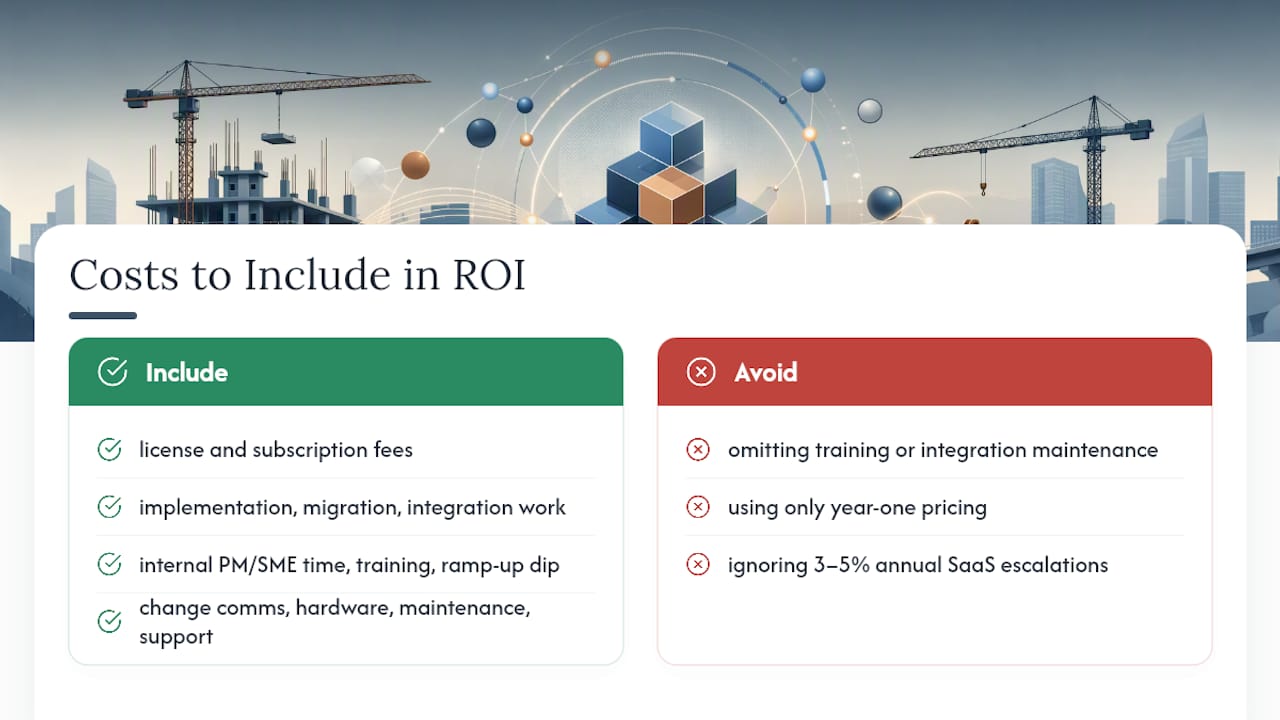
Multi-year SaaS contracts often escalate 3 to 5% annually. Amortize the full three-year cost, not just year-one pricing, when you calculate total cost of ownership.
Payback, NPV, or Investment Value: Which ROI Model Fits?
Three models cover nearly every construction software decision, and each answers a different question.
Payback period answers “how fast do we recoup the cash outlay?” It’s the fastest model to build and the one most contractors present first. Formula: payback = total cost ÷ annual net benefit.
Net present value (NPV) answers “is this worth more than the money sitting in the bank?” It accounts for the time value of money across a multi-year horizon. Formula: NPV = sum of (benefit − cost) ÷ (1 + discount rate)^year, summed across the evaluation window. A practical software ROI framework considers a 12 to 18 month payback and a positive 3-year NPV the marker of a healthy investment.
Investment value (IV) with Monte Carlo simulation answers “what’s the range of likely outcomes, and how risky is this?” IV treats future costs and benefits as random variables rather than fixed numbers, then runs thousands of simulated scenarios to produce a distribution of possible NPVs. Research on software program ROI recommends reporting both the mean IV and the coefficient of variation, so stakeholders see the expected return and the risk band around it.
- Use payback when the decision needs a quick yes/no and cash timing matters most.
- Use NPV when the program spans multiple years and you need to compare it against other capital uses.
- Use IV and Monte Carlo when benefits are genuinely uncertain, like AI-driven scheduling gains on a project type you have not tried before.
How Do You Build a Model You Can Defend to Finance?
Build the model in this order, and don’t skip steps just because a vendor’s sales deck already has the “answer.”
- Freeze the baseline. Lock in current labor hours, rework rates, and cycle times before rollout starts.
- Pick your top 3 to 5 KPIs. More than that and the model becomes unreadable in a CFO meeting.
- Estimate incremental benefits by period, monthly for year one, quarterly after that.
- List full costs by period, using the categories above.
- Choose a 3 to 5 year evaluation window. Shorter windows understate software that improves with adoption.
- Calculate cash flow, payback, NPV, and IRR for each period.
- Run sensitivity tests. Model half the projected benefit and a slower adoption ramp.
- Document every assumption in the spreadsheet itself, not in a separate memo nobody reads again.
Build the spreadsheet with six tabs: inputs, baseline, benefits, costs, summary outputs, and sensitivity. Add an adoption-ramp checkbox that lets you toggle between an aggressive 90-day rollout and a conservative 6-month rollout, then rerun the whole model with one click.
How Do You Track ROI After Go-Live?
The model you build before signing a contract is only step one. Turn it into a recurring habit or the numbers go stale within a quarter.
Set a monthly project scorecard, a quarterly summary for the CFO, and a rolling 12-month forecast comparing realized benefits against what you projected. Assign clear owners: the project sponsor tracks overall value delivery, a PMO or finance owner reconciles the numbers, a data steward keeps the KPI feeds clean, and a field adoption champion flags where crews are pushing back.
| Data Source | What It Feeds | Who Owns It |
|---|---|---|
| Payroll & timesheets | Labor hours saved | Finance/PMO |
| Equipment logs | Utilization, rental avoidance | Field adoption champion |
| Change-order ledger | Cycle time, recovery value | Project sponsor |
| ERP job-cost reports | Margin variance by division | Data steward |
Automating these feeds through your real-time budget tracking setup cuts the reporting overhead that kills most measurement programs within six months.
What Mistakes Inflate Your ROI Numbers?
The same handful of errors shows up in nearly every overstated ROI case: counting soft benefits (morale, retention) as hard dollar savings, ignoring training and adoption costs entirely, assuming instant full adoption instead of a ramp, double-counting the same savings across multiple projects, and forgetting integration maintenance fees.
Watch for vendor red flags too: a payback claim under six months with no documented unit economics, no data-migration plan, and no way to measure adoption after go-live.
- Require real baseline data before you model anything.
- Insist on a sensitivity test, not just a best-case scenario.
- Build a conservative case the CFO can approve without pushback.
Pro Tip: If a vendor’s own case study doesn’t show a “before” number, ask for it. A percentage improvement with no baseline is a marketing claim, not a measurement.
What Does a Real Construction ERP ROI Case Look Like?
A mid-size mechanical contractor running manual timesheets and spreadsheet job costing adopted DesignFlow Build’s AI-native ERP over a 3-week implementation. The company measured three things before and after: hours spent on manual data entry, change-order approval time, and monthly close accuracy.
The vendor-reported 70% cut in manual data entry and 98% adoption rate are worth testing, not accepting outright. Run your own 30 to 90 day pilot tracking those same three metrics against your baseline before you plug vendor numbers into a CFO packet.
For a pilot, validate: (1) hours saved on data entry, (2) change-order cycle time, and (3) close accuracy, using timesheets and your existing job-cost ledger as the data source.
What Should Guide Portfolio-Level Software Decisions?
Most contractors evaluate software one purchase at a time. That’s a mistake. Treat ROI work at three levels, matching initiative, delivery system, and portfolio framing: a single feature might justify itself quickly, but the real decision is whether it belongs in a broader tech stack.
Use ROI checkpoints as go/hold/stop gates, not one-time approvals. Two habits separate leaders who get this right: write assumptions down explicitly, and re-evaluate on a fixed schedule rather than when someone complains.
How Can DesignFlow Build Support Your ROI Case?
DesignFlow Build maps directly to the KPIs covered in this playbook. AI-driven resource allocation targets labor-hour savings, built-in job costing feeds your margin-variance tracking, and a 2 to 4 week implementation window means you can measure real before-and-after numbers within a single quarter instead of waiting on a year-long rollout.

A 30 to 90 day pilot is the fastest path to a defensible number. Validate three KPIs during that window: manual data entry hours, change-order cycle time, and job-cost margin variance by division. Pull the minimum data set from your current timesheets, change-order log, and job-cost reports, and set your CFO approval threshold before the pilot starts, not after.
Treat them as a target to test against your baseline, not a guarantee. If you want a structured starting point, review the change-order automation features that most directly affect cycle-time recovery, then build your pilot scorecard around what you find.
Frequently Asked Questions
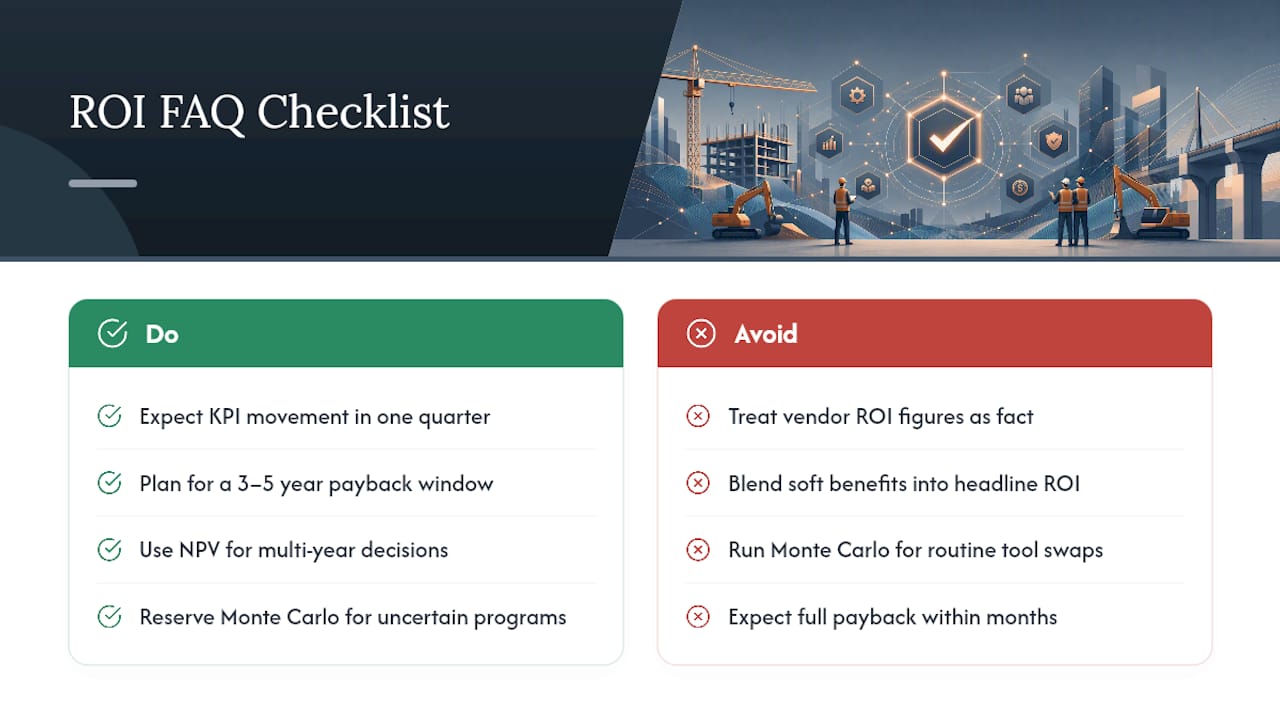
How long does it take to see ROI from construction software adoption? Most contractors see measurable KPI movement within one quarter, but a full payback calculation usually needs a 3 to 5 year window to account for ramp-up and multi-year licensing costs.
What’s the difference between payback and NPV for software ROI? Payback tells you how fast you recover cash. NPV accounts for the time value of money across multiple years, making it better suited to multi-year software decisions.
Do I need Monte Carlo simulation for every software purchase? No. Reserve Monte Carlo and investment value modeling for programs with genuinely uncertain benefits, like a new AI feature you haven’t used before. Simple payback works fine for routine tool swaps.
How do I handle soft benefits like improved morale in an ROI model? Keep them separate from hard dollar savings. Present soft benefits as labeled, conservative context rather than blending them into the headline ROI figure.
Should I trust a vendor’s reported ROI numbers? Treat vendor-reported figures as a hypothesis to test, not a fact to submit to finance. Run a short pilot against your own baseline before committing to the number in a budget request.
This article is general information, not a substitute for advice from a qualified financial advisor. Consult a qualified financial professional about your own circumstances before acting on anything here.
Sources
- Construction ERP ROI Calculator: Quantifying the Value of Digital Project Management | APPIT Software Resources | APPIT Software Solutions
- Construction Tech ROI: Measure Impact & Build Business Case — Autodesk
- Software Delivery ROI: How to Measure What Shipping Returns — Snowman Labs