Top 4 NetSuite.com Alternatives for 2026
Choosing an ERP system that fits real construction workflows and budget requirements creates confusion and extra evaluation steps for finance and operations teams. Too many legacy ERP products for construction demand a complex rollout, provide limited AI features, or hide pricing until late in sales talks. This comparison covers key features, pricing transparency, and ease of deployment so finance and operations teams can select the ERP that matches their structure and timeline.
Table of Contents
DesignFlow Build
At a Glance
The vendor reports a 70% reduction in manual data entry for contractors. That claim points to large time savings across accounting and field reporting. The product bundles project management, accounting, CRM, field operations, and real-time reporting into one construction ERP.
Core Features
DesignFlow Build uses AI across estimating, bidding, takeoff, scheduling, and project management while including HVAC system design tools and a customer portal. The vendor advertises implementation in 2–4 weeks, which supports faster rollout than many legacy ERPs. The platform also offers voice data entry, workflow automation with a visual builder, and integrated project scheduling.
Key Differentiator
Built from the ground up with integrated AI for takeoff, bid evaluation, scheduling, and project management, enabling rapid deployment and high automation.
Pros
DesignFlow Build reports AI accuracy up to 95%, which helps reduce manual verification on takeoffs and plan reviews. The vendor advertises a 98% user adoption rate, so teams tend to accept the interface quickly. Real-time project visibility and an all-in-one stack replace spreadsheets and disconnected accounting, reducing handoffs between office and field.
Cons
- May not offer deep multi-entity or very complex enterprise compliance features compared to legacy ERPs such as CMiC or Sage Intacct.
Notable Integrations
- QuickBooks
- NetSuite
- Sage
- Procore
- PlanGrid
- Bluebeam
- AutoCAD
- Revit
Who It’s For
This product fits mid-sized contractors, MEP specialists, design firms, and manufacturer reps that want an industry-focused ERP with rapid onboarding. It suits teams that prefer AI-assisted estimating and scheduling over heavy customization. Larger enterprises that need complex multi-entity finance controls may need a different system.
Unique Value Proposition
The vendor advertises monthly savings of up to $847,000 and a payback in approximately two months. That economic claim frames DesignFlow Build as a cash-flow friendly choice for contractors who want a quick return on ERP spend. The payback timeline supports shorter evaluation horizons for procurement and finance teams.
Real World Use Case
A midsize contractor implements the platform in about three weeks and shifts field reporting into the customer portal. That move cut manual entry by the reported 70% and improved schedule accuracy with AI-assisted sequencing. The team reached a return on investment within the vendor’s advertised two months.
Pricing
DesignFlow Build offers a free Essentials plan and a Pro upgrade for the full suite. Field seats are described as affordably priced. No detailed pricing is published; contact sales for a tailored quote.
Website: https://designflow-build.com
Premier reports deployment in as few as 60 days for customers using templates and expert support. The vendor dates back to 2009, and it is backed by Constellation Software, which supports its enterprise focus. The product centers on a single construction ERP that combines project finances, field operations, and document control.
Core Features
Robaws groups quotation management, invoicing, project planning, and stock control into a single cloud system, so your office and site teams work from the same records.
Acumatica Cloud ERP System
At a Glance
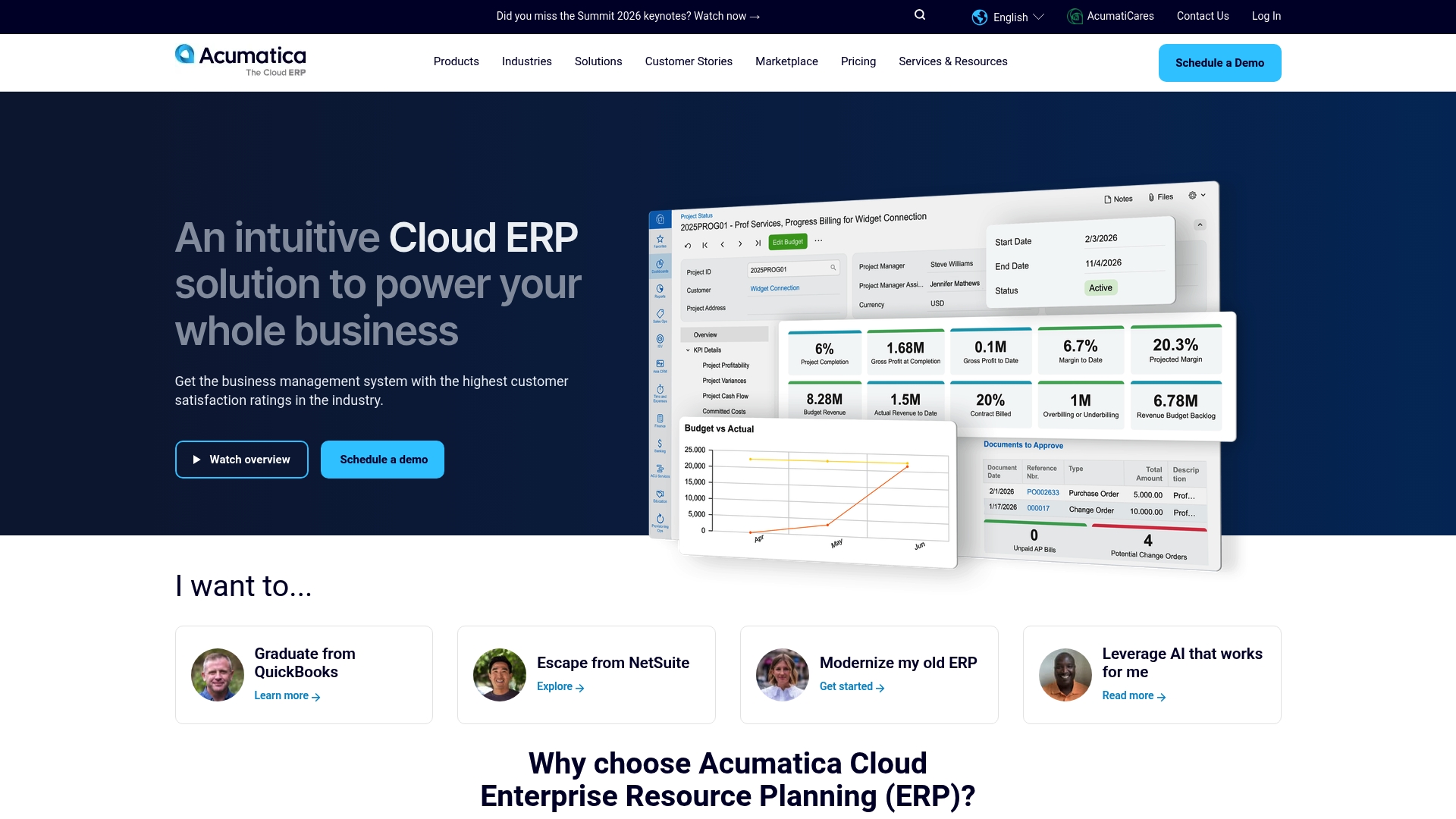
Acumatica reports Saddleback Leather increased sales and saved over $1,000,000 after deploying its cloud based ERP platform. That case highlights how the platform supports scaling operations and clearer supply chain visibility. The product emphasizes an intuitive interface, AI driven automation, and industry modules for manufacturing, distribution, retail, and construction.
Core Features
Acumatica delivers a cloud based ERP with financials, manufacturing, CRM, and retail modules all in one platform. It includes AI driven automation and low code and no code customization tools so teams can adapt workflows without deep developer time. The system supports multiple application integration and offers a partner network for tailored deployments.
Key Differentiator
Acumatica’s pricing model charges by applications and resource usage rather than by user seats. That approach targets growing companies that expect head count to change over time. Combined with industry specific modules and a true multi application cloud platform, the pricing model reduces sticker shock for teams that add functionality as they scale.
Pros
The interface is highly usable and works on any device, which helps field and office teams adopt it quickly. The architecture supports growth; companies can add modules for manufacturing or retail as needs change. Pricing is transparent in concept because it ties to applications and resources rather than per seat, and the vendor cites awards and positive customer reviews that back the platform’s market standing.
Cons
- Some third party reviewers say customization and integrations can feel complex. That feedback is most common when teams lack internal technical expertise.
- Small or very simple businesses may find the feature set overwhelming. The platform favors organizations that need multiple modules and configurable workflows.
- Getting exact pricing requires partner engagement or custom quotes. That process adds steps compared to flat fee offerings.
When It May Not Fit
If your company wants a single low-cost product with minimal configuration, Acumatica may be more than you need. Organizations without IT or implementation resources will face a steeper ramp when integrating third party systems. Buyers who require a fixed per user price or a simple out of the box rate should look elsewhere.
Who It’s For
Mid sized companies in manufacturing, distribution, retail, construction, or professional services that expect to grow and add functionality. Teams that need industry specific modules and prefer paying for the capabilities they use rather than per seat. Organizations prepared to work with implementation partners to tailor workflows and integrations.
Real World Use Case
Acumatica reports Saddleback Leather used the platform to improve supply chain visibility and scale operations, which the vendor says helped drive significant sales growth and the cited savings. That example shows how multi module visibility and configurable workflows can reduce manual reconciliations and free capacity for product and sales work.
Pricing
Pricing is tailored to applications, resource usage, and deployment options. You request a custom quote or try industry specific calculators on the vendor site to estimate cost. The model is not a flat fee and varies by the modules and resources your implementation needs.
Website: https://acumatica.com
SAP
At a Glance
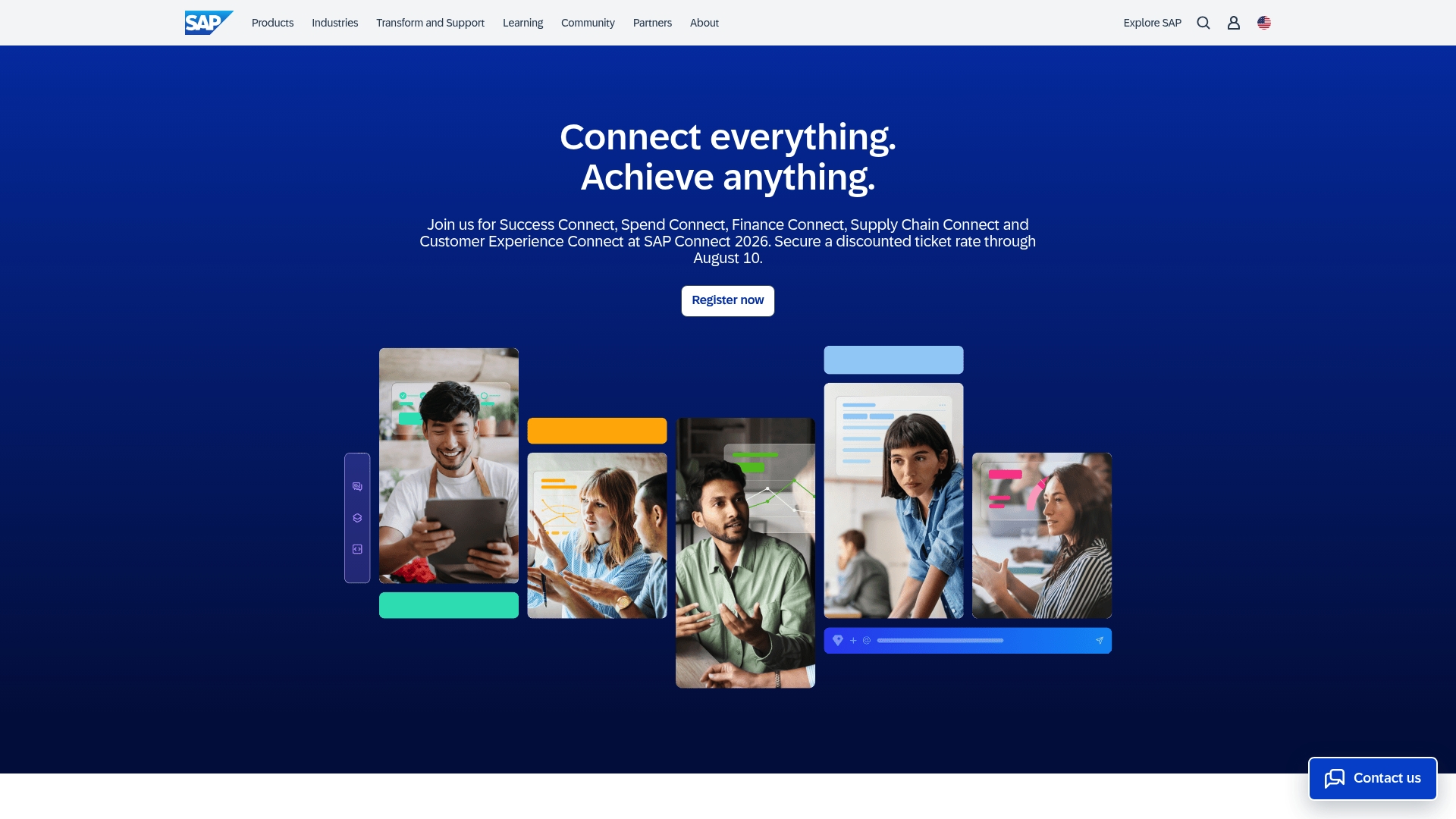
SAP’s marketing materials state PostNL cut payroll time by 90% after adopting SAP AI. That figure underlines the vendor focus on automation across payroll and HR. The company highlights industry examples in airports and manufacturing that apply AI inside enterprise systems. These references emphasize deep integration rather than a standalone AI product.
Core Features
SAP combines a unified AI platform with AI enabled workflows and pre trained industry models to automate routine work and support decision making. The platform ties into enterprise data sources for contextual recommendations and governance. Security and compliance features are built to match large enterprise requirements.
Key Differentiator
Deep enterprise integration with SAP data, models, and security frameworks sets SAP apart. Role specific AI assistance appears within existing SAP applications so teams see suggestions where they work. That focus suits organizations that want AI woven into established ERP and HCM processes rather than a separate tool.
Pros
SAP offers strong integration with its application suite and direct access to enterprise data for context aware recommendations. Role specific assistants reduce training friction and speed adoption across finance, supply chain, and HR. The vendor advertises pre trained industry models and strict governance controls that support regulated environments. That claim helps explain why enterprises choose SAP for mission critical deployments.
Cons
- Complex implementation requiring SAP ecosystem knowledge.
- Limited public detail on pricing and licensing.
- Requires existing SAP infrastructure to realize full benefits.
- Not a standalone AI product outside the broader SAP suite.
When It May Not Fit
SAP may not suit smaller organizations without SAP installations because implementation demands SAP knowledge and integration work. Companies seeking a standalone third party AI product will find limited value. Organizations with tight budgets may struggle, since pricing and licensing details are not publicly listed.
Who It’s For
Large enterprises already using SAP software that want embedded AI for accounting, HR, supply chain, and customer engagement will benefit most. IT teams that manage SAP landscapes will find the platform easier to adopt. Buyers seeking a turnkey cloud AI product without SAP ties should consider alternatives.
Real World Use Case
Aeropuertos Argentina unified weather data with SAP automation to improve airport safety and operations. Bosch Digital used SAP AI tooling to accelerate cloud native development and integration. PostNL applied SAP AI to payroll workflows and reported that figure.
Pricing
SAP does not list standard pricing publicly. Licensing and deployment costs depend on scope, modules, and enterprise agreements. Procurement typically requires direct engagement with SAP sales for quotes.
Website: https://sap.com
Sage Intacct
At a Glance
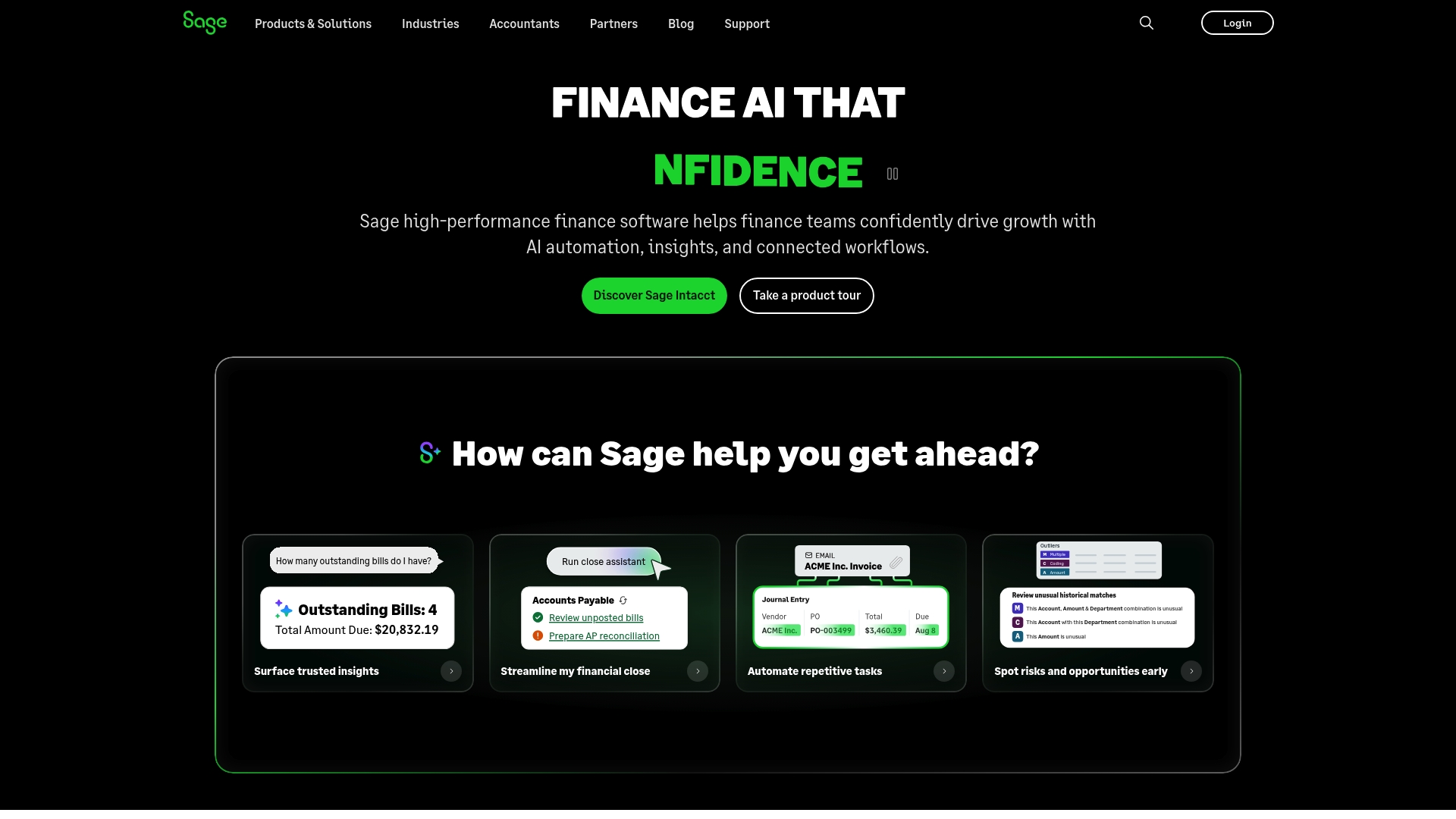
Sage Intacct reports being trusted by over 30,000 teams. The platform pairs AI automation with industry specific configurations to handle multi entity accounting and built in audit controls. Pricing requires direct contact with sales for personalized quotes.
Core Features
Core capabilities include AI automation of repetitive finance tasks, real time financial insights, and multi entity accounting across legal entities. Built in audit trails and controls live inside the general ledger to support compliance and month end close. Industry specific configurations adapt the chart of accounts and workflows for sectors such as construction and healthcare.
Key Differentiator
The primary distinction is its use of AI agents combined with industry specific configurations to automate routine finance work and surface operational signals. Unlike Designflow-build, it targets finance groups that need deep accounting controls rather than field operations and project delivery. That focus makes it a finance first option for consolidation and compliance tasks.
Pros
The vendor advertises up to 5X payback in six months. Strong automation and embedded audit controls reduce manual posting and shorten close cycles. Industry configurations and multi entity consolidation cut the time teams spend reconciling books, and that figure above supports broad adoption among mid sized and larger finance organizations.
Cons
- Setup and integration can require significant technical expertise and external consulting.
- Pricing is not publicly listed, and you must contact sales for a personalized quote.
- New users face a steep learning curve to master advanced accounting and automation features.
When It May Not Fit
If you run a small contracting firm with limited IT resources, the platform may demand more technical setup than you want. If you need transparent list pricing for procurement, the contact only model will not match that requirement. If your priority is field operations tied to job site workflows, a contractor native ERP that includes project field tools may serve you better.
Who It’s For
This product suits finance teams in mid sized to large organizations that need automation, real time insights, and multi entity consolidation. You should have internal IT or access to implementation partners for configuration. If your finance group manages many legal entities and requires strict audit controls, this aligns well with your needs.
Real World Use Case
A construction company used industry configurations to automate project financials and simplify compliance. The vendor reports that implementation saved hundreds of hours annually for the finance team. That outcome freed staff to focus on analysis rather than manual data entry.
Pricing
Pricing is offered through direct inquiry and is tailored to organizational size and configuration needs. Contact sales to request a personalized quote and implementation estimate.
Website: https://sage.com
Comparison of alternatives
DesignFlow Build provides rapid implementation and AI-driven tools tailored for the construction industry, making it distinctive among competitors. However, specific platforms excel in areas such as enterprise integrations and resource-based pricing models.
Superior features for tailored deployment
DesignFlow Build emphasizes swift implementation, with rollouts completed in as little as two weeks. This expedited timeline is a competitive advantage compared to platforms such as Acumatica and SAP, which require more extensive configurations. Additionally, DesignFlow integrates estimating, bidding, and field operations under one ERP system, supported by AI technology that enhances accuracy to 95%, effectively reducing manual oversight.
Enterprise integration and scalability
SAP distinguishes itself by offering deep integration within enterprise infrastructures. Its AI enables role-specific automation and contextual recommendations across the company’s suite, benefiting large-scale operations requiring compliance capabilities. Acumatica shines in adaptability due to its resource-based pricing model, appealing to midmarket enterprises anticipating growth. This flexibility contrasts with DesignFlow’s fixed tier offerings, emphasizing an economic approach for mid-sized construction firms.
Best fit
- Contractors prioritizing rapid onboarding and user acceptance will find DesignFlow Build ideal, with rollouts reported in under a month and a 98% adoption rate.
- Midmarket companies seeking customizable workflows and application-based pricing should consider Acumatica for its scalable and module-based model.
- Large enterprises needing governance and integration with existing SAP landscapes benefit significantly from SAP.
Our pick
DesignFlow Build combines construction-focused ERP functionalities with AI enhancements, making it formidable for mid-sized contractors requiring efficiency in their operations. While SAP or Acumatica may excel in enterprise-specific compliance or modular scalability, DesignFlow Build offers an unbeatable combination of industry-targeted features and fast deployment, rendering it the choice for its intended audience.
The following table compares leading construction ERP software options, highlighting key features, differentiators, and considerations for potential adopters.
| Product | Key Features | Differentiator | Pricing | Limitation |
|---|---|---|---|---|
| Designflow-build | AI-driven project management, scheduling, and takeoffs | Rapid implementation and high automation | Price not published | Limited deep multi-entity compliance compared to legacy ERPs |
| Acumatica Cloud ERP System | Financials, CRM, industry-specific modules | Usage-based cost model suitable for scaling | Price not published | Complex integration without IT resources |
| SAP | Unified AI workflows, enterprise compliance capabilities | Embedded AI in existing SAP applications for cohesion | Price not published | Requires SAP ecosystem for full functionality |
| Sage Intacct | Automated multi-entity accounting and audit controls | Finance-first tool with industry-specific configurations | Price not published | Demands significant setup and expertise |
Choosing the Best Alternative to NetSuite.com for Construction Teams
Many mid-sized contractors and MEP specialists struggle with inefficient workflows and excessive manual data entry using traditional ERP solutions. Designflow-build tackles these challenges by combining project management, accounting, and field operations into one AI-native platform. This approach eliminates the need for separate tools like Excel or QuickBooks and offers a reported 70% reduction in manual entry. Its rapid 2–4 week implementation and 98% user adoption rate help teams realize cost savings quickly.
Benefits of Designflow-build include:
- AI-driven project risk prediction and resource allocation
- Fast onboarding with AI blueprint takeoff and scheduling
- Monthly savings up to $847,000 reported by users
Explore how Designflow-build can provide a better fit for your construction business by visiting the Designflow-build website. Learn more and test the solution tailored specifically for contractors seeking efficient NetSuite.com alternatives.
FAQ
What makes Designflow-build an effective choice for contractors?
Designflow-build is effective for contractors because it integrates project management, accounting, and real-time reporting into one construction ERP. The platform offers AI capabilities that reduce manual data entry by up to 70%, which saves significant time for teams. Contractors looking to streamline their operations will find this efficiency highly beneficial.
How does Designflow-build compare to Acumatica in terms of user experience?
Acumatica is well-regarded for its highly usable interface that supports rapid adoption across teams. Designflow-build also offers a user-friendly experience but emphasizes AI-assisted project management tools tailored specifically for the construction industry. If a contractor seeks deep functionality focused solely on construction, Designflow-build may serve them better.
Which platform offers faster implementation, Designflow-build or SAP?
Designflow-build typically boasts an implementation timeline of 2-4 weeks, while SAP often requires more complex setups. This shorter timing supports contractors who want a rapid rollout without extensive consulting efforts. Teams aiming for a simpler start will appreciate Designflow-build’s quick implementation process.
Does Designflow-build provide detailed integration options like other platforms?
Yes, Designflow-build supports integration with multiple applications, including QuickBooks, Procore, and AutoCAD. This feature improves workflow by allowing teams to work within existing tools. Contractors looking for an all-in-one solution will benefit from these integrations and their impact on project efficiency.
How does Designflow-build support multi-entity management compared to Sage Intacct?
Designflow-build focuses primarily on construction operations and may not offer the same depth of multi-entity accounting as Sage Intacct. Sage Intacct specializes in complex multi-entity compliance features, making it a strong choice for businesses requiring advanced finance controls. Contractors should consider their specific needs when choosing between these systems.