
MEP Construction ERP Explained for MEP Contractors

MEP construction ERP is a project-first, end-to-end operational platform that connects estimating, Bills of Quantities, procurement, field updates, and accounting so MEP contractors stop losing margin to disconnected systems. If you are running mechanical, electrical, or plumbing projects and still reconciling job costs in spreadsheets, the practical next step is to audit where your data breaks down, then shortlist platforms built specifically for construction, not adapted from generic accounting software.
The business case is real. Procurement leakage can represent 15–25% of material spend when procurement is not linked to BOQs and schedule progress. Industry observation notes that 20–40% of legitimate scope changes on MEP projects go unbilled or are billed late. Those two gaps alone, on a $10M project, can erase most of your margin before you close the books.
Table of Contents
- What does construction ERP actually mean for MEP contractors?
- How a construction-focused ERP differs from a generic system
- The essential ERP features MEP contractors must require
- How ERP creates measurable value for MEP contractors
- How to build a business case for MEP ERP, step by step
- How to evaluate ERP vendors for MEP needs
- What implementation looks like for MEP contractors
- Why Designflow-build shortens implementation and improves adoption
- Data security and compliance in construction ERP
- ERP adoption outcomes in MEP construction firms
- Key Takeaways
- The case for construction-native ERP is stronger than most firms realize
- Ready to see Designflow-build in action?
- Useful sources
What does construction ERP actually mean for MEP contractors?
Construction ERP is not a general-purpose accounting or resource-planning system with a construction module bolted on. It is a platform where every cost, activity, and document is organized around the project, not the general ledger. That distinction drives everything downstream.

For MEP contractors specifically, the project-first data model means your Bill of Quantities is the financial backbone of the job. Every purchase order, subcontract, labor allocation, and change order traces back to a BOQ line item. When that linkage exists, you can see in real time whether you are over-procuring on a cost code, whether a change order has been priced and approved, and whether your WIP accurately reflects what has been installed versus what has been billed.
Generic ERP systems, by contrast, are built around the general ledger. You can force project codes into them, but the architecture fights you at every turn. BOQ handling does not exist natively. Field updates require manual re-entry. Change orders become informal emails that never make it into the cost model. The operational consequences are predictable: margin leakage, billing delays, and job-cost reports that are always a week behind reality.
Core domains a construction ERP must cover for MEP operations:
- Estimating and AI blueprint takeoff linked to BOQ
- BOQ management with procurement and schedule integration
- Job costing by cost code and trade (mechanical, electrical, plumbing)
- Work-in-Progress (WIP) tracking tied to schedule milestones
- Change-order workflow with cost and revenue impacts
- Field and mobile data entry, including voice capture
- Subcontractor bidding, milestone payments, and compliance
- Integrated scheduling and resource allocation
- Compliance automation: Certificates of Insurance (COIs) and lien waivers
- Integrated AR/AP and billing triggered by WIP or milestones
How a construction-focused ERP differs from a generic system
The core architectural difference is accounting-first versus project-first. In an accounting-first system, the general ledger is the source of truth. Projects are cost centers. Job costing is a report you run after the fact. For a commercial or industrial MEP contractor managing dozens of active jobs, that model breaks down fast.
A project-first ERP makes the job the organizing unit. Every transaction, document, and schedule event is tagged to a project and a cost code from the moment it enters the system. That granularity is what makes job costing by activity meaningful rather than decorative.

BOQ integration is where generic ERP fails most visibly. Without native BOQ handling, procurement becomes disconnected from what was estimated. A project manager issues a purchase order that does not map to a BOQ line, the quantity is wrong, and by the time the discrepancy surfaces in the accounting system, the material is already on site. Retrofitting BOQ logic into a generic ERP is costly and fragile.
Field integration is the second major failure point. When site supervisors cannot update progress from a mobile device, the office is always working from stale data. A foreman who has to call in daily progress, wait for someone to enter it, and then wait again for a report to be generated is not running a tight job. Decisions about procurement, scheduling, and billing get made on week-old information. That lag is where margin quietly disappears.
The essential ERP features MEP contractors must require
Vendor demos can be impressive without actually showing you the capabilities that matter for MEP work. Before you sit in a demo, build your own checklist. These are the features that directly address everyday MEP problems:
- BOQ-native estimating with procurement linkage: Every estimate line flows directly into a BOQ, and every BOQ line drives purchase orders. Fewer procurement errors, faster billing triggers.
- Job costing by cost code and trade: Separate cost tracking for mechanical, electrical, and plumbing on the same project. Without this, you cannot see which trade is over-running until it is too late.
- WIP tracking tied to schedule: WIP reports that update as milestones are completed, not just when invoices are posted. Accurate WIP is the difference between a clean audit and a restatement.
- Change-order workflow with cost and revenue impacts: A structured workflow that captures scope changes, prices them against the BOQ, and routes them for approval before work proceeds. This is the single biggest lever for protecting revenue on MEP jobs.
- Field and mobile data entry with voice capture: Site events, material deliveries, and daily progress logged from a phone or tablet, including voice entry for hands-free updates. Mobile-first data capture eliminates reporting lag and keeps WIP, procurement, and billing current.
- Subcontractor bidding and milestone payments: Integrated bid leveling, subcontract management, and payment tied to verified milestones rather than calendar dates.
- Integrated scheduling and resource allocation: Schedule linked to cost codes so a schedule slip immediately flags a budget impact. AI-assisted risk prediction adds another layer of early warning.
- Automated procurement and supplier management: Purchase orders generated from BOQ shortfalls, supplier catalogs integrated for real-time pricing, and three-way matching on receipts.
- Compliance automation: COI tracking, lien waiver collection, and certified payroll generated automatically rather than chased manually.
- Integrated AR/AP and milestone billing: Invoices triggered by WIP milestones, not by someone remembering to bill. This alone can shorten your cash conversion cycle by weeks.
Integrations to prioritize: CAD and AI blueprint takeoff tools, scheduling engines (CPM, Monte Carlo), payroll processors, and supplier catalogs. If a platform cannot connect to your existing construction scheduling software, you will be managing two systems instead of one.
How ERP creates measurable value for MEP contractors
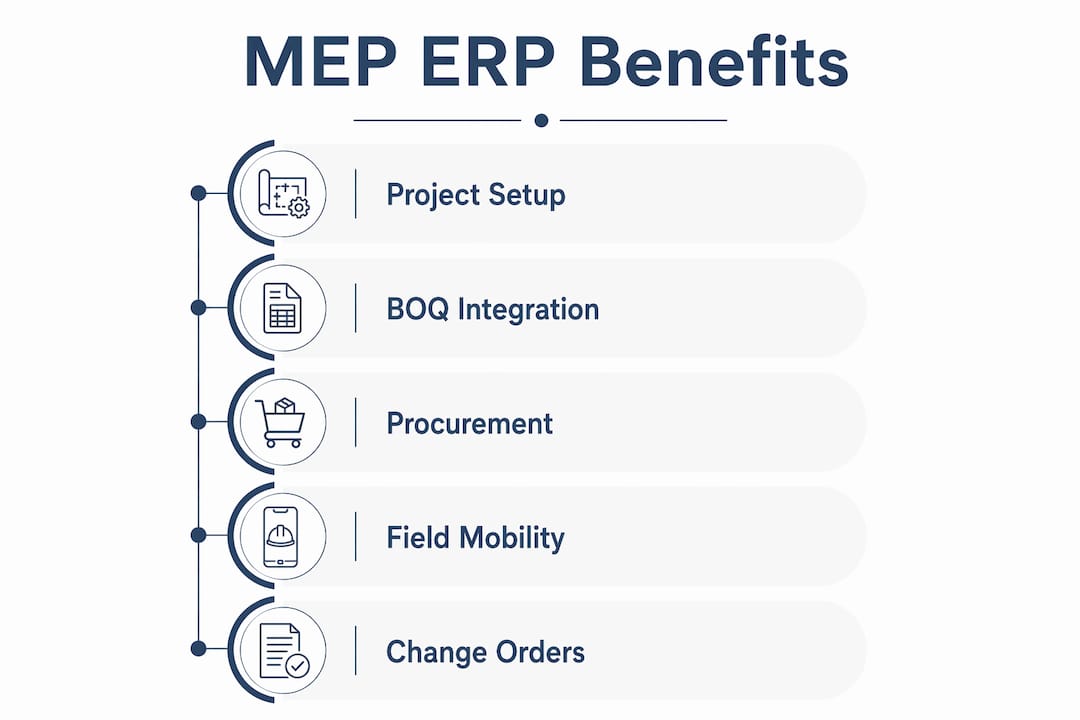
The ROI case for construction ERP comes down to four primary levers, with procurement leakage being the largest opportunity. When procurement is not linked to BOQs and schedule progress, over-ordering, duplicate orders, and off-contract purchasing are routine. ERP-driven procurement improvements have been reported to reduce material costs by around 15% in contractor case examples.
Key figure: 20–40% of legitimate scope changes on MEP projects go unbilled or are billed late, creating direct margin erosion. On a multi-million-dollar project with significant change orders, a large amount of revenue is at risk due to unbilled or late billed changes.
Change-order capture is the second lever. The problem is not that project managers forget to submit change orders. The problem is that the process is manual, approval chains are informal, and by the time a change order is priced and submitted, the client has moved on. A structured ERP workflow with automatic cost and revenue tagging closes that gap.
Tendering accuracy improves when estimating, supplier pricing, and procurement are integrated. MEP tendering accuracy directly increases win rate and reduces bid rework when these systems talk to each other. Digitally mature construction firms can grow revenue about 30% faster than peers, according to a Deloitte-cited benchmark.
Labor and field efficiency round out the picture. When field crews log progress in real time, the office can make procurement, scheduling, and billing decisions the same day. That responsiveness reduces rework, prevents over-ordering, and keeps billing on schedule.
For a mid-sized MEP contractor running multi-million-dollar annual revenues, the combined impact of these four levers typically produces a payback period of about a year to a year and a half when procurement and change-order capture are prioritized first.
How to build a business case for MEP ERP, step by step
A credible business case does not require a consultant. You need six inputs and a simple model.
- Audit your disconnected systems. List every tool your team uses: estimating spreadsheets, QuickBooks, separate scheduling software, email-based change orders, manual timesheets. Count the hours spent on re-entry and reconciliation each week.
- Quantify material and procurement leakage. Pull your last 12 months of material spend. Estimate what percentage was purchased off-contract, duplicated, or over-ordered. Even a conservative 10% leakage figure on $5M of material spend is $500K.
- Measure missed change-order revenue. Review your last 10 projects. How many change orders were submitted late, reduced in scope, or written off? Assign a dollar value.
- Estimate rework and schedule risk costs. Rework on MEP projects is often tied to coordination failures and stale field data. Quantify your last two or three rework events.
- Model efficiency gains from field mobility and AI takeoff. If your estimators spend 40 hours on a takeoff that AI can assist in 8 hours, that is 32 hours per bid. Multiply by your bid volume.
- Calculate implementation and subscription costs. Include the platform subscription, data migration time, and training hours. For modern SaaS ERPs, implementation costs are a fraction of legacy on-premise systems.
Sample ROI calculation for a $10M project:
| Category | Baseline | Leakage/Loss % | Potential Recovery |
|---|---|---|---|
| Material spend | $3,000,000 | 15–25% leakage | $450,000–$750,000 |
| Change order revenue | $500,000 | 20–40% unbilled | $100,000–$200,000 |
| Rework and coordination | — | 30% reducible | — |
| Estimating labor (AI takeoff) | — | 60% time savings | — |
| Total potential recovery | $500,000 |
Sensitivity notes: If procurement savings come in at 10% instead of 15%, recovery drops to roughly $630K. If change-order capture improves by only 15% instead of 25%, add $120K instead of $200K. Even the conservative scenario produces a strong payback against a SaaS subscription. Slower adoption in the first 90 days is the most common drag on early ROI, which is why phased rollout matters.
How to evaluate ERP vendors for MEP needs
The demo is where vendors show you what they want you to see. Your job is to redirect it toward what actually matters for MEP work.
Questions to ask in every demo
Start with BOQ handling. Ask the vendor to show you how a BOQ line item flows from the estimate into a purchase order and then into a job-cost report. If they cannot demonstrate that linkage live, the capability either does not exist or requires significant customization. Construction-specific features like CAD/takeoff integration, job costing by activity, and a mobile field app are the right filter for specialty trades.
Ask about offline capability on the mobile app. MEP sites often have poor connectivity. A field app that requires a live internet connection is not a field app for construction.
Ask how change orders are captured, priced, and approved. Walk through a scenario where a client requests additional scope mid-project. How many clicks does it take to price it, route it for approval, and update the job-cost forecast?
Operational evaluation criteria
Implementation timeline matters as much as features. A platform that takes 6–12 months to deploy means you are carrying two systems and two sets of processes for most of a year. Modern AI-native SaaS ERPs built for construction often report implementation windows of 2–4 weeks for core modules and adoption rates above 95% when rollout is phased.
Ask for a specific training plan, not a generic onboarding promise. Who trains your field crews? What is the support SLA after go-live? What does the upgrade path look like when you need to add modules?
Red flags to watch for
An accounting-first demo is the clearest red flag. If the vendor opens with the general ledger and works backward to projects, the architecture is not built for construction. A second red flag is an inability to demonstrate BOQ-to-procurement linkage without a custom development quote. A third is a long, vendor-led customization timeline before you can go live. That timeline is where implementation costs balloon and adoption stalls.
What implementation looks like for MEP contractors
A realistic MEP ERP rollout has four phases, and the most important decision you make is what to leave out of phase one.
Phase 1 (Weeks 1–4): Data cleanup and core module setup. This is where most implementations slow down. Your existing data, cost codes, supplier lists, and BOQ templates need to be clean before they go into the new system. Assign one person to own data migration. Do not try to import everything; import what you need for the first live project.
Phase 2 (Weeks 4–8): Pilot project. Run one active project through the full workflow: estimate to BOQ, BOQ to procurement, field updates to WIP, WIP to billing. Measure three KPIs: time-to-first-billing improvement, mobile data freshness (how current is your WIP report?), and job-cost accuracy versus budget.
Phase 3 (Weeks 8–16): Field rollout. Once the office workflow is stable, bring field crews onto the mobile app. Start with daily progress logging and material delivery confirmation. Voice entry reduces friction for crews who are not comfortable typing on a phone.
Phase 4 (Months 4+): Advanced modules. Compliance automation, advanced scheduling, and financial reporting can be added once the core workflow is running cleanly. Trying to deploy everything at once is the most common reason MEP ERP implementations fail.
Common pitfalls: Scope creep during implementation (adding modules before core is stable), poor data hygiene going in, and ignoring field user workflows when designing the process. Field crews who find the app harder than a phone call will not use it.
Pro Tip: Limit your initial rollout to estimating/takeoff, BOQ-to-procurement linkage, and field mobility. Measure those three workflows for 60 days before adding financials or compliance modules. Adoption rates are significantly higher when users see immediate, tangible improvements in their daily work before the system expands.
Why Designflow-build shortens implementation and improves adoption
Designflow-build is built as an AI-native construction ERP, which means the automation is not a feature layer on top of a legacy system. It is the architecture. That distinction matters for MEP contractors because it affects how quickly you can go live and how much manual work the platform actually eliminates.
The platform reports a 2–4 week implementation window for core modules, a 98% user adoption rate, and a 70% reduction in manual data entry. Those figures reflect a phased, guided rollout model rather than a consultant-heavy deployment.
Designflow-build feature-to-outcome mapping for MEP contractors:
| MEP Requirement | Designflow-build Capability | Business Outcome |
|---|---|---|
| BOQ-linked procurement | Native BOQ with PO generation | Fewer procurement errors, less over-ordering |
| AI blueprint takeoff | AI-assisted takeoff from uploaded plans | Faster, more accurate estimates |
| Field voice entry | Mobile app with voice data capture | Real-time WIP and progress updates |
| WIP tied to schedule | WIP reports linked to milestone completion | Accurate billing triggers, cleaner audits |
| Change-order workflow | Structured approval routing with cost tagging | More change-order revenue captured |
| Compliance automation | COI tracking and lien waiver generation | Fewer compliance delays, reduced admin |
| Job costing by cost code | Cost tracking by trade and activity | Visible margin by trade, earlier warnings |
| Integrated AR/AP | Billing triggered by WIP milestones | Shorter cash conversion cycle |
For MEP contractors evaluating the platform, the AI takeoff and estimating capability is typically the fastest win. Estimators who previously spent 30–40 hours on a takeoff report significant time savings, which compounds across a full bid season. The free tier lets you test core features before committing to a paid seat at $100/user/month for the Pro plan.
Data security and compliance in construction ERP
Construction projects generate sensitive financial data: subcontractor rates, bid prices, certified payroll records, and client contract values. A cloud-based construction ERP needs to protect that data with the same rigor you would expect from a financial platform.
The baseline requirements for any construction ERP you evaluate are role-based access controls (so a field supervisor cannot see bid margins), data encryption in transit and at rest, and audit logs that record who changed what and when. For MEP contractors working on public projects, certified payroll data must be stored and transmitted in compliance with Davis-Bacon Act requirements, and the ERP should generate certified payroll reports automatically rather than requiring manual formatting.
Compliance automation within the ERP, specifically COI tracking and lien waiver management, reduces the risk of project delays caused by missing documentation. When a subcontractor’s COI expires, the system flags it before the next payment run rather than after a site incident. Lien waiver collection tied to payment milestones protects the owner and the GC, and it protects you from downstream claims.
For SaaS platforms, ask specifically about SOC 2 Type II certification, data residency (where your data is stored), and the vendor’s backup and recovery SLA. These are not negotiable items for a platform that holds your job-cost data, payroll records, and contract documents.
ERP adoption outcomes in MEP construction firms
The pattern across successful MEP ERP adoptions is consistent: firms that targeted procurement and change-order capture first saw the fastest, most measurable returns.
A mechanical contractor running $15M in annual revenue piloted an ERP on a single $3M HVAC project. The focus was BOQ-to-procurement linkage and mobile field updates. Within 90 days, the project team identified $180K in procurement discrepancies that would have been absorbed as cost overruns under the previous spreadsheet process. Change-order capture improved because the approval workflow was visible to both the project manager and the client, reducing disputes.
An electrical contractor with multiple active projects used ERP-driven WIP reporting to shorten its billing cycle. Previously, billing was prepared monthly based on project manager estimates. With WIP tied to schedule milestones, billing became a system-generated output rather than a manual exercise. The result was a shorter average time between work completion and invoice submission.
The common thread in both cases is that the ROI came from fixing a specific, measurable problem rather than from deploying every module at once. Most margin loss in MEP comes from procurement leakage and unbilled change orders. Targeting those two areas in a pilot yields quick, measurable results that build internal support for broader adoption.
For MEP firms considering their first ERP or replacing a legacy system, the role of ERP in engineering operations provides additional context on how the platform fits into a broader operational model.
Key Takeaways
MEP construction ERP delivers its strongest ROI when you target procurement leakage and change-order capture first, then expand to full financial and compliance modules once core workflows are stable.
| Point | Details |
|---|---|
| Require BOQ-native handling | Any ERP that cannot link BOQ to procurement and schedule natively will create data fragmentation and margin leakage. |
| Measure procurement leakage first | Industry observation puts leakage at 15–25% of material spend; quantify your baseline before modeling ERP savings. |
| Pilot mobile field entry early | Real-time field updates keep WIP, procurement, and billing current; this is the fastest adoption win for field crews. |
| Set measurable pilot KPIs | Track time-to-first-billing improvement, mobile data freshness, and job-cost accuracy in the first 60 days. |
| Designflow-build as a starting point | Designflow-build offers a free tier, a 2–4 week implementation window, and an adoption rate above 95% for MEP contractors ready to pilot. |
The case for construction-native ERP is stronger than most firms realize
The conventional wisdom in construction technology is that ERP is a big-company problem. Firms under $50M in revenue assume the complexity and cost are not justified. That assumption is wrong, and it is costing them.
The margin pressure on MEP contractors is not coming from labor rates or material prices alone. It is coming from the gap between what is estimated, what is procured, what is installed, and what is billed. Every time those four things live in separate systems, money falls through the cracks. The firms that close that gap with a construction-native platform are not just running cleaner jobs. They are tendering more accurately, winning more bids, and billing faster.
The AI layer matters more than most buyers expect. Automated takeoff, risk prediction, and procurement alerts are not novelties. They are the difference between a platform that requires discipline to use correctly and one that actively catches problems before they become costs. For MEP contractors who are already stretched thin on project management bandwidth, that proactive capability is where the real value sits.
My recommendation is straightforward: audit your current data gaps, run a 60-day pilot on your next mid-sized project targeting procurement and change-order capture, and measure the results before committing to full deployment. The business case will make itself.
Ready to see Designflow-build in action?
MEP contractors who switch from disconnected spreadsheets and accounting tools to a purpose-built platform report faster billing cycles, fewer procurement errors, and cleaner job-cost reporting from the first project. Designflow-build delivers that without a months-long implementation or an army of consultants.

The free tier gives you access to core features immediately. The Pro plan, at $100/user/month, unlocks AI takeoff, advanced automation, and full compliance modules. Implementation takes 2–4 weeks, and the guided rollout means your team is productive from day one.
When you book a demo, ask to see these capabilities live: BOQ integration with PO generation, AI blueprint takeoff, mobile voice entry, WIP reports tied to milestones, compliance automation, and the implementation timeline for your project size. Those six items will tell you everything you need to know about whether a platform is genuinely built for MEP work.
Start with the AI construction software to explore the full platform, or review the construction scheduling capabilities if scheduling integration is your first priority.
Useful sources
- ERP for MEP Contractors: The Operational Control System Your Business Actually Needs — Covers BOQ linkage, procurement leakage figures, change-order capture rates, and implementation timeline benchmarks for MEP-specific ERP.
- Boost Tender Wins by 30%: The Ultimate MEP ERP Playbook — Source for the Deloitte-cited 30% revenue growth benchmark and material cost reduction case figures.
- Construction ERP insights and case examples — Background on field-to-office feedback loops and mobile-first data capture in construction ERP.
- The 10 best construction ERP systems — Vendor evaluation criteria for construction-specific features including CAD/takeoff integration and job costing by activity.
- What Is Commercial Construction ERP? A 2026 Guide — Designflow-build’s own overview with implementation metrics and product proof points.
- How MEP Contractors Build a Business Case for Construction ERP — Practical guidance on quantifying current costs and modeling ERP payback for MEP firms.
Recommended
- MEP Workforce Productivity Best Practices for Contractors | DesignFlow Build
- Construction Software Glossary — ERP, Takeoff, Scheduling Terms | DesignFlow Build
- Automated MEP Scheduling: A 2026 Guide for Project Managers | DesignFlow Build
- What Is Commercial Construction ERP? A 2026 Guide | DesignFlow Build