
BuildFlow.com Alternatives for Contractors: AI-Native ERPs

Designflow-build and a focused set of AI-native construction ERPs are the fastest way for contractors to unify project management, accounting, and field operations. Designflow-build reports rapid implementations and a very high user adoption rate, making it the strongest starting point for any contractor shortlist. Here are the top options and what each one does best:
- Designflow-build — Best for contractors who need a fully unified PM + accounting + field ops system with rapid deployment. Reported substantial reduction in manual data entry and significant monthly savings. Go here first if speed and adoption matter.
- Enterprise construction ERP (e.g., Procore, Autodesk Construction Cloud, CMiC) — Best for large general contractors managing complex, multi-project portfolios. Deep module coverage, but expect 3–12 month implementations and significant licensing costs.
- Accounting-first ERP (e.g., Sage 300 Construction & Real Estate, Jonas Construction Software) — Best for contractors who need job costing and financial reporting as the core, with PM layered on. Strong for specialty subs and mid-market GCs.
- Field-first mobile ERP (e.g., Buildertrend, Viewpoint/Trimble Viewpoint) — Best for homebuilders and residential contractors who prioritize field crew coordination and client communication over deep accounting integration.
- Open-source or pipeline-first tools — Best for engineering teams that want custom data workflows. Community comparisons show tools like Prefect, Mage, and bytewax as common BuildFlow substitutes in this category, but they require significant engineering lift and are not construction ERPs.
Every shortlist evaluation should check four dimensions: unified PM + accounting + field ops, AI automation depth, integration coverage (estimating, payroll, BIM), and security certifications such as SOC 2.
Table of Contents
- How do these BuildFlow alternatives compare across core modules?
- How should you choose the right BuildFlow alternative?
- What does “AI-native ERP” actually mean for your construction team?
- Why Designflow-build belongs on every contractor shortlist
- Key Takeaways
- What contractors actually get wrong when picking an AI-native ERP
- Ready to see Designflow-build in action?
- Useful sources for deeper research
How do these BuildFlow alternatives compare across core modules?
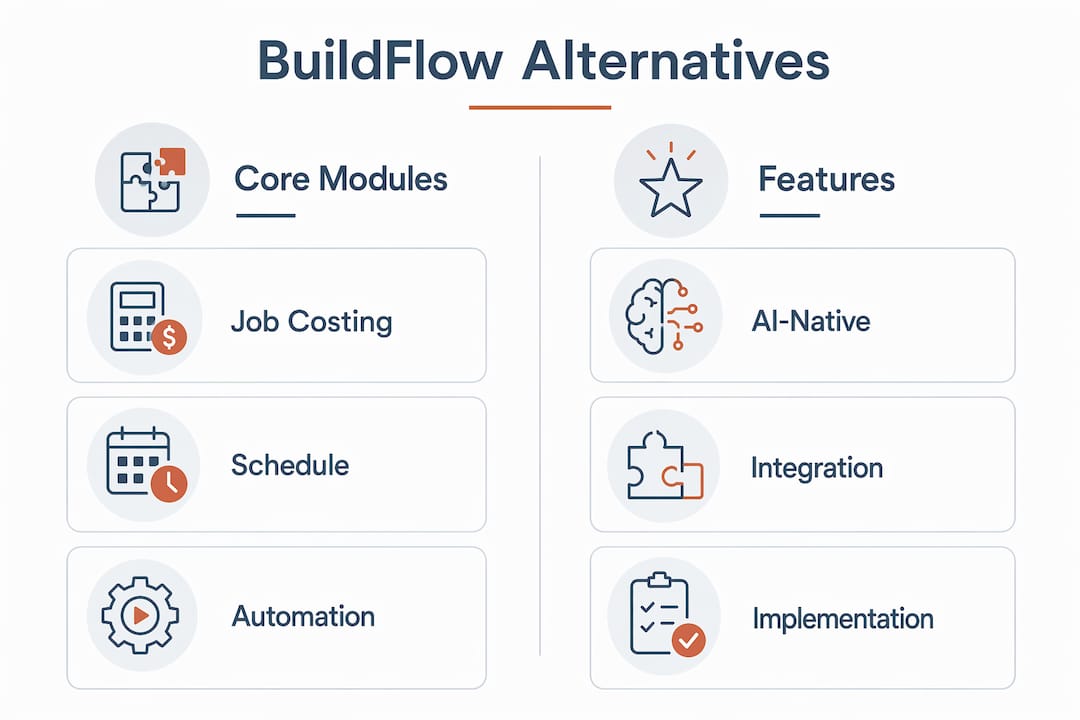
| Category | Best For | Core Modules | AI & Automation | Implementation | Company Size | Pricing Model | Key Integrations | Mobile/Field | Security | ROI Signal |
|---|---|---|---|---|---|---|---|---|---|---|
| AI-native unified ERP (Designflow-build) | Contractors needing fast, unified PM + accounting + field ops | PM, accounting, field ops — all native | AI job costing, predictive risk, auto data entry | a short timeframe of several weeks | SMB to mid-market | Per-user or per-project | Estimating, payroll, BIM | Full mobile field sync | SOC 2 | Significant reduction in manual data entry; substantial monthly savings |
| Enterprise construction ERP | Large GCs, multi-project portfolios | PM, accounting, field ops, document control | Workflow automation, some AI analytics | an extended implementation period ranging from a few months to about a year | Mid-market to enterprise | Seat + modules | BIM, ERP, payroll, estimating | Strong mobile apps | SOC 2, ISO | Published case studies with multi-million dollar project savings |
| Accounting-first ERP | Specialty subs, mid-market GCs | Accounting core, job costing, basic PM | Limited; rule-based automation | a moderate implementation duration lasting a few months | SMB to mid-market | Per-user | Payroll, accounting, basic estimating | Limited field apps | Varies | Strong job-costing accuracy; fewer published AI ROI metrics |
| Field-first mobile ERP | Homebuilders, residential contractors | Field ops, scheduling, client portal | Basic automation, limited AI | several weeks of implementation | SMB | Per-project or per-user | Scheduling, basic accounting | Excellent mobile UX | Varies | Faster client communication cycles |
| Open-source pipeline tools | Engineering/dev teams with custom data needs | Data pipelines, workflow orchestration | Highly customizable but DIY | Weeks to months of engineering | Any | Free/open-source + engineering cost | Custom integrations | None out of the box | Self-managed | Flexible but high total cost of ownership |
Pro Tip: When a vendor claims “AI-powered” features, ask them to demonstrate a live workflow in your demo environment, not a pre-recorded screen capture. A real AI-native ERP should auto-populate cost-to-complete from field data and flag schedule risk without manual input. If the rep pivots to a slide deck, that is your answer.
The fragmented ecosystem of open-source alternatives makes it easy to underestimate integration and maintenance overhead. A purpose-built construction ERP almost always delivers faster time-to-value than assembling a stack of pipeline libraries.

How should you choose the right BuildFlow alternative?
Start with your non-negotiables, then validate them in a structured demo. Here is a prioritized checklist:
- Confirm native integration with your estimating and payroll systems. Third-party connectors that rely on CSV exports are a red flag. Ask: “Does data flow automatically, or does someone push a button?”
- Test field-to-office sync latency. Pull up a field report on a mobile device and verify how quickly it appears in the accounting module. Anything over 15 minutes in a demo environment suggests real-world delays.
- Validate a single source of truth for cost-to-complete. Your PM, accounting, and field teams should see the same number without reconciliation.
- Request SOC 2 Type II documentation. If a vendor cannot produce it, ask specifically about data residency options and audit log access.
- Ask about accounting close workflow. How many manual steps does month-end require? Can certified payroll entries generate from field reports automatically?
Red flags to watch for:
- Vague AI claims with no live demonstration
- Overreliance on third-party connectors for core accounting data
- Manual CSV workarounds described as “standard workflow”
- No checkpointing or fault-tolerance explanation for data pipelines (a known gap in some pipeline-first tools)
For SMB contractors, a realistic evaluation timeline runs a short timeframe of several weeks of demos and reference checks, followed by a 4–8 week pilot. Enterprise contractors should budget several weeks to a few months for evaluation and involve their CFO, field superintendent, and IT lead from day one.
Pro Tip: Structure your pilot around one complete job-costing cycle: estimate in, field data captured, cost-to-complete updated, pay app generated. If the platform handles that loop without manual intervention in 4 weeks, it will handle your full portfolio.
What does “AI-native ERP” actually mean for your construction team?
An AI-native ERP is built with automation at the core, not bolted on afterward. The practical difference shows up in three places.
Automated job costing means the system pulls labor hours, material receipts, and subcontractor invoices into a live cost-to-complete without a project accountant manually reconciling spreadsheets. You see the number in real time, not at month-end.
Predictive schedule risk uses historical project data and current field progress to flag tasks likely to slip before they actually do. A good demo will show you a specific alert, not a generic dashboard widget. Scheduling bottlenecks are one of the most common sources of contractor cost overruns, and common scheduling inefficiencies are well-documented across project types.
Document parsing for pay apps and change orders is where AI earns its keep on a busy job site. An AI-native system reads an uploaded subcontractor pay app, extracts line items, and matches them against the approved schedule of values automatically. That eliminates hours of manual data entry per billing cycle.
On the integration side, a well-architected construction ERP connects estimating (so approved quantities flow into the job cost budget), payroll (so field hours post directly to cost codes), and BIM/3D models (so drawing revisions trigger RFI and submittal workflows). Understanding how bill of quantities data flows from estimating into the ERP is a useful test of integration depth.
For security, ask vendors specifically for SOC 2 Type II reports and clarify data residency options if your contracts require US-only data storage. These details should surface in a demo, not only in a sales conversation.
Why Designflow-build belongs on every contractor shortlist
Designflow-build is purpose-built for contractors who cannot afford a 12-month ERP rollout or a team of implementation consultants. The platform unifies PM, accounting, and field operations in a single system, and the reported results are specific enough to validate in a demo.
Key capabilities that set it apart:
- Unified PM + accounting + field ops — no separate modules to license or sync manually
- AI-driven project management that predicts risks and flags resource conflicts before they affect the schedule
- Automated job costing that updates cost-to-complete from field data without manual reconciliation
- a short implementation period with guided onboarding, no large consulting engagement required
- a very high user adoption rate, which means your field crews and office staff actually use it
Designflow-build demonstrates the strongest ROI for small to mid-size general contractors and specialty subcontractors who are currently running on a mix of spreadsheets and disconnected accounting software. If your team spends more than a few hours per week on manual data entry or month-end reconciliation, the AI construction software approach Designflow-build takes is worth a serious look. For contractors focused on SMB profit improvement through automation, the platform’s rapid deployment model is a practical starting point.
Key Takeaways
Designflow-build is the fastest path to a unified AI-native construction ERP for SMB and mid-market contractors, with a short implementation period and a very high user adoption rate that enterprise alternatives rarely match.
| Point | Details |
|---|---|
| AI-native vs. bolt-on automation | Choose a platform where AI job costing and schedule risk are core features, not add-ons requiring separate licensing. |
| Implementation speed matters | Designflow-build’s 2–4 week onboarding outpaces most enterprise ERPs, which typically run an extended implementation period ranging from a few months to about a year. |
| Validate integrations in demos | Confirm live data flow between estimating, payroll, and field ops — CSV workarounds signal hidden manual work. |
| Match platform to company size | SMB and mid-market GCs benefit most from unified ERPs; large enterprise portfolios may need deeper module customization. |
| Designflow-build as your first demo | With a reported significant reduction in manual data entry and substantial monthly savings, it sets the benchmark for your evaluation. |
What contractors actually get wrong when picking an AI-native ERP
Most contractors evaluate ERP software the way they evaluate a truck: they look at the spec sheet and assume the numbers translate to job-site performance. They rarely do.
The vendors who win the most demos are not always the ones with the best software. They are the ones with the best demo environments. A polished walkthrough of a pre-loaded project tells you almost nothing about how the system handles your messy, mid-project data migration or your subcontractor’s non-standard pay app format.
The contractors who get the most out of an AI-native ERP are the ones who bring their own data to the pilot. Run one real billing cycle. Generate one certified payroll entry from actual field hours. If the platform handles it cleanly in four weeks, you have your answer. If the implementation team keeps asking for more time to “configure” something that was supposed to work out of the box, that is the real product review.
Designflow-build’s 98% adoption rate is meaningful precisely because adoption is where most ERP projects fail, not implementation. A system your field crews ignore is a system that delivers zero ROI regardless of its feature list.
Ready to see Designflow-build in action?
If you have spent time comparing construction ERP options and want to cut straight to a live demonstration, Designflow-build is built for exactly that conversation. The platform’s AI construction capabilities cover unified PM, accounting, and field ops in a single system, with a short implementation period that does not require a consulting team to manage.

To get the most from your demo, bring one active project’s cost data and ask the team to walk through a complete job-costing cycle: estimate in, field hours posted, cost-to-complete updated, pay app generated. That single workflow will tell you more than an hour of feature slides. Request your demo at designflow-build.com and specify that you want to see the AI automation features live with your own project data.
Useful sources for deeper research
Use these starting points to validate vendor claims and explore the broader ecosystem of alternatives:
- LibHunt — BuildFlow alternatives: Community-identified substitutes for the open-source BuildFlow project, including orchestration tools like Prefect and Mage. Useful for understanding the pipeline-first category and how it differs from construction ERP.
- RelatedRepos — launchflow/buildflow: A broad list of repositories users compare to BuildFlow. Highlights how fragmented the open-source ecosystem is and why total cost of ownership matters when evaluating DIY alternatives.
- Hacker News discussion on BuildFlow: Community thread where BuildFlow maintainers discuss Ray-based architecture, benchmarks, and known gaps like checkpointing. Read this before asking vendors about fault tolerance and data reliability.
- Tracxn — BuildFlow company profile: Background on the BuildFlow company, its market positioning in document and facility management, and its competitive set. Useful for confirming whether a vendor’s focus aligns with construction ERP or document management.
- G2 and Capterra: Search each shortlisted vendor by name and filter reviews by company size and industry. Look specifically for reviews from general contractors and specialty subcontractors, not just generic construction firms.
- Vendor case studies: Ask every vendor for a case study that matches your company size, project type, and geographic market. A case study from a $500M enterprise GC tells you little if you run a $15M specialty sub.