
Automated Subcontractor Coordination Explained for GCs
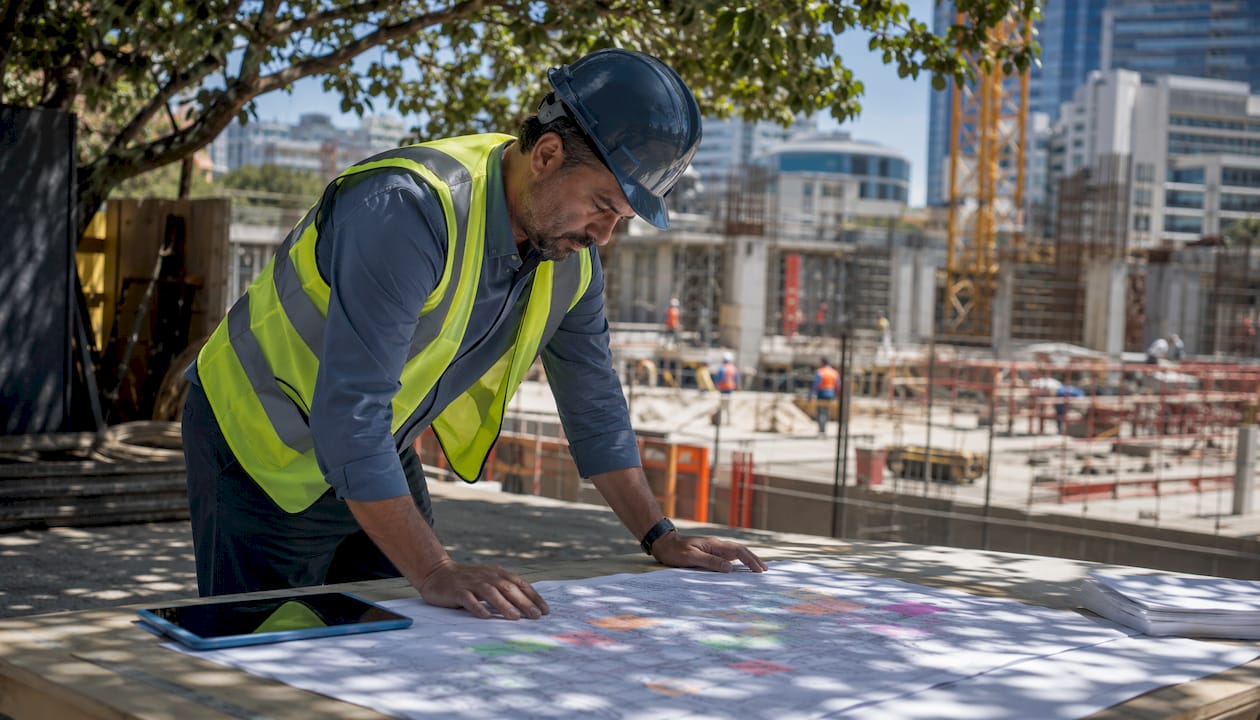
Automated subcontractor coordination uses AI and workflow automation to replace the manual phone calls, spreadsheet updates, and chased confirmations that slow down construction projects. Instead of a superintendent spending the first two hours of every morning sorting out who goes where, the system handles task assignments, dependency alerts, schedule updates, and compliance checks automatically. The result: fewer delays, lower administrative overhead, and a project team that spends time building rather than coordinating.
Here is what this approach delivers in practice:
- Reduced manual communication — automated notifications replace most routine check-ins between the office and the field
- Improved scheduling accuracy — dependency-aware systems flag conflicts before they become standdowns
- Error minimization — rule-based triggers handle insurance checks, document requests, and status updates without human intervention
- Time savings — manual document tracking drops from 10-15 minutes per document to under 60 seconds with AI-assisted coordination
- Cost control — fewer idle crews and rework cycles directly protect your margin
- Risk reduction — real-time visibility into subcontractor activities surfaces problems early, when they are still cheap to fix
The enabling technologies are AI for interpreting unstructured communications and predicting schedule slippage, workflow automation for rule-based task routing, and ERP integration for connecting scheduling, finance, and field data into one coherent picture.
Table of Contents
- What makes subcontractor coordination work in the first place?
- Why subcontractor schedule management is so hard to get right
- Scheduling strategies that set your coordination up to succeed
- The technologies actually changing how subcontractor coordination works
- Communication protocols that keep every trade aligned
- How your contracts can support automated coordination
- Tracking subcontractor performance and improving over time
- How to handle schedule disruptions before they become crises
- Practical steps for implementing an automated coordination system
- How Designflow-build’s AI-native ERP raises the bar for subcontractor coordination
- Designflow-build gives you coordination without the complexity
- Key Takeaways
What makes subcontractor coordination work in the first place?
Before you automate anything, the fundamentals need to be solid. Automation amplifies what is already there. If your coordination process is unclear, automating it just produces faster confusion.
Effective subcontractor coordination rests on four core principles:
- Clear roles and responsibilities — every trade knows its scope, its start conditions, and who to contact when something changes
- Centralized communication and task tracking — one system of record for assignments, updates, and confirmations, not a mix of texts, emails, and verbal handoffs
- Dependency-aware scheduling — the schedule reflects which tasks must finish before others can start, and that logic is enforced, not just documented
- Real-time visibility — project managers and superintendents can see actual progress against the plan without waiting for a morning meeting
These principles do not change when you introduce automation. What changes is how reliably they are enforced. A well-designed automated system makes it structurally difficult to miss a dependency or skip a confirmation, because the workflow will not advance until the required step is complete.
Why subcontractor schedule management is so hard to get right
Most coordination breakdowns are not caused by bad subcontractors. They are caused by systems that rely too heavily on individual memory and informal communication. A few patterns show up on almost every project:
- Information silos — the electrical sub knows about a delay that the drywall crew does not, and no one has a mechanism to push that update automatically
- Manual status updates — when a superintendent has to call six trades every morning to confirm readiness, errors and omissions are inevitable
- Dependency and sequencing conflicts — without a live dependency map, two trades end up scheduled in the same zone at the same time, or a downstream task starts before its predecessor is actually complete
- Cascading schedule failures — a single delay that is not caught early ripples through the entire sequence, and by the time it surfaces, the recovery cost is significant
These pain points are exactly what automated project coordination is designed to address. The goal is not to eliminate human judgment but to give project managers the information they need, when they need it, without requiring them to chase it down manually.
Scheduling strategies that set your coordination up to succeed
Automation handles execution, but the scheduling strategy behind it determines whether that execution produces the right outcome. A few approaches consistently make the difference:
- Cascading schedule updates — when one task slips, the system automatically adjusts all dependent tasks downstream, so the schedule stays accurate in real time rather than becoming a historical artifact
- Critical path prioritization — not all delays are equal; focusing automation triggers on critical path tasks means the system escalates the issues that actually threaten the completion date
- Look-ahead schedules — a rolling three-to-six-week look-ahead, updated automatically from field data, gives subcontractors enough lead time to mobilize resources without being overwhelmed by the full project timeline
- Buffer times and contingency planning — building realistic float into the schedule gives the automated system room to absorb minor disruptions without triggering a full reschedule
The look-ahead schedule is particularly underused. Most project teams build one and then let it go stale. When it is connected to live field data and updated automatically, it becomes the most reliable coordination tool on the project.
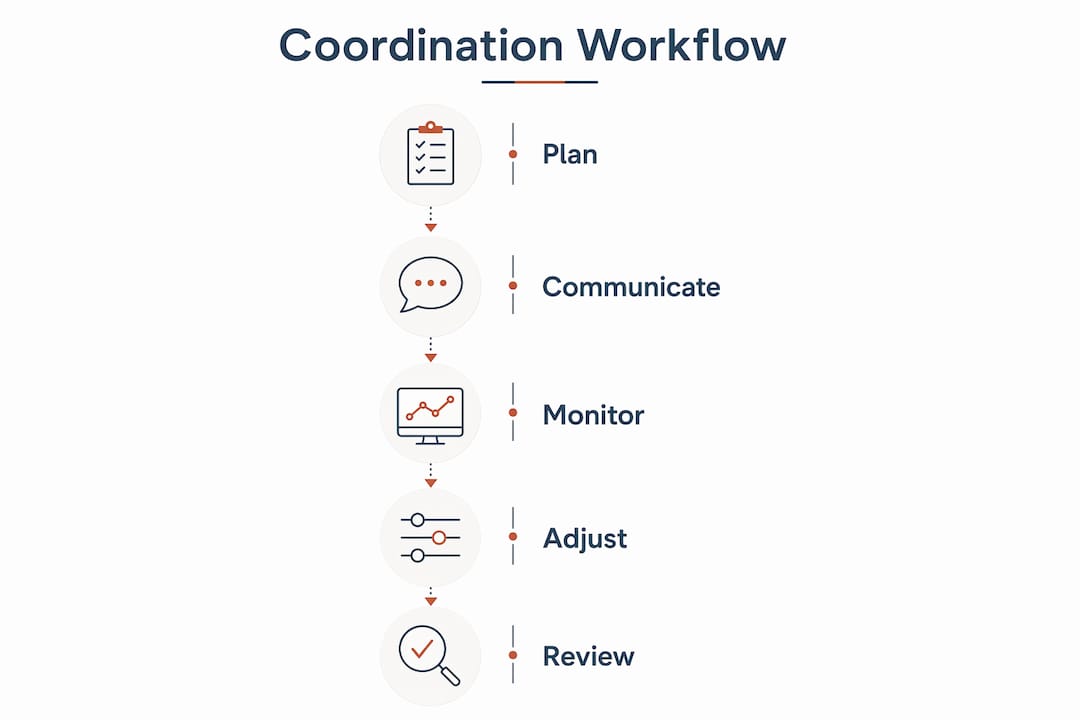
The technologies actually changing how subcontractor coordination works
The shift from manual to automated coordination is not just about software. It is about a different architecture for how information flows through a project. Several technologies are driving this change:
- AI for unstructured communication — AI can read emails, RFI responses, and field notes to extract schedule-relevant information and update the project record without manual data entry. Schedule updates that previously carried 24-hour latency now happen in under two minutes.
- Workflow automation — rule-based triggers handle routine administrative tasks like insurance verification, document requests, and scheduling follow-ups without anyone having to initiate them. Subcontractor management automation shifts the team’s focus from chasing issues to executing work.
- ERP and PM software integration — the most capable systems connect scheduling, procurement, finance, and field reporting into a single orchestration layer. AI workflow automation in construction links these systems to predict schedule slippage, manage approvals, and reconcile invoices before problems escalate.
- Real-time data processing and alerts — instead of batch updates at the end of the day, the system processes field inputs continuously and surfaces alerts the moment a threshold is crossed
AI is worth treating as more than a productivity tool here. When it is properly integrated, it functions as an operational decision system, identifying dependencies and providing predictive insights that a human coordinator would miss until it was too late.

Communication protocols that keep every trade aligned
Coordination fails most often at the communication layer, not the scheduling layer. A perfectly built schedule means nothing if the trades do not receive clear, timely, and relevant information about what they need to do next.
Effective automated communication protocols include:
- Personalized daily coordination emails — daily morning emails sent at 5:30 AM listing each subcontractor’s specific tasks, dependencies, and area accesses for the day reduce superintendent phone calls by 40–60% and virtually eliminate idle crew standdowns from miscoordination
- Standardized data formats — when schedule updates, RFI responses, and change orders all follow a consistent format, automated systems can parse and route them without manual interpretation
- Tiered escalation workflows — if a confirmation is not received within a defined window, the system escalates automatically: first a reminder, then a flag to the superintendent, then a project manager alert
- Multi-channel redundancy — push notifications, email, and in-app alerts working together mean a critical update reaches the right person even if one channel is missed
The personalized morning email deserves particular attention. It is the single highest-impact automation many project teams implement. Saving a superintendent 15 or more minutes daily while cutting call volume by 40–60% is a measurable, immediate return that requires no complex integration to achieve.
How your contracts can support automated coordination
Technology alone cannot enforce coordination. The contract structure needs to align with how your automated systems work, or you will have a workflow that the legal framework does not support.
Key contractual mechanisms to consider:
- Digital document exchange clauses — specify that submittals, RFI responses, and change order approvals will be processed through the project’s digital platform, giving automated workflows legal standing
- Schedule adherence requirements — define what constitutes a reportable delay, how quickly subcontractors must confirm schedule updates, and what the notification timeline looks like
- Incentive and penalty structures — automated systems can track compliance data precisely, making performance-based incentives and delay penalties enforceable rather than theoretical
- Alignment with workflow capabilities — contract terms should reflect what your system can actually track; a penalty clause for a metric the system does not measure creates disputes rather than accountability
Payment speed is worth addressing explicitly. Automated payment workflows reduce disputes and cut payment processing time substantially, and payment reliability is one of the top factors influencing whether quality subcontractors choose to work with a particular general contractor. Building payment automation into the contract framework, not just the software, reinforces that reliability.
Tracking subcontractor performance and improving over time
Coordination is not a one-time setup. The data your automated system collects is the raw material for continuous improvement, and project managers who use it systematically outperform those who treat each project as a fresh start.
Key performance indicators worth tracking:
- Schedule adherence rate — percentage of tasks completed on or before the planned date, by trade
- Response time to notifications — how quickly each subcontractor acknowledges and confirms updates
- Rework frequency — number of tasks that required correction after initial completion
- Document compliance rate — percentage of required submittals, insurance certificates, and safety documents submitted on time
| KPI | What it measures | How to use it |
|---|---|---|
| Schedule adherence rate | On-time task completion by trade | Identify chronically late subs before they affect critical path |
| Notification response time | Speed of subcontractor acknowledgment | Flag communication gaps and adjust escalation thresholds |
| Rework frequency | Tasks requiring correction post-completion | Pinpoint quality issues and scope clarity problems |
| Document compliance rate | Timely submission of required documents | Automate reminders and track compliance trends across projects |
| Payment dispute rate | Frequency of contested invoices | Measure effectiveness of automated payment workflows |
Dashboards built on this data let you make pre-award decisions based on actual performance history rather than reputation alone. A subcontractor who consistently hits their schedule adherence targets is a different risk profile than one who does not, and your system can tell you which is which.
How to handle schedule disruptions before they become crises
Disruptions are inevitable. The difference between a project that recovers quickly and one that spirals is how fast the disruption is detected and how automatically the response is triggered.
Practical strategies for managing disruptions with automated support:
- AI-triggered early detection — set threshold alerts for leading indicators like material delivery delays, inspection holds, or crew size reductions that typically precede a schedule slip
- Automated rescheduling — when a delay is confirmed, the system recalculates dependent tasks and pushes updated sequences to affected trades immediately, without waiting for a coordination meeting
- Targeted change communication — affected subcontractors receive specific, contextualized notifications (“HVAC install in Zone B rescheduled to Thursday due to slab access delay”) rather than generic project-wide alerts that get ignored
- Contingency plan activation — pre-built contingency workflows can be triggered automatically when defined conditions are met, so the recovery response begins before the superintendent has finished their morning coffee
The key is specificity. Automated systems that over-notify train field teams to ignore alerts. The most effective approach is to curate notifications by actual impact: if a change does not affect a trade’s next 48 hours of work, that trade does not need to hear about it.

Practical steps for implementing an automated coordination system
Getting from manual coordination to a functioning automated system does not require a six-month IT project. Most construction teams can reach a working state in a matter of weeks if they follow a structured approach.
- Start with workflow discovery — map your current communication workflows and data flows before touching any software. Identify where coordination breaks down, which handoffs are manual, and what data each step requires. This discovery phase is what separates high-ROI implementations from expensive experiments.
- Build your data foundation — define standard formats for schedules, task assignments, and status updates. Automated systems cannot parse inconsistent data reliably.
- Set up onboarding portals and document compliance automation — create a structured onboarding workflow for new subcontractors that automatically collects insurance certificates, W-9s, and safety documentation, with expiration tracking built in.
- Integrate scheduling and communication tools — connect your scheduling system to your notification layer so that schedule changes automatically trigger the right communications to the right people.
- Train your team and your subcontractors — adoption is the most common failure point. Keep the initial interface simple, focus training on the daily workflows people actually use, and collect feedback in the first two weeks to fix friction points before they become habits.
Pro Tip: Set up a personalized daily coordination email for each subcontractor before you implement anything else. It is the fastest path to a measurable result: reduced superintendent calls, fewer idle crews, and immediate buy-in from the field. Once subs see that the morning email is accurate and useful, they start trusting the system, and adoption of everything else becomes much easier.
How Designflow-build’s AI-native ERP raises the bar for subcontractor coordination
Most construction software automates individual tasks. Designflow-build takes a different approach: its AI-native ERP integrates project management, accounting, and field operations into a single system, so coordination intelligence flows across all three rather than stopping at departmental boundaries.
Here is what that architecture delivers in practice:
- Unified data layer — project controls, scheduling, procurement, and finance share a single data model, eliminating the reconciliation work that consumes hours on projects running separate tools
- Predictive risk management — the AI engine identifies schedule slippage and resource conflicts early, giving project managers time to act rather than react
- Automated approval workflows — change orders, submittals, and invoice approvals move through defined workflows without manual routing, reducing the administrative load on both the GC and the subs
- Field-to-office synchronization — field data updates the project record in real time, so the schedule and cost picture the office sees reflects what is actually happening on site
By the numbers: Designflow-build reports a 70% reduction in manual data entry and monthly savings of up to $847K on projects, with implementation completing in 2–4 weeks and a 98% user adoption rate.
The 2–4 week implementation timeline is worth noting specifically. One of the most common objections to adopting a new coordination system is the disruption cost of switching. Designflow-build’s guided implementation is designed to get teams productive quickly, without the extended consultant-led rollouts that make large ERP projects so painful. The 98% adoption rate suggests the interface is working as intended: people are actually using it, which is the only metric that matters for a coordination system.
For project managers evaluating AI construction software, the question is not whether AI can improve subcontractor coordination. The evidence is clear that it can. The question is whether the platform you choose connects all the relevant systems or just automates one piece of the puzzle in isolation.
Designflow-build gives you coordination without the complexity
If you have read this far, you know what automated subcontractor coordination can do. The harder question is how to get there without a six-month implementation, a team of consultants, and a budget that only enterprise GCs can justify.

Designflow-build is built specifically for contractors who need real results fast. The platform combines AI-driven project management, accounting, and field operations in one system, so you are not stitching together three separate tools and hoping the data stays consistent. You get risk prediction, automated scheduling updates, document compliance tracking, and real-time field visibility from day one. No Excel workarounds. No QuickBooks exports. No manual data entry eating your team’s time.
The numbers speak directly to the value: a reported 70% reduction in manual data entry, up to $847K in monthly project savings, and a 2–4 week path to full deployment. Your subcontractors get clear daily task lists. Your superintendents get their mornings back. Your project stays on schedule.
See what Designflow-build can do for your next project at designflow-build.com/ai-construction-software.
Key Takeaways
Automated subcontractor coordination works because AI and workflow automation together replace the manual communication, scheduling, and compliance tasks that cause most construction project delays.
| Point | Details |
|---|---|
| Start with workflow discovery | Map communication and data flows before implementing any automation to maximize ROI and avoid costly misconfigurations. |
| Daily coordination emails deliver fast ROI | Personalized morning emails reduce superintendent calls by 40–60% and eliminate most idle crew standdowns from miscoordination. |
| AI reduces document processing time | AI-assisted coordination cuts per-document tracking from 10–15 minutes to under 60 seconds and drops schedule update latency to under 2 minutes. |
| Contracts must support your automation | Include digital document exchange clauses, schedule adherence requirements, and payment automation terms to make coordination enforceable. |
| Designflow-build unifies the full picture | Designflow-build’s AI-native ERP integrates project management, accounting, and field operations, reporting a 70% reduction in manual data entry and implementation in 2–4 weeks. |