
Automated MEP Scheduling: A 2026 Guide for Project Managers

Automated MEP scheduling is defined as the use of software to plan, coordinate, and sequence mechanical, electrical, and plumbing work automatically, replacing manual spreadsheets and disconnected email threads. The industry term for the broader practice is MEP coordination, and automation is now its most consequential layer. One documented case shows that automated validation systems prevented 127 MEP clashes before installation, saving three weeks and $320,000 in rework costs. That single figure tells you what is at stake when you skip automation. Standards from bodies like NFPA and NEC govern how MEP systems must be installed, and automated scheduling tools enforce those requirements at the planning stage rather than at inspection. The result is fewer surprises in the field and a measurable reduction in administrative burden for your team.
What is automated MEP scheduling and how do the tools work?
Automated MEP scheduling tools combine Building Information Modeling (BIM) integration, AI-driven sequencing, and real-time data feeds to produce coordination plans that would take a human team days to build manually. The core engine is clash detection. Software reads the 3D model and flags every point where a duct, conduit, or pipe conflicts with a structural element or another trade’s work. You get a list of conflicts before anyone picks up a wrench.
Route optimization runs alongside clash detection. The system calculates the most efficient path for each MEP system through the available space, accounting for code clearances required by standards like NFPA 13 for sprinkler systems and NEC Article 300 for wiring methods. Agentic AI dynamically evaluates multiple sequencing options in real time, using live inputs like resource availability and current delays. That is a fundamental shift from static Gantt charts that go stale the moment a subcontractor falls behind.
The typical workflow looks like this:
- Submittal tracking: The platform logs shop drawings and material approvals automatically, flagging overdue items before they block field work.
- RFI management: When a conflict surfaces, the system generates an RFI draft linked to the specific model element, cutting the time a coordinator spends writing it from scratch.
- Coordination meetings: Automated reports pull clash counts, open RFIs, and schedule variances into a single view so meetings focus on decisions, not data gathering.
- Real-time updates: When a delivery slips or a crew is reassigned, the schedule recalculates and alerts the affected trades.
Pro Tip: Connect your BIM model to your scheduling platform before design is finalized. Changes made in the model during design cost a fraction of what they cost after construction documents are issued.
What are the real benefits of automated MEP scheduling?
Improper MEP coordination at installation start is the leading cause of costly construction schedule delays. Automation addresses that problem at its root by producing clash-aware routes before work begins. The downstream benefits compound quickly.

Time savings on administrative tasks are the most immediate gain. Moving from manual spreadsheets to automated platforms recovers 3 to 6 hours per week per coordinator on submittal and RFI tracking alone. On a project with four active MEP coordinators, that is up to 24 hours of recovered capacity every week. Those hours shift from data entry to actual coordination decisions.
The financial case is equally clear:
- Rework prevention: Catching a clash in the model costs a fraction of cutting and re-routing installed pipe or conduit. The $320,000 savings figure cited above came from a single project’s clash prevention effort.
- Labor planning: Automated sequencing tells each trade exactly when their work zone opens, reducing idle time and crew stacking on congested floors.
- Material tracking: Platforms that integrate procurement data alert you when a long-lead item is at risk of missing its installation window, giving you time to resequence rather than scramble.
- Inspection readiness: Automated validation against NEC and NFPA requirements means fewer failed inspections and the schedule penalties that come with them.
Coordination delays that exceed two weeks put a project in a critical danger zone for cumulative schedule slippage. Automated MEP management compresses that risk window by resolving conflicts weeks before they reach the field. For project managers, that translates directly into more predictable milestone dates and fewer change order disputes with owners.
What are the limits of automated MEP scheduling?
Automation is not a full replacement for experienced MEP coordinators. Automation covers roughly 25% of a coordinator’s role, primarily documentation tasks, while field coordination and complex decisions still require human judgment. Relying solely on automated systems can lead to failed inspections and costly schedule overruns. That is not a reason to avoid automation. It is a reason to deploy it correctly.
The technology has specific dependencies:
- BIM requirement: Without BIM integration, AI can handle only documentation and task management but loses clash detection entirely. For projects over 10,000 sq ft, BIM integration generally pays for itself in avoided rework.
- Data quality: Garbage in, garbage out. If subcontractors submit incomplete shop drawings, the automated validation has nothing accurate to check against.
- Subcontractor management: Software cannot negotiate a crew schedule with a mechanical sub who is overcommitted on another job. That conversation still requires a person.
- Inspection interpretation: Inspectors exercise judgment. An automated system flags code conflicts by the book, but a seasoned coordinator knows when a variance request is worth pursuing.
Pro Tip: Treat automation as your first line of defense on documentation and clash detection, then assign your best coordinators to the field judgment calls that software cannot make.
The cost risk of over-reliance is real. A project manager who trusts the schedule output without validating field conditions can miss the signals that a coordination spiral is starting. Automation surfaces data. Humans still have to act on it.
Best practices for implementing automated MEP scheduling
The single most important practice is starting early. Prioritizing automated MEP routing early prevents costly rework and delay spirals. Teams that wait until construction documents are issued to begin coordination modeling lose the window where changes are cheapest.
A proven implementation sequence runs as follows:
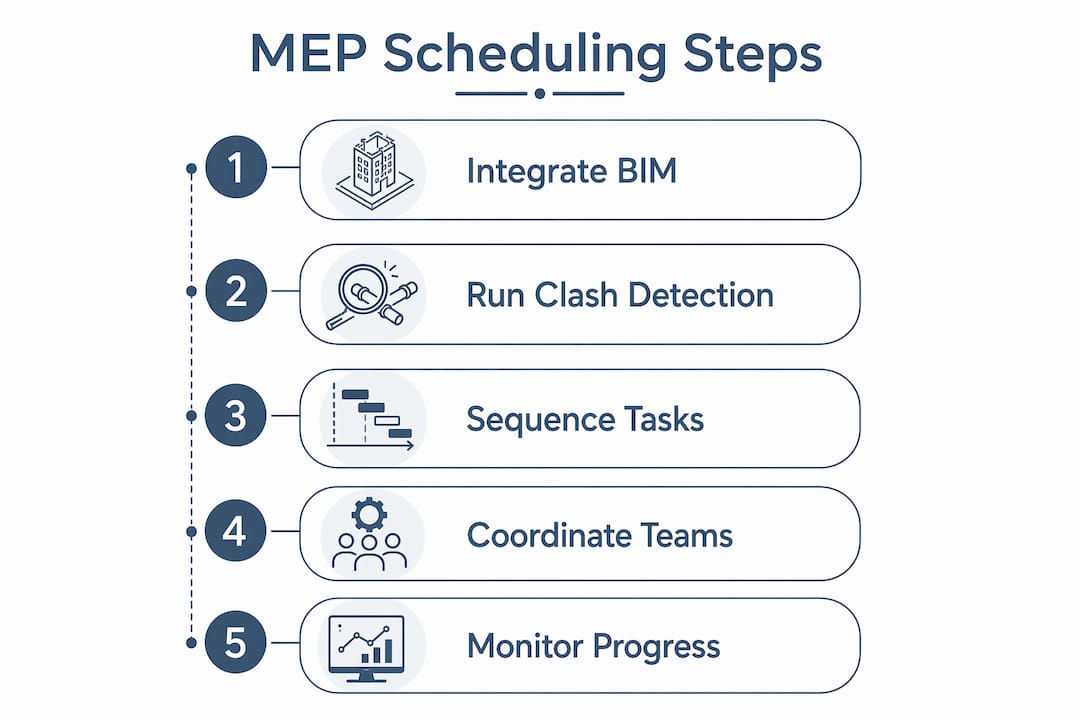
- Integrate BIM during design development. Load the architectural, structural, and MEP models into your coordination platform before design is frozen. Run an initial clash detection pass to identify major conflicts while the design team can still resolve them without change orders.
- Build a look-ahead schedule by zone. Look-ahead scheduling breaks down MEP rough-in by area, elevation, and system type for precise coordination. A 3 to 4 week look-ahead horizon gives you enough runway to resolve conflicts before they become field problems.
- Automate submittal and RFI workflows. Set up the platform to track every submittal due date and auto-escalate items that are approaching their float limit. This prevents the slow bleed of missed deadlines that derails MEP sequences.
- Coordinate AI-validated routes, not post-modeling fixes. Use the software to generate clash-free routing before issuing coordination drawings. Fixing clashes after drawings are issued wastes the coordination team’s time and delays subcontractor fabrication.
- Monitor with live alerts. Configure the platform to notify the project manager when a material delivery is at risk or when a trade’s schedule buffer drops below a defined threshold.
The difference between entry-level field apps and full MEP project automation platforms is the depth of BIM integration and the sophistication of the sequencing engine. Entry-level tools track tasks. Full platforms recalculate the entire sequence when one input changes. For complex projects, that recalculation capability is what keeps the schedule from unraveling.
| Implementation phase | Key action |
|---|---|
| Design development | Load all models, run initial clash detection |
| Pre-construction | Build zone-based look-ahead schedule |
| Procurement | Automate submittal tracking and escalation |
| Construction | Monitor live alerts, validate field conditions |
| Closeout | Document clash log and RFI resolution for warranty reference |
Key takeaways
Automated MEP scheduling delivers its greatest value when BIM integration, early coordination, and human oversight work together rather than in isolation.
| Point | Details |
|---|---|
| Start coordination early | Begin clash detection during design development to avoid costly change orders later. |
| BIM is non-negotiable | Without BIM, automation loses clash detection and its core value on projects over 10,000 sq ft. |
| Automation covers 25% of the role | Use it for documentation and sequencing; keep experienced coordinators on field judgment calls. |
| Look-ahead scheduling by zone | Break MEP rough-in into areas and system types on a 3 to 4 week horizon to catch conflicts early. |
| Time savings are immediate | Automated platforms recover 3 to 6 hours per coordinator per week on submittal and RFI tracking. |
The part most project managers get wrong about MEP automation
I have watched project managers adopt MEP scheduling software and then wonder why their coordination problems did not disappear. The answer is almost always the same. They automated the wrong layer.
Most teams automate the reporting. They get dashboards, clash counts, and submittal logs. What they do not do is change when they start the coordination process. The software is running, but it is running on a schedule that was already two weeks behind before the first model was loaded. Automation accelerates whatever process you feed it. If you feed it a late process, you get a faster version of late.
The teams I have seen get real results start BIM coordination during schematic design, not after construction documents. They use the look-ahead schedule not as a reporting tool but as a daily decision-making tool. And they treat the AI sequencing output as a starting point for a conversation with their subs, not as a final answer.
The other mistake is treating automation as a headcount reduction. The 25% of the coordinator role that automation handles well is the part that was burning out your best people. Free them from that work and they become dramatically more effective at the 75% that still requires judgment. That is where the real productivity gain lives.
— Keith
How Designflow-build supports automated MEP coordination
Designflow-build is built for exactly the coordination complexity this article covers. Its AI-native ERP combines project management, scheduling, and field operations in one system, eliminating the need to reconcile data across disconnected tools.

The platform reports a 70% reduction in manual data entry for contractors who switch from spreadsheet-based workflows. For MEP-heavy projects, that means coordinators spend their time on decisions rather than data entry. Designflow-build’s AI-driven project management predicts schedule risks and flags resource conflicts before they reach the field. You can explore the full range of construction scheduling tools Designflow-build offers, or review the construction software glossary to get clear on the terminology before evaluating any platform. Implementation runs 2 to 4 weeks, with a 98% user adoption rate reported across its contractor base.
FAQ
What is automated MEP scheduling in construction?
Automated MEP scheduling is the use of software to plan, sequence, and coordinate mechanical, electrical, and plumbing work automatically. It replaces manual spreadsheets with AI-driven tools that detect clashes, track submittals, and update sequences in real time.
How does MEP coordination differ from MEP scheduling?
MEP coordination is the broader process of aligning all mechanical, electrical, and plumbing systems so they fit together in the building. MEP scheduling is the time-based component of that process, and automation applies to both by generating clash-free routes and sequenced work plans.
Does automated MEP scheduling require BIM?
Yes. Without BIM integration, AI tools lose clash detection capability and can only manage documentation and task tracking. BIM is the spatial data layer that makes full automation possible.
How much time does automation save on MEP projects?
Automated platforms recover 3 to 6 hours per coordinator per week on submittal and RFI tracking. On projects with multiple active coordinators, that adds up to significant recovered capacity each week.
Can automation fully replace an MEP coordinator?
No. Automation handles roughly 25% of the coordinator role, primarily documentation and sequencing tasks. Field coordination, subcontractor management, and inspection interpretation still require experienced human judgment.