
What Is Commercial Construction ERP? A 2026 Guide

Commercial construction ERP is defined as a modular, industry-specific enterprise resource planning system that centralizes project planning, cost tracking, materials management, subcontractor coordination, and accounting into a single platform. Unlike generic ERP software built for manufacturing or retail, a construction ERP system is configured around the way contractors and project managers actually work. Construction ERP centralizes schedules, budgets, materials, and communication into one place, eliminating the errors that come from running disconnected spreadsheets and standalone tools. The result is a unified operating environment where every dollar, every subcontract, and every schedule update lives in the same system. For any contractor asking what is commercial construction ERP and whether it applies to their business, the short answer is yes.
What is commercial construction ERP and how does it work?
Commercial construction ERP is a purpose-built platform that replaces fragmented tools like Excel and QuickBooks with a single system covering the full project lifecycle. The industry term used by technology analysts and construction associations is “integrated project controls,” and ERP is the software backbone that makes those controls possible. Construction ERP modules align with construction workflows rather than generic finance-only ERP, which means the system speaks the language of job costing, change orders, and subcontractor management rather than inventory turns and purchase requisitions.
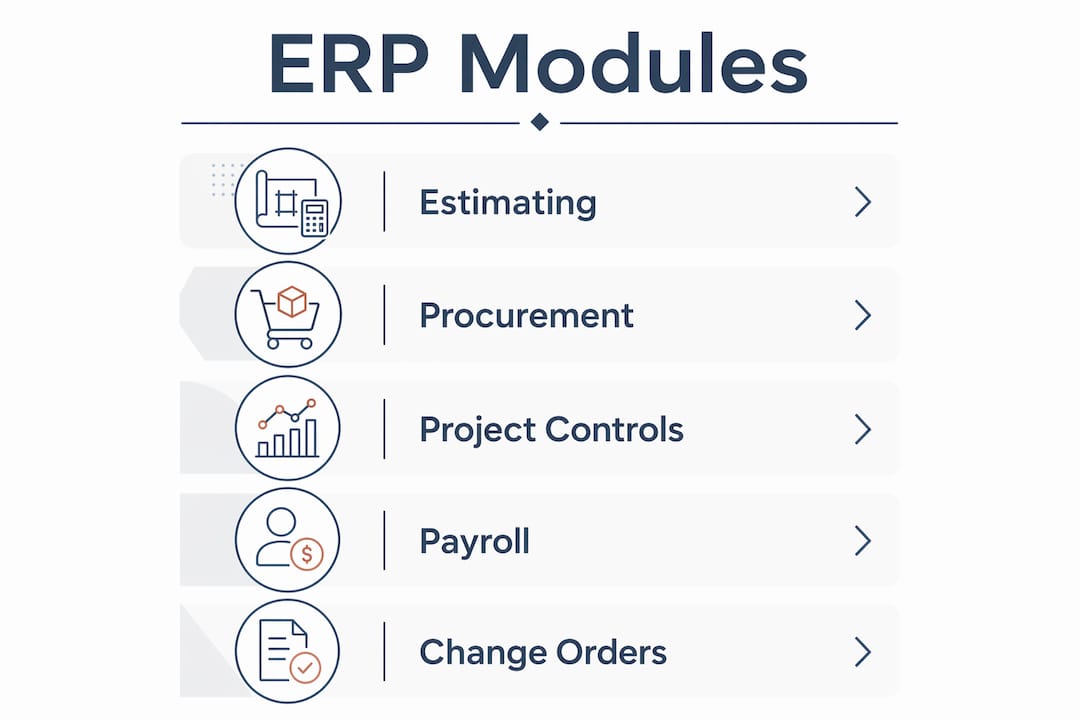
The platform connects every business function from bid to closeout. Estimating feeds into procurement. Procurement links to job costing. Job costing flows into accounts payable and payroll. When one module updates, the rest reflect the change in real time. That connection is what separates a true construction ERP system from a collection of software tools that happen to share a login screen.

Pro Tip: Before evaluating any ERP platform, map your current workflow from bid to final billing. The modules you need most are the ones where your team currently uses the most manual workarounds.
What modules does a commercial construction ERP include?
Construction ERP systems are modular and configured to meet construction-specific needs, including subcontractor onboarding, inventory control, job execution, and accounting. The table below shows how construction-specific modules compare to what a generic ERP typically offers.
| Module category | Generic ERP | Commercial construction ERP |
|---|---|---|
| Job costing | Basic cost centers | Granular cost codes by phase, trade, and activity |
| Subcontractor management | Vendor records only | Onboarding, compliance tracking, commitment management |
| Change order tracking | Manual adjustment entries | Commitment-linked transactions with full audit trail |
| Field operations | Not included | Daily logs, time capture, equipment tracking |
| Billing and compliance | Standard AR | AIA billing, lien waivers, certified payroll |
Change order management deserves special attention. Linking change orders to underlying contracts within ERP preserves audit trails and prevents costly reconciliation delays. When a change order is modeled as a commitment-linked transaction, the budget, billing, and contract all update together. That single capability eliminates hours of manual reconciliation on complex commercial projects.
Payroll integration is another differentiator. Commercial construction ERP handles certified payroll, union wage rates, and multi-state tax compliance in the same system that tracks labor hours against cost codes. That connection removes the double-entry problem that plagues firms still running payroll in a separate platform.
Pro Tip: Match your module selection to your actual project delivery method. A general contractor running design-build projects needs different module configurations than a specialty subcontractor doing unit-price work.
How does construction ERP improve project efficiency and financial control?
Construction professionals waste over 14 hours weekly chasing information, fixing errors, and managing miscommunications that a centralized ERP eliminates. That is nearly two full workdays per person per week lost to problems that integrated data solves. The efficiency gains from a well-implemented construction ERP system show up in five specific areas:
- Faster approvals. Automated workflows route invoices, change orders, and purchase orders to the right approver without email chains. Approval cycle times drop from days to hours.
- Reduced manual reconciliation. When budgets, commitments, and invoices live in the same system, month-end close requires verification rather than reconstruction.
- Better forecast accuracy. Real-time job costing gives project managers current cost-to-complete data rather than last month’s spreadsheet. Decisions improve when the data is current.
- Improved cash flow. Integrated billing workflows trigger invoices faster and track lien waiver compliance automatically, reducing the gap between work completed and cash received.
- Stronger subcontractor control. Commitment tracking shows exactly what is contracted, what is billed, and what remains. Overbilling and duplicate payments become visible before they hit accounts payable.
Integrated project controls reduce margin erosion from fragmented estimating, delayed cost capture, and weak subcontractor controls. Margin erosion is the silent killer on commercial projects. It rarely shows up as one large loss. It accumulates through small delays, missed change orders, and labor costs coded to the wrong phase. ERP closes those gaps by connecting budgets, commitments, invoices, and timesheets in real time.
Pro Tip: Set up ERP dashboards that show cost-to-complete and committed cost variance for every active project. Review them weekly, not monthly. Problems caught at 30% complete are fixable. Problems caught at 90% complete are not.
What is the return on investment from construction ERP?
ERP delivers ROI through cost avoidance, productivity gains, cash flow improvements, and risk reduction, directly affecting project margins and administrative overhead. Understanding what is return on investment in construction ERP requires looking at both the hard dollar savings and the operational improvements that protect future margins.
| ROI driver | Operational impact |
|---|---|
| Approval automation | Fewer delayed payments and penalty clauses |
| Real-time job costing | Earlier identification of cost overruns |
| Integrated billing | Faster invoice cycles and improved cash position |
| Subcontract commitment tracking | Reduced overbilling and duplicate payments |
| Reduced admin overhead | Lower back-office headcount per project dollar |
The ROI case weakens when implementation discipline is poor. Treating ERP implementation as an operating model redesign rather than a software installation is the decisive factor in capturing value. Firms that configure the system around their old, broken workflows get a faster version of the same problems. Firms that redesign their workflows first and then configure the ERP get the financial results they expected.
True cost control requires granular job costing discipline at the transaction level, including labor, materials, equipment, and subcontractor charges recorded with cost codes at entry rather than in reconciliation. This is the most common failure point. Teams enter costs in bulk at month-end instead of at the point of transaction. The result is accurate-looking reports built on inaccurate data. ERP only improves forecasting when the data going in is timely and granular.
Designflow-build reports a 70% reduction in manual data entry for contractors using its AI-native platform, with monthly savings reaching up to $847K. Those figures reflect what happens when ERP is implemented with proper workflow alignment rather than as a standalone software deployment.
Pro Tip: Assign a named KPI owner for each major ERP module during implementation. When no one owns the data quality in job costing, no one fixes it. Accountability at the module level is what keeps the system accurate over time.
How do you implement and scale a commercial construction ERP?
Scaling a general contractor ERP system across multiple projects and business entities requires planning that goes well beyond the initial software setup. The considerations that determine long-term success fall into four categories.
- Module selection aligned to company goals. Start with the modules that address your highest-pain workflows. For most general contractors, that means job costing, subcontract management, and billing. Add field operations and equipment tracking as the team builds confidence in the core system.
- Cloud architecture for distributed teams. Cloud-based ERP solutions improve scalability, mobile field reporting, and centralized governance across multiple jobsites. Field superintendents can enter daily logs, approve timesheets, and flag cost issues from a tablet on site. That real-time data flow is impossible with a server-based system.
- Change management and executive sponsorship. ERP adoption fails when project managers see the system as an accounting tool rather than a project management tool. Executive sponsors who require ERP data in every project review meeting change that perception faster than any training program.
- Master data governance from day one. Cost codes, vendor records, and project templates must be standardized before go-live. Firms that migrate dirty data from old systems spend months cleaning it up instead of using the system. Designflow-build’s 2–4 week implementation timeline is achievable precisely because the onboarding process addresses data governance upfront.
When evaluating project management tool integration, consider how your ERP connects to scheduling platforms. Schedule data that feeds directly into ERP cost forecasts gives project managers a complete picture of time and money in one view. That connection is where construction ERP moves from accounting software to a genuine project controls platform.
Key Takeaways
Commercial construction ERP is the most direct path to integrated project controls, and firms that implement it with workflow discipline consistently outperform those that rely on disconnected tools.
| Point | Details |
|---|---|
| Core definition | Construction ERP unifies job costing, subcontracts, billing, and field operations in one platform. |
| Module alignment | Match ERP modules to your actual workflows or you will recreate manual workarounds inside the system. |
| ROI discipline | ERP ROI depends on granular, timely data entry at the transaction level, not month-end reconciliation. |
| Implementation approach | Treat ERP deployment as an operating model redesign, not a software installation. |
| Cloud and scale | Cloud ERP supports distributed jobsites, mobile field teams, and multi-entity governance more effectively than server-based systems. |
What I’ve learned watching construction firms get ERP wrong
After watching dozens of commercial contractors implement ERP systems, the pattern is consistent. The firms that struggle are not the ones that chose the wrong software. They are the ones that underestimated how much their internal processes needed to change before the software could help.
The most common mistake is migrating existing chaos into a new system. Old cost codes, inconsistent vendor naming, and project templates built around one project manager’s preferences all come along for the ride. The ERP goes live, the data is a mess, and leadership blames the software. The software is not the problem.
The second mistake is treating ERP as an accounting department project. When project managers are not required to use the system for daily cost tracking, the financial data is always two weeks behind reality. By the time the accounting team reconciles everything, the project is past the point where intervention would have mattered.
What actually works is starting with a small, disciplined pilot project. Pick one project, assign one KPI owner per module, and run the system with full transaction discipline for 90 days. The results from that pilot will tell you more about your firm’s readiness than any vendor demo. Cloud platforms like Designflow-build make this kind of phased approach practical because the AI-driven ERP platform does not require months of consultant-led configuration before you see value.
The firms winning on commercial projects in 2026 are the ones treating integrated project controls as a competitive advantage, not a back-office function. ERP is the infrastructure that makes those controls possible.
— Keith
How Designflow-build supports your construction ERP needs
Designflow-build is built specifically for contractors and project managers who need ERP capabilities without a six-month implementation timeline.

The platform combines project management, accounting, and field operations into one AI-native system. It eliminates the need for separate tools like Excel and QuickBooks by connecting job costing, subcontract management, billing, and payroll in a single environment. Designflow-build reports a 98% user adoption rate and a 2–4 week go-live timeline, which means your team is using the system before the next project milestone. Explore the construction ERP glossary to get grounded in the terminology, or visit the AI ERP platform to see how Designflow-build fits your commercial construction workflows.
FAQ
What is a commercial construction ERP system?
A commercial construction ERP system is an integrated software platform that unifies job costing, subcontractor management, procurement, billing, and field operations into a single database. It replaces disconnected tools like spreadsheets and standalone accounting software with one system covering the full project lifecycle.
How long does it take to implement a construction ERP?
Implementation timelines vary by platform and firm size, but cloud-based systems designed for construction can go live in 2–4 weeks when master data is prepared in advance. Longer timelines typically result from poor data governance or treating deployment as a software project rather than a process redesign.
What is the ROI of a construction ERP system?
Construction ERP delivers ROI through cost avoidance, faster billing cycles, reduced administrative overhead, and improved margin forecasting. The financial impact depends directly on the granularity of job costing data and the discipline of transaction entry at the point of work.
What modules does a general contractor ERP need?
A general contractor ERP needs job costing with granular cost codes, subcontract commitment tracking, change order management, AIA billing, certified payroll, and field reporting at minimum. Cloud access for field teams and integration with scheduling tools add significant value for firms running multiple concurrent projects.
How does construction ERP differ from generic ERP?
Generic ERP is built around manufacturing or retail workflows and lacks construction-specific features like job costing by phase, lien waiver tracking, and subcontractor compliance management. Construction ERP is configured around the project lifecycle from bid to closeout, making it the correct tool for commercial contractors.