
Replace Excel in Construction Management: 2026 Guide

Replacing Excel in construction management means gaining real-time collaboration, automated tracking, and full project visibility that spreadsheets simply cannot deliver. The industry term for this shift is construction project controls migration, and it covers moving from flat files to integrated platforms that handle scheduling, budgeting, and field operations together. 42% of project managers still use spreadsheets as their primary planning tool despite well-documented risks. That number shows how deeply Excel is embedded in construction workflows, and it explains why so many firms lose money to version conflicts, unbilled change orders, and manual entry errors every single year.
Why Excel fails construction project management
Excel was built for financial modeling, not for managing a 20-subcontractor job site with daily RFIs, shifting material costs, and overlapping critical path schedules. The gap between what Excel does and what construction project tracking software requires is wide, and it grows with every project you add.
The core problems fall into three categories.
Version control and collaboration. Every time someone saves a new copy of a schedule or budget file, you create a fork. Two project managers working from different versions of the same file is not a minor inconvenience. It produces conflicting cost reports, missed deadlines, and disputes with owners over scope. Cloud-based platforms solve this by keeping one live version that every team member edits simultaneously.
No automated risk detection or compliance tracking. Excel lacks automatic risk detection and compliance tracking capabilities. Modern construction management solutions provide AI-powered risk analysis and full audit trails. When a regulatory body requests documentation of a safety inspection or a payment application, a spreadsheet offers no structured audit history. A purpose-built platform does.

Manual data entry across budgeting, scheduling, and task tracking. Every number you type into Excel is a number that could be wrong. Construction projects involve hundreds of line items, dozens of subcontractors, and daily cost updates. Manual entry at that volume produces errors that compound over time. A missed change order, for example, can mean unbilled work that never gets recovered.
Common signs that Excel is failing your firm:
- Multiple versions of the same schedule circulating by email
- Budget files that only one person knows how to update
- No real-time view of actual costs versus planned costs
- Change orders tracked in a separate tab, or not tracked at all
- No audit trail for compliance reviews or owner disputes
The result is reduced project transparency and weakened cost control. Both directly affect your margins.
What features matter most when you replace spreadsheets in construction
Not every construction management solution fits every firm. The right platform depends on your project size, team structure, and the specific workflows where Excel is causing the most pain. That said, certain features are non-negotiable for any serious replacement.
Real-time multi-user collaboration and version control top the list. Every team member, from the field superintendent to the project accountant, needs to see the same live data. Real-time collaboration, role-based security, and automation are the key evaluation criteria for any Excel alternative in a business setting.
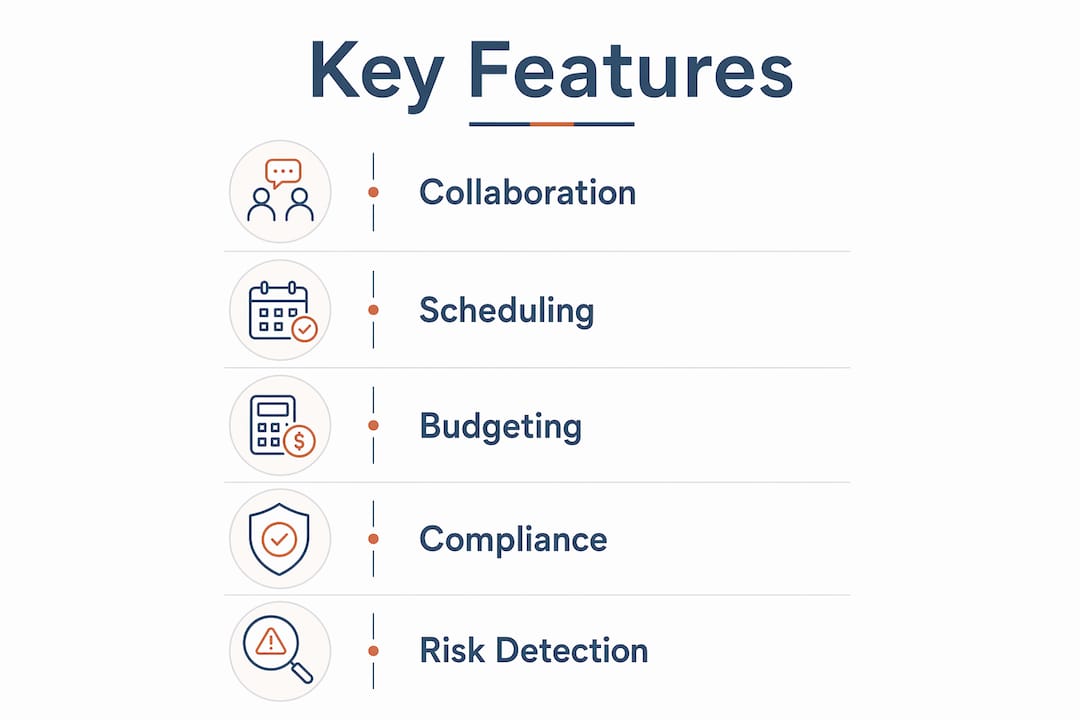
Integrated scheduling with critical path support is the next priority. Construction scheduling software that supports CPM (Critical Path Method) and dependency tracking gives you a live view of what delays actually cost. A construction scheduling platform that flags schedule risk automatically is far more reliable than a Gantt chart built in a spreadsheet.
Budget tracking with actual versus planned cost comparisons closes the gap between your estimate and your job cost report. Custom construction software centralizes estimating and provides real-time job cost tracking, which Excel cannot replicate. Material pricing updates automatically, and the audit history stays intact.
Change order management and document control prevent revenue loss. Manual entry of change orders in Excel risks unbilled work. Platforms that automatically track and route approvals protect your revenue on every project.
Additional features worth evaluating:
- Customizable workflows that match your existing processes
- Role-based access control so field crews see only what they need
- Mobile access for real-time updates from the job site
- Scalable performance as your project portfolio grows
Pro Tip: Before evaluating any platform, map your three most painful Excel workflows. Use that map as your evaluation checklist. A platform that does not solve those three problems is not the right fit, regardless of its feature list.
It is also worth noting that cloud-based spreadsheet platforms like Google Sheets improve collaboration but still lack the project management depth needed for construction, including resource planning and profitability tracking. Upgrading to a shared spreadsheet is not a replacement. It is a temporary fix.
How to transition from Excel to construction management software
A phased approach produces the best results. Trying to migrate everything at once is the single most common mistake firms make, and it almost always causes disruption that pushes teams back to their old spreadsheets.
Follow these steps in order:
-
Take inventory of your current Excel files. List every spreadsheet your team uses for project management, budgeting, scheduling, and reporting. Identify which files are critical and which are redundant. This step typically surfaces files that nobody has updated in months but that everyone assumes are current.
-
Define your requirements by project type. A residential remodeler and a commercial GC have different scheduling complexity, subcontractor counts, and compliance requirements. Prioritize features based on your actual project mix, not a generic feature checklist.
-
Pilot with two or three real projects. Test your shortlisted platforms on active projects, not demo data. Real projects expose gaps that a sales demo never will. Give your team four to six weeks to form an honest opinion.
-
Phase the migration starting with new projects. Start replacing Excel gradually with new projects and maintain critical Excel estimating files until a full transition is possible. This protects active projects from disruption while building team confidence in the new system.
-
Train teams and appoint power users. Every firm needs two or three people who know the platform deeply. They become the internal support contacts and the advocates who pull reluctant colleagues along. Formal training matters, but peer support matters more.
-
Convert your flat Excel data into structured hierarchies. Excel stores data in rows and columns. Project management platforms store data in hierarchies: projects, phases, tasks, subtasks. The conversion is not automatic. Budget time for data cleaning before import.
Here is a realistic timeline for the transition:
| Phase | Activity | Typical Duration |
|---|---|---|
| Inventory and requirements | Audit files, define needs | 1–2 weeks |
| Platform selection and pilot | Test on live projects | 4–6 weeks |
| Phased migration | New projects first | 2–4 weeks per cohort |
| Full team adoption | Training and process adjustment | 2–4 weeks |
Migration from Excel typically takes a few hours per project and 2–4 weeks for full team adoption including training and process adjustment. That timeline is achievable if you phase the rollout correctly.
Pro Tip: Keep your custom estimating spreadsheets running alongside the new platform until your team has validated that the new system produces matching numbers. Estimating is where firms lose money fastest if the data is wrong.
Common challenges when moving away from Excel
Every firm hits the same obstacles during migration. Knowing them in advance lets you plan around them rather than react to them.
Resistance to change is the most common barrier. Project managers who have used the same spreadsheet for five years are not going to adopt a new platform because leadership sent an email. Involve them in the selection process. Let them test the platform on their own projects. Ownership drives adoption.
Data migration complexity surprises most teams. Excel files often contain years of project history in formats that no platform can import cleanly. Expect to spend time reformatting data, resolving duplicate entries, and deciding what historical data is worth migrating versus archiving.
Parallel system management during the transition creates confusion. Running Excel and a new platform simultaneously means some data lives in two places. Set a clear cutoff date for each project type and communicate it to the whole team.
Replacing Excel in construction is not a technology problem. It is a process problem. The firms that succeed treat migration as a change management project, not a software installation. They assign an owner, set milestones, and measure adoption the same way they measure project progress.
The role of a project manager in construction now includes driving digital tool adoption, not just managing schedules. Firms that recognize this shift assign migration ownership to a senior PM, not to IT.
Avoid these common mistakes:
- Migrating all active projects at once
- Skipping the pilot phase to save time
- Underestimating training time for field crews
- Assuming the platform will automatically enforce your existing processes
Post-migration, schedule a 90-day review. Identify which workflows the platform handles well and which still require manual workarounds. Continuous improvement after go-live is what separates firms that get full value from their investment from those that revert to spreadsheets within a year.
Key Takeaways
Replacing Excel in construction management delivers real results only when firms combine the right platform with a phased migration plan and deliberate change management.
| Point | Details |
|---|---|
| Excel’s core failure | Version conflicts, no audit trails, and manual entry errors compound across every project. |
| Non-negotiable features | Prioritize real-time collaboration, CPM scheduling, job cost tracking, and change order automation. |
| Phased migration wins | Start with new projects, keep estimating files until validated, and appoint internal power users. |
| Realistic timeline | Full team adoption takes 2–4 weeks after piloting; rushing the process drives teams back to spreadsheets. |
| Hybrid approach works | Specialized estimating spreadsheets can coexist with integrated platforms during and after transition. |
The uncomfortable truth about Excel in construction
I have watched construction firms hold onto Excel for years past the point where it was hurting them. The reason is almost never cost. It is familiarity. A project manager who built a budget template over five years has real equity in that file. Asking them to abandon it feels like asking them to start over.
The firms that transition successfully do not ask teams to abandon their knowledge. They ask them to apply that knowledge inside a better system. That reframe matters. When you position the new platform as a container for their expertise rather than a replacement for it, adoption rates climb fast.
The other thing I have learned is that the hybrid approach is underrated. Replacing Excel does not have to mean replacing every spreadsheet. Your custom estimating model, the one tuned to your labor rates and your subcontractor relationships, can stay in Excel while your project execution moves to an integrated platform. That split is not a compromise. For most mid-size contractors, it is the right answer.
The mistake I see most often is treating migration as a one-time event. The firms that get the most value from their platforms treat tool evaluation as an ongoing process. They review their workflows every six months, ask what the platform still cannot do, and push for improvements. That mindset is what separates firms that grow with their tools from firms that outgrow them.
— Keith
What Designflow-build offers construction teams moving past Excel
Designflow-build is built specifically for contractors who are done patching together spreadsheets and disconnected apps. It combines project management, accounting, and field operations into one AI-native ERP, so your team works from a single source of truth on every project.

Designflow-build reports a 70% reduction in manual data entry and monthly savings of up to $847K for contractors using the platform. Implementation takes 2–4 weeks with a 98% user adoption rate, so your team is not stuck in a months-long rollout. The AI construction software predicts project risks, automates resource allocation, and tracks job costs in real time. If you are evaluating your options, the construction software glossary is a practical starting point for understanding ERP, takeoff, and scheduling terms before you commit to a platform.
FAQ
Why do construction firms still rely on Excel?
42% of project managers use spreadsheets as their primary planning tool because Excel is familiar, flexible, and free. The switching cost feels high until the cost of staying becomes higher.
How long does it take to replace Excel in construction management?
Full team adoption typically takes 2–4 weeks after a pilot phase. Migrating individual project data takes a few hours per project, depending on file complexity.
What is the biggest risk of staying on Excel for construction projects?
The biggest risk is unbilled work from missed change orders and version conflicts that produce inaccurate cost reports. Both directly reduce project margins.
Can I keep my Excel estimating files after switching platforms?
Yes. A hybrid approach works well for most contractors. Keep specialized estimating spreadsheets while moving project execution and tracking to an integrated platform.
What features should I prioritize when choosing a construction management platform?
Prioritize real-time collaboration, CPM scheduling, job cost tracking with actual versus planned comparisons, and automated change order management. Role-based security and automation are also critical evaluation criteria for any serious alternative.